
Hi I would like to run scripts based on location. The scripts work fine, but the location service stops working. I guess the location service requires CAN1 to be working? Since CAN1 stops receiving after a short period of time, the location service also stops. Is there a way to bypass this so the location service does not depend on CAN1 working? Kind regards, Stein Arne Sordal

Location service just works off gps data. For cars using the gps in the simcom modules, that shouldn’t rely on can at all. Regards, Mark
On 29 Mar 2019, at 3:56 PM, ovms <ovms@topphemmelig.no> wrote:
Hi
I would like to run scripts based on location. The scripts work fine, but the location service stops working. I guess the location service requires CAN1 to be working? Since CAN1 stops receiving after a short period of time, the location service also stops. Is there a way to bypass this so the location service does not depend on CAN1 working?
Kind regards, Stein Arne Sordal
_______________________________________________ OvmsDev mailing list OvmsDev@lists.openvehicles.com http://lists.openvehicles.com/mailman/listinfo/ovmsdev
Except it does use the metric that says the car is on (for the car theft feature).
On 31 Mar 2019, at 9:37 PM, Mark Webb-Johnson <mark@webb-johnson.net> wrote:
Location service just works off gps data. For cars using the gps in the simcom modules, that shouldn’t rely on can at all.
Regards, Mark
On 29 Mar 2019, at 3:56 PM, ovms <ovms@topphemmelig.no> wrote:
Hi
I would like to run scripts based on location. The scripts work fine, but the location service stops working. I guess the location service requires CAN1 to be working? Since CAN1 stops receiving after a short period of time, the location service also stops. Is there a way to bypass this so the location service does not depend on CAN1 working?
Kind regards, Stein Arne Sordal
_______________________________________________ OvmsDev mailing list OvmsDev@lists.openvehicles.com http://lists.openvehicles.com/mailman/listinfo/ovmsdev

Mark, This message reminds me to mention that both Timothy Rodgers and I have received false alarm car-theft notifications from OVMS. Have you? I presume these are caused by temporary inaccuracy in the GPS signal. -- Steve On Sun, 31 Mar 2019, Mark Webb-Johnson wrote:
Except it does use the metric that says the car is on (for the car theft feature).
On 31 Mar 2019, at 9:37 PM, Mark Webb-Johnson <mark@webb-johnson.net> wrote:
Location service just works off gps data. For cars using the gps in the simcom modules, that shouldn't rely on can at all.
Regards, Mark
On 29 Mar 2019, at 3:56 PM, ovms <ovms@topphemmelig.no> wrote:
Hi
I would like to run scripts based on location. The scripts work fine, but the location service stops working. I guess the location service requires CAN1 to be working? Since CAN1 stops receiving after a short period of time, the location service also stops. Is there a way to bypass this so the location service does not depend on CAN1 working?
Kind regards, Stein Arne Sordal
I don’t see this on the Model S vehicle. I suspect the issue is not handling GPS lock indicator correctly in the vehicle modules. For the roadster, we use ID#100, B1=0x85 (GPS direction and altitude), B2==1 to control this, but that was always a ‘best guess’ without much data to back it up. Regards, Mark.
On 31 Mar 2019, at 11:12 PM, Stephen Casner <casner@acm.org> wrote:
Mark,
This message reminds me to mention that both Timothy Rodgers and I have received false alarm car-theft notifications from OVMS. Have you? I presume these are caused by temporary inaccuracy in the GPS signal.
-- Steve
On Sun, 31 Mar 2019, Mark Webb-Johnson wrote:
Except it does use the metric that says the car is on (for the car theft feature).
On 31 Mar 2019, at 9:37 PM, Mark Webb-Johnson <mark@webb-johnson.net> wrote:
Location service just works off gps data. For cars using the gps in the simcom modules, that shouldn't rely on can at all.
Regards, Mark
On 29 Mar 2019, at 3:56 PM, ovms <ovms@topphemmelig.no> wrote:
Hi
I would like to run scripts based on location. The scripts work fine, but the location service stops working. I guess the location service requires CAN1 to be working? Since CAN1 stops receiving after a short period of time, the location service also stops. Is there a way to bypass this so the location service does not depend on CAN1 working?
Kind regards, Stein Arne Sordal
OvmsDev mailing list OvmsDev@lists.openvehicles.com http://lists.openvehicles.com/mailman/listinfo/ovmsdev
Mark, The false alarm occured again a few minutes ago. I wanted to use the web shell UI to check some status, but using the new messages feature of the iPhone app I found the wifi was wedged again. After I turned wifi off and then back to client mode I would log in from the web again. I issued a location status command that indicated good lock. What should I look for when this false alarm occurs? Is it likely that the alarm is issued when stable GPS operation is restored, so what I really would need to see is a log of conditions before the alarm? And now that I have issued some messages in the app, how do I switch back to other functions? Is there a way to make the keyboard drop and then find the buttons at the bottom of the screen? (I realize that restarting the app would be a solution.) -- Steve On Mon, 1 Apr 2019, Mark Webb-Johnson wrote:
I don't see this on the Model S vehicle.
I suspect the issue is not handling GPS lock indicator correctly in the vehicle modules. For the roadster, we use ID#100, B1=0x85 (GPS direction and altitude), B2==1 to control this, but that was always a 'best guess' without much data to back it up.
Regards, Mark.
On 31 Mar 2019, at 11:12 PM, Stephen Casner <casner@acm.org> wrote:
Mark,
This message reminds me to mention that both Timothy Rodgers and I have received false alarm car-theft notifications from OVMS. Have you? I presume these are caused by temporary inaccuracy in the GPS signal.
-- Steve
On Sun, 31 Mar 2019, Mark Webb-Johnson wrote:
Except it does use the metric that says the car is on (for the car theft feature).
On 31 Mar 2019, at 9:37 PM, Mark Webb-Johnson <mark@webb-johnson.net> wrote:
Location service just works off gps data. For cars using the gps in the simcom modules, that shouldn't rely on can at all.
Regards, Mark
On 29 Mar 2019, at 3:56 PM, ovms <ovms@topphemmelig.no> wrote:
Hi
I would like to run scripts based on location. The scripts work fine, but the location service stops working. I guess the location service requires CAN1 to be working? Since CAN1 stops receiving after a short period of time, the location service also stops. Is there a way to bypass this so the location service does not depend on CAN1 working?
Kind regards, Stein Arne Sordal
OvmsDev mailing list OvmsDev@lists.openvehicles.com http://lists.openvehicles.com/mailman/listinfo/ovmsdev
_______________________________________________ OvmsDev mailing list OvmsDev@lists.openvehicles.com http://lists.openvehicles.com/mailman/listinfo/ovmsdev
Steve,
What should I look for when this false alarm occurs? Is it likely that the alarm is issued when stable GPS operation is restored, so what I really would need to see is a log of conditions before the alarm?
What we would ideally need would be at the time of the issue: metric list v.p CAN bus dump (can1) ID #100, B1=0x83,0x84,0x85 I appreciate that is hard. Perhaps just leave a CAN bus dump running over wifi throughout the event? You could leave that running for hours. We could then replay that back through a box to recreate the issue.
And now that I have issued some messages in the app, how do I switch back to other functions? Is there a way to make the keyboard drop and then find the buttons at the bottom of the screen? (I realize that restarting the app would be a solution.)
Just click on the screen, away from the keyboard. Regards, Mark.
On 2 Apr 2019, at 5:47 AM, Stephen Casner <casner@acm.org> wrote:
Mark,
The false alarm occured again a few minutes ago. I wanted to use the web shell UI to check some status, but using the new messages feature of the iPhone app I found the wifi was wedged again. After I turned wifi off and then back to client mode I would log in from the web again. I issued a location status command that indicated good lock.
What should I look for when this false alarm occurs? Is it likely that the alarm is issued when stable GPS operation is restored, so what I really would need to see is a log of conditions before the alarm?
And now that I have issued some messages in the app, how do I switch back to other functions? Is there a way to make the keyboard drop and then find the buttons at the bottom of the screen? (I realize that restarting the app would be a solution.)
-- Steve
On Mon, 1 Apr 2019, Mark Webb-Johnson wrote:
I don't see this on the Model S vehicle.
I suspect the issue is not handling GPS lock indicator correctly in the vehicle modules. For the roadster, we use ID#100, B1=0x85 (GPS direction and altitude), B2==1 to control this, but that was always a 'best guess' without much data to back it up.
Regards, Mark.
On 31 Mar 2019, at 11:12 PM, Stephen Casner <casner@acm.org> wrote:
Mark,
This message reminds me to mention that both Timothy Rodgers and I have received false alarm car-theft notifications from OVMS. Have you? I presume these are caused by temporary inaccuracy in the GPS signal.
-- Steve
On Sun, 31 Mar 2019, Mark Webb-Johnson wrote:
Except it does use the metric that says the car is on (for the car theft feature).
On 31 Mar 2019, at 9:37 PM, Mark Webb-Johnson <mark@webb-johnson.net> wrote:
Location service just works off gps data. For cars using the gps in the simcom modules, that shouldn't rely on can at all.
Regards, Mark
On 29 Mar 2019, at 3:56 PM, ovms <ovms@topphemmelig.no> wrote:
Hi
I would like to run scripts based on location. The scripts work fine, but the location service stops working. I guess the location service requires CAN1 to be working? Since CAN1 stops receiving after a short period of time, the location service also stops. Is there a way to bypass this so the location service does not depend on CAN1 working?
Kind regards, Stein Arne Sordal
OvmsDev mailing list OvmsDev@lists.openvehicles.com http://lists.openvehicles.com/mailman/listinfo/ovmsdev
_______________________________________________ OvmsDev mailing list OvmsDev@lists.openvehicles.com http://lists.openvehicles.com/mailman/listinfo/ovmsdev
_______________________________________________ OvmsDev mailing list OvmsDev@lists.openvehicles.com http://lists.openvehicles.com/mailman/listinfo/ovmsdev
Well, for my car this event has occurred twice in a few months, so the idea of running a CAN bus dump in a wifi session all the time is not practical. What we would need would be a CAN bus dump to rotating files, like the error message logging can do. -- Steve On Tue, 2 Apr 2019, Mark Webb-Johnson wrote:
Steve,
What should I look for when this false alarm occurs? Is it likely that the alarm is issued when stable GPS operation is restored, so what I really would need to see is a log of conditions before the alarm?
What we would ideally need would be at the time of the issue:
metric list v.p CAN bus dump (can1) ID #100, B1=0x83,0x84,0x85
I appreciate that is hard. Perhaps just leave a CAN bus dump running over wifi throughout the event? You could leave that running for hours. We could then replay that back through a box to recreate the issue.
And now that I have issued some messages in the app, how do I switch back to other functions? Is there a way to make the keyboard drop and then find the buttons at the bottom of the screen? (I realize that restarting the app would be a solution.)
Just click on the screen, away from the keyboard.
Regards, Mark.
On 2 Apr 2019, at 5:47 AM, Stephen Casner <casner@acm.org> wrote:
Mark,
The false alarm occured again a few minutes ago. I wanted to use the web shell UI to check some status, but using the new messages feature of the iPhone app I found the wifi was wedged again. After I turned wifi off and then back to client mode I would log in from the web again. I issued a location status command that indicated good lock.
What should I look for when this false alarm occurs? Is it likely that the alarm is issued when stable GPS operation is restored, so what I really would need to see is a log of conditions before the alarm?
And now that I have issued some messages in the app, how do I switch back to other functions? Is there a way to make the keyboard drop and then find the buttons at the bottom of the screen? (I realize that restarting the app would be a solution.)
-- Steve
On Mon, 1 Apr 2019, Mark Webb-Johnson wrote:
I don't see this on the Model S vehicle.
I suspect the issue is not handling GPS lock indicator correctly in the vehicle modules. For the roadster, we use ID#100, B1=0x85 (GPS direction and altitude), B2==1 to control this, but that was always a 'best guess' without much data to back it up.
Regards, Mark.
On 31 Mar 2019, at 11:12 PM, Stephen Casner <casner@acm.org> wrote:
Mark,
This message reminds me to mention that both Timothy Rodgers and I have received false alarm car-theft notifications from OVMS. Have you? I presume these are caused by temporary inaccuracy in the GPS signal.
-- Steve
Can the problem be triggered by covering the GPS antenna? Parking in the garage? I am not sure if the SD is fast enough to store can log files. It would not be too hard to start/stop logging in javascript (without code changes). Regards, Mark.
On 2 Apr 2019, at 10:28 AM, Stephen Casner <casner@acm.org> wrote:
Well, for my car this event has occurred twice in a few months, so the idea of running a CAN bus dump in a wifi session all the time is not practical. What we would need would be a CAN bus dump to rotating files, like the error message logging can do.
-- Steve
On Tue, 2 Apr 2019, Mark Webb-Johnson wrote:
Steve,
What should I look for when this false alarm occurs? Is it likely that the alarm is issued when stable GPS operation is restored, so what I really would need to see is a log of conditions before the alarm?
What we would ideally need would be at the time of the issue:
metric list v.p CAN bus dump (can1) ID #100, B1=0x83,0x84,0x85
I appreciate that is hard. Perhaps just leave a CAN bus dump running over wifi throughout the event? You could leave that running for hours. We could then replay that back through a box to recreate the issue.
And now that I have issued some messages in the app, how do I switch back to other functions? Is there a way to make the keyboard drop and then find the buttons at the bottom of the screen? (I realize that restarting the app would be a solution.)
Just click on the screen, away from the keyboard.
Regards, Mark.
On 2 Apr 2019, at 5:47 AM, Stephen Casner <casner@acm.org> wrote:
Mark,
The false alarm occured again a few minutes ago. I wanted to use the web shell UI to check some status, but using the new messages feature of the iPhone app I found the wifi was wedged again. After I turned wifi off and then back to client mode I would log in from the web again. I issued a location status command that indicated good lock.
What should I look for when this false alarm occurs? Is it likely that the alarm is issued when stable GPS operation is restored, so what I really would need to see is a log of conditions before the alarm?
And now that I have issued some messages in the app, how do I switch back to other functions? Is there a way to make the keyboard drop and then find the buttons at the bottom of the screen? (I realize that restarting the app would be a solution.)
-- Steve
On Mon, 1 Apr 2019, Mark Webb-Johnson wrote:
I don't see this on the Model S vehicle.
I suspect the issue is not handling GPS lock indicator correctly in the vehicle modules. For the roadster, we use ID#100, B1=0x85 (GPS direction and altitude), B2==1 to control this, but that was always a 'best guess' without much data to back it up.
Regards, Mark.
On 31 Mar 2019, at 11:12 PM, Stephen Casner <casner@acm.org> wrote:
Mark,
This message reminds me to mention that both Timothy Rodgers and I have received false alarm car-theft notifications from OVMS. Have you? I presume these are caused by temporary inaccuracy in the GPS signal.
-- Steve
OvmsDev mailing list OvmsDev@lists.openvehicles.com http://lists.openvehicles.com/mailman/listinfo/ovmsdev

I've had the "possible flatbed" message I think twice since I've had the OVMS installed in my Roadster. Both times the car was in the garage here at home. Momentary loss of GPS lock is assumed to be the cause, and I recall on the second occurrence I went out to look at the VDS and noted that it wasn't displaying something (altitude?), which confirmed the loss of lock. That said, that doesn't mean that a true loss of lock is the only way to get that message, especially with other cars having CAN bus issues. So I'm not sure what covering the GPS antenna will actually prove. Greg Mark Webb-Johnson wrote:
Can the problem be triggered by covering the GPS antenna? Parking in the garage?
I am not sure if the SD is fast enough to store can log files. It would not be too hard to start/stop logging in javascript (without code changes).
Regards, Mark.
On 2 Apr 2019, at 10:28 AM, Stephen Casner <casner@acm.org> wrote:
Well, for my car this event has occurred twice in a few months, so the idea of running a CAN bus dump in a wifi session all the time is not practical. What we would need would be a CAN bus dump to rotating files, like the error message logging can do.
-- Steve
On Tue, 2 Apr 2019, Mark Webb-Johnson wrote:
Steve,
What should I look for when this false alarm occurs? Is it likely that the alarm is issued when stable GPS operation is restored, so what I really would need to see is a log of conditions before the alarm? What we would ideally need would be at the time of the issue:
metric list v.p CAN bus dump (can1) ID #100, B1=0x83,0x84,0x85
I appreciate that is hard. Perhaps just leave a CAN bus dump running over wifi throughout the event? You could leave that running for hours. We could then replay that back through a box to recreate the issue.
And now that I have issued some messages in the app, how do I switch back to other functions? Is there a way to make the keyboard drop and then find the buttons at the bottom of the screen? (I realize that restarting the app would be a solution.) Just click on the screen, away from the keyboard.
Regards, Mark.
On 2 Apr 2019, at 5:47 AM, Stephen Casner <casner@acm.org> wrote:
Mark,
The false alarm occured again a few minutes ago. I wanted to use the web shell UI to check some status, but using the new messages feature of the iPhone app I found the wifi was wedged again. After I turned wifi off and then back to client mode I would log in from the web again. I issued a location status command that indicated good lock.
What should I look for when this false alarm occurs? Is it likely that the alarm is issued when stable GPS operation is restored, so what I really would need to see is a log of conditions before the alarm?
And now that I have issued some messages in the app, how do I switch back to other functions? Is there a way to make the keyboard drop and then find the buttons at the bottom of the screen? (I realize that restarting the app would be a solution.)
-- Steve
On Mon, 1 Apr 2019, Mark Webb-Johnson wrote:
I don't see this on the Model S vehicle.
I suspect the issue is not handling GPS lock indicator correctly in the vehicle modules. For the roadster, we use ID#100, B1=0x85 (GPS direction and altitude), B2==1 to control this, but that was always a 'best guess' without much data to back it up.
Regards, Mark.
On 31 Mar 2019, at 11:12 PM, Stephen Casner <casner@acm.org> wrote:
Mark,
This message reminds me to mention that both Timothy Rodgers and I have received false alarm car-theft notifications from OVMS. Have you? I presume these are caused by temporary inaccuracy in the GPS signal.
-- Steve
OvmsDev mailing list OvmsDev@lists.openvehicles.com http://lists.openvehicles.com/mailman/listinfo/ovmsdev
OvmsDev mailing list OvmsDev@lists.openvehicles.com http://lists.openvehicles.com/mailman/listinfo/ovmsdev
On Tue, 2 Apr 2019, Mark Webb-Johnson wrote:
Can the problem be triggered by covering the GPS antenna? Parking in the garage?
My car is always parked in the garage, but the false alarm happens rarely. Today the car was idle except that I opened the door twice to insert and remove a USB drive to take my monthly log dump. The false alarm happened some time after the other activity was completed.
I am not sure if the SD is fast enough to store can log files. It would not be too hard to start/stop logging in javascript (without code changes).
You requested: CAN bus dump (can1) ID #100, B1=0x83,0x84,0x85 Is this the command you intended: can log trace 1:100 Is there a way to filter on B1? I see that the message rate is pretty high for watching messages flow by on the screen, but the data rate was 1248 bytes/second. Is that too fast for writing to the SD? That's 100MB per day, but with some GB of free space on the SD that should be sufficient for the rolling log. Or is the rate much higher when the car is in operation? -- Steve

I've used the trace command to log high volume CAN traffic, that's no problem (at least with a recent module having the SD speed fix). The tracing just lacks a file rotation, but that shouldn't be hard to add. Regards, Michael Am 02.04.19 um 04:58 schrieb Mark Webb-Johnson:
I am not sure if the SD is fast enough to store can log files. It would not be too hard to start/stop logging in javascript (without code changes).
Regards, Mark.
On 2 Apr 2019, at 10:28 AM, Stephen Casner <casner@acm.org> wrote:
Well, for my car this event has occurred twice in a few months, so the idea of running a CAN bus dump in a wifi session all the time is not practical. What we would need would be a CAN bus dump to rotating files, like the error message logging can do.
-- Steve
On Tue, 2 Apr 2019, Mark Webb-Johnson wrote:
Steve,
What should I look for when this false alarm occurs? Is it likely that the alarm is issued when stable GPS operation is restored, so what I really would need to see is a log of conditions before the alarm? What we would ideally need would be at the time of the issue:
metric list v.p CAN bus dump (can1) ID #100, B1=0x83,0x84,0x85
I appreciate that is hard. Perhaps just leave a CAN bus dump running over wifi throughout the event? You could leave that running for hours. We could then replay that back through a box to recreate the issue.
And now that I have issued some messages in the app, how do I switch back to other functions? Is there a way to make the keyboard drop and then find the buttons at the bottom of the screen? (I realize that restarting the app would be a solution.) Just click on the screen, away from the keyboard.
Regards, Mark.
On 2 Apr 2019, at 5:47 AM, Stephen Casner <casner@acm.org> wrote:
Mark,
The false alarm occured again a few minutes ago. I wanted to use the web shell UI to check some status, but using the new messages feature of the iPhone app I found the wifi was wedged again. After I turned wifi off and then back to client mode I would log in from the web again. I issued a location status command that indicated good lock.
What should I look for when this false alarm occurs? Is it likely that the alarm is issued when stable GPS operation is restored, so what I really would need to see is a log of conditions before the alarm?
And now that I have issued some messages in the app, how do I switch back to other functions? Is there a way to make the keyboard drop and then find the buttons at the bottom of the screen? (I realize that restarting the app would be a solution.)
-- Steve
On Mon, 1 Apr 2019, Mark Webb-Johnson wrote:
I don't see this on the Model S vehicle.
I suspect the issue is not handling GPS lock indicator correctly in the vehicle modules. For the roadster, we use ID#100, B1=0x85 (GPS direction and altitude), B2==1 to control this, but that was always a 'best guess' without much data to back it up.
Regards, Mark.
On 31 Mar 2019, at 11:12 PM, Stephen Casner <casner@acm.org> wrote:
Mark,
This message reminds me to mention that both Timothy Rodgers and I have received false alarm car-theft notifications from OVMS. Have you? I presume these are caused by temporary inaccuracy in the GPS signal.
-- Steve
OvmsDev mailing list OvmsDev@lists.openvehicles.com http://lists.openvehicles.com/mailman/listinfo/ovmsdev
OvmsDev mailing list OvmsDev@lists.openvehicles.com http://lists.openvehicles.com/mailman/listinfo/ovmsdev
-- Michael Balzer * Helkenberger Weg 9 * D-58256 Ennepetal Fon 02333 / 833 5735 * Handy 0176 / 206 989 26
I think Mark is requesting "can log trace" rather than "can log crtd". For the former you have already implemented rotation of the log files based on max size as configurable in the web UI, right? -- Steve On Tue, 2 Apr 2019, Michael Balzer wrote:
I've used the trace command to log high volume CAN traffic, that's no problem (at least with a recent module having the SD speed fix).
The tracing just lacks a file rotation, but that shouldn't be hard to add.
Regards, Michael
Am 02.04.19 um 04:58 schrieb Mark Webb-Johnson:
I am not sure if the SD is fast enough to store can log files. It would not be too hard to start/stop logging in javascript (without code changes).
Regards, Mark.
On 2 Apr 2019, at 10:28 AM, Stephen Casner <casner@acm.org> wrote:
Well, for my car this event has occurred twice in a few months, so the idea of running a CAN bus dump in a wifi session all the time is not practical. What we would need would be a CAN bus dump to rotating files, like the error message logging can do.
-- Steve
On Tue, 2 Apr 2019, Mark Webb-Johnson wrote:
Steve,
What should I look for when this false alarm occurs? Is it likely that the alarm is issued when stable GPS operation is restored, so what I really would need to see is a log of conditions before the alarm? What we would ideally need would be at the time of the issue:
metric list v.p CAN bus dump (can1) ID #100, B1=0x83,0x84,0x85
I appreciate that is hard. Perhaps just leave a CAN bus dump running over wifi throughout the event? You could leave that running for hours. We could then replay that back through a box to recreate the issue.
And now that I have issued some messages in the app, how do I switch back to other functions? Is there a way to make the keyboard drop and then find the buttons at the bottom of the screen? (I realize that restarting the app would be a solution.) Just click on the screen, away from the keyboard.
Regards, Mark.
On 2 Apr 2019, at 5:47 AM, Stephen Casner <casner@acm.org> wrote:
Mark,
The false alarm occured again a few minutes ago. I wanted to use the web shell UI to check some status, but using the new messages feature of the iPhone app I found the wifi was wedged again. After I turned wifi off and then back to client mode I would log in from the web again. I issued a location status command that indicated good lock.
What should I look for when this false alarm occurs? Is it likely that the alarm is issued when stable GPS operation is restored, so what I really would need to see is a log of conditions before the alarm?
And now that I have issued some messages in the app, how do I switch back to other functions? Is there a way to make the keyboard drop and then find the buttons at the bottom of the screen? (I realize that restarting the app would be a solution.)
-- Steve
On Mon, 1 Apr 2019, Mark Webb-Johnson wrote:
I don't see this on the Model S vehicle.
I suspect the issue is not handling GPS lock indicator correctly in the vehicle modules. For the roadster, we use ID#100, B1=0x85 (GPS direction and altitude), B2==1 to control this, but that was always a 'best guess' without much data to back it up.
Regards, Mark.
> On 31 Mar 2019, at 11:12 PM, Stephen Casner <casner@acm.org> wrote: > > Mark, > > This message reminds me to mention that both Timothy Rodgers and I > have received false alarm car-theft notifications from OVMS. Have > you? I presume these are caused by temporary inaccuracy in the GPS > signal. > > -- Steve
OvmsDev mailing list OvmsDev@lists.openvehicles.com http://lists.openvehicles.com/mailman/listinfo/ovmsdev
OvmsDev mailing list OvmsDev@lists.openvehicles.com http://lists.openvehicles.com/mailman/listinfo/ovmsdev
-- Michael Balzer * Helkenberger Weg 9 * D-58256 Ennepetal Fon 02333 / 833 5735 * Handy 0176 / 206 989 26
_______________________________________________ OvmsDev mailing list OvmsDev@lists.openvehicles.com http://lists.openvehicles.com/mailman/listinfo/ovmsdev
The ‘can log crtd …’ would be fine. That logs directly to disk, and would be the easiest for a replay (to try to recreate the problem). I don’t think there is any easy way to pre-filter for B1, so the whole of ID 0x100 would be fine. If we can get a full crtd trace around the time of the problem, then get told ‘I got a text notification of vehicle on flatbed at 7:50pm on 4th’, we can narrow it down and replay just that part. Regards, Mark.
On 2 Apr 2019, at 2:53 PM, Stephen Casner <casner@acm.org> wrote:
I think Mark is requesting "can log trace" rather than "can log crtd". For the former you have already implemented rotation of the log files based on max size as configurable in the web UI, right?
-- Steve
On Tue, 2 Apr 2019, Michael Balzer wrote:
I've used the trace command to log high volume CAN traffic, that's no problem (at least with a recent module having the SD speed fix).
The tracing just lacks a file rotation, but that shouldn't be hard to add.
Regards, Michael
Am 02.04.19 um 04:58 schrieb Mark Webb-Johnson:
I am not sure if the SD is fast enough to store can log files. It would not be too hard to start/stop logging in javascript (without code changes).
Regards, Mark.
On 2 Apr 2019, at 10:28 AM, Stephen Casner <casner@acm.org> wrote:
Well, for my car this event has occurred twice in a few months, so the idea of running a CAN bus dump in a wifi session all the time is not practical. What we would need would be a CAN bus dump to rotating files, like the error message logging can do.
-- Steve
On Tue, 2 Apr 2019, Mark Webb-Johnson wrote:
Steve,
What should I look for when this false alarm occurs? Is it likely that the alarm is issued when stable GPS operation is restored, so what I really would need to see is a log of conditions before the alarm? What we would ideally need would be at the time of the issue:
metric list v.p CAN bus dump (can1) ID #100, B1=0x83,0x84,0x85
I appreciate that is hard. Perhaps just leave a CAN bus dump running over wifi throughout the event? You could leave that running for hours. We could then replay that back through a box to recreate the issue.
And now that I have issued some messages in the app, how do I switch back to other functions? Is there a way to make the keyboard drop and then find the buttons at the bottom of the screen? (I realize that restarting the app would be a solution.) Just click on the screen, away from the keyboard.
Regards, Mark.
On 2 Apr 2019, at 5:47 AM, Stephen Casner <casner@acm.org> wrote:
Mark,
The false alarm occured again a few minutes ago. I wanted to use the web shell UI to check some status, but using the new messages feature of the iPhone app I found the wifi was wedged again. After I turned wifi off and then back to client mode I would log in from the web again. I issued a location status command that indicated good lock.
What should I look for when this false alarm occurs? Is it likely that the alarm is issued when stable GPS operation is restored, so what I really would need to see is a log of conditions before the alarm?
And now that I have issued some messages in the app, how do I switch back to other functions? Is there a way to make the keyboard drop and then find the buttons at the bottom of the screen? (I realize that restarting the app would be a solution.)
-- Steve
On Mon, 1 Apr 2019, Mark Webb-Johnson wrote:
> I don't see this on the Model S vehicle. > > I suspect the issue is not handling GPS lock indicator correctly > in the vehicle modules. For the roadster, we use ID#100, B1=0x85 > (GPS direction and altitude), B2==1 to control this, but that was > always a 'best guess' without much data to back it up. > > Regards, Mark. > >> On 31 Mar 2019, at 11:12 PM, Stephen Casner <casner@acm.org> wrote: >> >> Mark, >> >> This message reminds me to mention that both Timothy Rodgers and I >> have received false alarm car-theft notifications from OVMS. Have >> you? I presume these are caused by temporary inaccuracy in the GPS >> signal. >> >> -- Steve
OvmsDev mailing list OvmsDev@lists.openvehicles.com http://lists.openvehicles.com/mailman/listinfo/ovmsdev
OvmsDev mailing list OvmsDev@lists.openvehicles.com http://lists.openvehicles.com/mailman/listinfo/ovmsdev
-- Michael Balzer * Helkenberger Weg 9 * D-58256 Ennepetal Fon 02333 / 833 5735 * Handy 0176 / 206 989 26
_______________________________________________ OvmsDev mailing list OvmsDev@lists.openvehicles.com http://lists.openvehicles.com/mailman/listinfo/ovmsdev
_______________________________________________ OvmsDev mailing list OvmsDev@lists.openvehicles.com http://lists.openvehicles.com/mailman/listinfo/ovmsdev
Sorry for the confusion, yes, I meant the crtd log, not the syslog injection. The syslog CAN tracing will not work for high volumes, as the syslog file is synced after every write. Regards, Michael Am 02.04.19 um 09:43 schrieb Mark Webb-Johnson:
The ‘can log crtd …’ would be fine. That logs directly to disk, and would be the easiest for a replay (to try to recreate the problem).
I don’t think there is any easy way to pre-filter for B1, so the whole of ID 0x100 would be fine.
If we can get a full crtd trace around the time of the problem, then get told ‘I got a text notification of vehicle on flatbed at 7:50pm on 4th’, we can narrow it down and replay just that part.
Regards, Mark.
On 2 Apr 2019, at 2:53 PM, Stephen Casner <casner@acm.org> wrote:
I think Mark is requesting "can log trace" rather than "can log crtd". For the former you have already implemented rotation of the log files based on max size as configurable in the web UI, right?
-- Steve
On Tue, 2 Apr 2019, Michael Balzer wrote:
I've used the trace command to log high volume CAN traffic, that's no problem (at least with a recent module having the SD speed fix).
The tracing just lacks a file rotation, but that shouldn't be hard to add.
Regards, Michael
Am 02.04.19 um 04:58 schrieb Mark Webb-Johnson:
I am not sure if the SD is fast enough to store can log files. It would not be too hard to start/stop logging in javascript (without code changes).
Regards, Mark.
On 2 Apr 2019, at 10:28 AM, Stephen Casner <casner@acm.org> wrote:
Well, for my car this event has occurred twice in a few months, so the idea of running a CAN bus dump in a wifi session all the time is not practical. What we would need would be a CAN bus dump to rotating files, like the error message logging can do.
-- Steve
On Tue, 2 Apr 2019, Mark Webb-Johnson wrote:
Steve,
> What should I look for when this false alarm occurs? Is it likely > that the alarm is issued when stable GPS operation is restored, so > what I really would need to see is a log of conditions before the > alarm? What we would ideally need would be at the time of the issue:
metric list v.p CAN bus dump (can1) ID #100, B1=0x83,0x84,0x85
I appreciate that is hard. Perhaps just leave a CAN bus dump running over wifi throughout the event? You could leave that running for hours. We could then replay that back through a box to recreate the issue.
> And now that I have issued some messages in the app, how do I switch > back to other functions? Is there a way to make the keyboard drop and > then find the buttons at the bottom of the screen? (I realize that > restarting the app would be a solution.) Just click on the screen, away from the keyboard.
Regards, Mark.
> On 2 Apr 2019, at 5:47 AM, Stephen Casner <casner@acm.org> wrote: > > Mark, > > The false alarm occured again a few minutes ago. I wanted to use the > web shell UI to check some status, but using the new messages feature > of the iPhone app I found the wifi was wedged again. After I turned > wifi off and then back to client mode I would log in from the web > again. I issued a location status command that indicated good lock. > > What should I look for when this false alarm occurs? Is it likely > that the alarm is issued when stable GPS operation is restored, so > what I really would need to see is a log of conditions before the > alarm? > > And now that I have issued some messages in the app, how do I switch > back to other functions? Is there a way to make the keyboard drop and > then find the buttons at the bottom of the screen? (I realize that > restarting the app would be a solution.) > > -- Steve > > On Mon, 1 Apr 2019, Mark Webb-Johnson wrote: > >> I don't see this on the Model S vehicle. >> >> I suspect the issue is not handling GPS lock indicator correctly >> in the vehicle modules. For the roadster, we use ID#100, B1=0x85 >> (GPS direction and altitude), B2==1 to control this, but that was >> always a 'best guess' without much data to back it up. >> >> Regards, Mark. >> >>> On 31 Mar 2019, at 11:12 PM, Stephen Casner <casner@acm.org> wrote: >>> >>> Mark, >>> >>> This message reminds me to mention that both Timothy Rodgers and I >>> have received false alarm car-theft notifications from OVMS. Have >>> you? I presume these are caused by temporary inaccuracy in the GPS >>> signal. >>> >>> -- Steve
-- Michael Balzer * Helkenberger Weg 9 * D-58256 Ennepetal Fon 02333 / 833 5735 * Handy 0176 / 206 989 26
Finally, after some travel and other delays, getting back to this question of the false flatbed alarms. I've started logging with: OVMS# can log crtd /sd/location.crtd 1:100 Plus I've hacked the filter function in canlog to save only those frames with data.u8[0] = 83, 84 or 85, so the total is about 5MB per day. I can leave that running for a while. -- Steve On Tue, 2 Apr 2019, Mark Webb-Johnson wrote:
The 'can log crtd ...' would be fine. That logs directly to disk, and would be the easiest for a replay (to try to recreate the problem).
I don't think there is any easy way to pre-filter for B1, so the whole of ID 0x100 would be fine.
If we can get a full crtd trace around the time of the problem, then get told 'I got a text notification of vehicle on flatbed at 7:50pm on 4th', we can narrow it down and replay just that part.
Regards, Mark.
On 2 Apr 2019, at 2:53 PM, Stephen Casner <casner@acm.org> wrote:
I think Mark is requesting "can log trace" rather than "can log crtd". For the former you have already implemented rotation of the log files based on max size as configurable in the web UI, right?
-- Steve
On Tue, 2 Apr 2019, Michael Balzer wrote:
I've used the trace command to log high volume CAN traffic, that's no problem (at least with a recent module having the SD speed fix).
The tracing just lacks a file rotation, but that shouldn't be hard to add.
Regards, Michael
Am 02.04.19 um 04:58 schrieb Mark Webb-Johnson:
I am not sure if the SD is fast enough to store can log files. It would not be too hard to start/stop logging in javascript (without code changes).
Regards, Mark.
On 2 Apr 2019, at 10:28 AM, Stephen Casner <casner@acm.org> wrote:
Well, for my car this event has occurred twice in a few months, so the idea of running a CAN bus dump in a wifi session all the time is not practical. What we would need would be a CAN bus dump to rotating files, like the error message logging can do.
-- Steve
On Tue, 2 Apr 2019, Mark Webb-Johnson wrote:
Steve,
> What should I look for when this false alarm occurs? Is it likely > that the alarm is issued when stable GPS operation is restored, so > what I really would need to see is a log of conditions before the > alarm? What we would ideally need would be at the time of the issue:
metric list v.p CAN bus dump (can1) ID #100, B1=0x83,0x84,0x85
I appreciate that is hard. Perhaps just leave a CAN bus dump running over wifi throughout the event? You could leave that running for hours. We could then replay that back through a box to recreate the issue.
> And now that I have issued some messages in the app, how do I switch > back to other functions? Is there a way to make the keyboard drop and > then find the buttons at the bottom of the screen? (I realize that > restarting the app would be a solution.) Just click on the screen, away from the keyboard.
Regards, Mark.
> On 2 Apr 2019, at 5:47 AM, Stephen Casner <casner@acm.org> wrote: > > Mark, > > The false alarm occured again a few minutes ago. I wanted to use the > web shell UI to check some status, but using the new messages feature > of the iPhone app I found the wifi was wedged again. After I turned > wifi off and then back to client mode I would log in from the web > again. I issued a location status command that indicated good lock. > > What should I look for when this false alarm occurs? Is it likely > that the alarm is issued when stable GPS operation is restored, so > what I really would need to see is a log of conditions before the > alarm? > > And now that I have issued some messages in the app, how do I switch > back to other functions? Is there a way to make the keyboard drop and > then find the buttons at the bottom of the screen? (I realize that > restarting the app would be a solution.) > > -- Steve > > On Mon, 1 Apr 2019, Mark Webb-Johnson wrote: > >> I don't see this on the Model S vehicle. >> >> I suspect the issue is not handling GPS lock indicator correctly >> in the vehicle modules. For the roadster, we use ID#100, B1=0x85 >> (GPS direction and altitude), B2==1 to control this, but that was >> always a 'best guess' without much data to back it up. >> >> Regards, Mark. >> >>> On 31 Mar 2019, at 11:12 PM, Stephen Casner <casner@acm.org> wrote: >>> >>> Mark, >>> >>> This message reminds me to mention that both Timothy Rodgers and I >>> have received false alarm car-theft notifications from OVMS. Have >>> you? I presume these are caused by temporary inaccuracy in the GPS >>> signal. >>> >>> -- Steve
I caught one! (An instance of a "vehicle on flatbed" alert while recording a CAN log of the GPS data.) What I see is a sharp deviation in the GPS position at the time of the alert. So it may just be that I should set the alert threshold to a larger value, or perhaps that the default value should be increased. We might also make the trigger more robust by considering the rate of change to be consistent with moving the car rather than a shift in GPS position calculation. The deviation that triggered the alarm was followed by a deviation of larger magnitude about an hour later, but repeat alarms are disabled until the car is turned on and then parked again. The duration of my recording was approximately one day; I should probably gather more data to see if I get any deviations that are even larger. I've attached the data and my analysis for others to view. It is a zip file containing four files: location.crtd is the recording of CAN bus 1 with a filter for ID 0x100 and a hack to keep only records with data.u8[0] = 83, 84 or 85. location.graf is the output of an awk script I wrote to graph the deviations in the GPS latitude, longitude and altitude values. These are output as a sequence of three X,Y timeseries with the X values being GMT timestamps and the Y values being the difference in the GPS coordinate values relative to the first sample in the recording. The latitude and longitude values are in degrees; the altitude values are in megameters to make them similar in scale to the lat/lon. A fourth timeseries shows the calculated distance relative to the first sample, again in megameters. A fifth timeseries shows artificial values to mark GPS lock transitions; there was no transition near the time of the alert. I translated the CRTD timestamps to absolute time by equating the last log timestamp with the log file write time, so there may be some inaccuracy. The notification I received on my phone was at 21:30 GMT and in the data the spike begins at 1559079188.763 = 21:33:08. wander.png is a large screenshot of the graph presented by a little graphing tool named graf that runs under X on *nix and is good for data exploration. If you are interested you can find the source at https://github.com/kernelsid/graf zoomed.png is a screenshot of the same graf session zoomed in on the spike that triggered the warning. The distance that triggered the warning was 640 meters, greater than the 500 meter default threshold. The larger distance that occurred about an hour later was 753 meters. -- Steve On Thu, 23 May 2019, Stephen Casner wrote:
Finally, after some travel and other delays, getting back to this question of the false flatbed alarms. I've started logging with:
OVMS# can log crtd /sd/location.crtd 1:100
Plus I've hacked the filter function in canlog to save only those frames with data.u8[0] = 83, 84 or 85, so the total is about 5MB per day. I can leave that running for a while.
-- Steve
On Tue, 2 Apr 2019, Mark Webb-Johnson wrote:
The 'can log crtd ...' would be fine. That logs directly to disk, and would be the easiest for a replay (to try to recreate the problem).
I don't think there is any easy way to pre-filter for B1, so the whole of ID 0x100 would be fine.
If we can get a full crtd trace around the time of the problem, then get told 'I got a text notification of vehicle on flatbed at 7:50pm on 4th', we can narrow it down and replay just that part.
Regards, Mark.
On 2 Apr 2019, at 2:53 PM, Stephen Casner <casner@acm.org> wrote:
I think Mark is requesting "can log trace" rather than "can log crtd". For the former you have already implemented rotation of the log files based on max size as configurable in the web UI, right?
-- Steve
On Tue, 2 Apr 2019, Michael Balzer wrote:
I've used the trace command to log high volume CAN traffic, that's no problem (at least with a recent module having the SD speed fix).
The tracing just lacks a file rotation, but that shouldn't be hard to add.
Regards, Michael
Am 02.04.19 um 04:58 schrieb Mark Webb-Johnson:
I am not sure if the SD is fast enough to store can log files. It would not be too hard to start/stop logging in javascript (without code changes).
Regards, Mark.
On 2 Apr 2019, at 10:28 AM, Stephen Casner <casner@acm.org> wrote:
Well, for my car this event has occurred twice in a few months, so the idea of running a CAN bus dump in a wifi session all the time is not practical. What we would need would be a CAN bus dump to rotating files, like the error message logging can do.
-- Steve
On Tue, 2 Apr 2019, Mark Webb-Johnson wrote:
> Steve, > >> What should I look for when this false alarm occurs? Is it likely >> that the alarm is issued when stable GPS operation is restored, so >> what I really would need to see is a log of conditions before the >> alarm? > What we would ideally need would be at the time of the issue: > > metric list v.p > CAN bus dump (can1) ID #100, B1=0x83,0x84,0x85 > > I appreciate that is hard. Perhaps just leave a CAN bus dump running > over wifi throughout the event? You could leave that running for > hours. We could then replay that back through a box to recreate the > issue. > >> And now that I have issued some messages in the app, how do I switch >> back to other functions? Is there a way to make the keyboard drop and >> then find the buttons at the bottom of the screen? (I realize that >> restarting the app would be a solution.) > Just click on the screen, away from the keyboard. > > Regards, Mark. > >> On 2 Apr 2019, at 5:47 AM, Stephen Casner <casner@acm.org> wrote: >> >> Mark, >> >> The false alarm occured again a few minutes ago. I wanted to use the >> web shell UI to check some status, but using the new messages feature >> of the iPhone app I found the wifi was wedged again. After I turned >> wifi off and then back to client mode I would log in from the web >> again. I issued a location status command that indicated good lock. >> >> What should I look for when this false alarm occurs? Is it likely >> that the alarm is issued when stable GPS operation is restored, so >> what I really would need to see is a log of conditions before the >> alarm? >> >> And now that I have issued some messages in the app, how do I switch >> back to other functions? Is there a way to make the keyboard drop and >> then find the buttons at the bottom of the screen? (I realize that >> restarting the app would be a solution.) >> >> -- Steve >> >> On Mon, 1 Apr 2019, Mark Webb-Johnson wrote: >> >>> I don't see this on the Model S vehicle. >>> >>> I suspect the issue is not handling GPS lock indicator correctly >>> in the vehicle modules. For the roadster, we use ID#100, B1=0x85 >>> (GPS direction and altitude), B2==1 to control this, but that was >>> always a 'best guess' without much data to back it up. >>> >>> Regards, Mark. >>> >>>> On 31 Mar 2019, at 11:12 PM, Stephen Casner <casner@acm.org> wrote: >>>> >>>> Mark, >>>> >>>> This message reminds me to mention that both Timothy Rodgers and I >>>> have received false alarm car-theft notifications from OVMS. Have >>>> you? I presume these are caused by temporary inaccuracy in the GPS >>>> signal. >>>> >>>> -- Steve
Steve, Great work. Thanks for tracking this down. The intent of the ‘flatbed’ feature was to alert the user of the car moving while parked. I don’t think we’re ever going to be able to alert early enough for the owner to be able to rush out and stop the theft (even if that was a wise things to try to do); so perhaps the solution is to simply increase the threshold. The difference between 500 metres and 2,000 metres, for example, would not impact the use case much. I suggest that we simply increase the theft alert radius to 2,000 metres, to workaround this issue. As to the GPS data itself, perhaps we can smooth out readings to reduce spikes and invalid values? 200kph is 55 metres in one second. We get readings from the roadster every 10ms, and it is not reasonable to see a difference of 640m or 753m between neighbouring readings. From your data, it seems that the invalid readings last for some time (several consecutive readings), so it is not trivial. Perhaps a kalman filter? https://en.wikipedia.org/wiki/Kalman_filter <https://en.wikipedia.org/wiki/Kalman_filter> http://www.cs.unc.edu/~welch/kalman/Levy1997/index.html <http://www.cs.unc.edu/~welch/kalman/Levy1997/index.html> http://kalman.sourceforge.net/index.php <http://kalman.sourceforge.net/index.php> https://github.com/lacker/ikalman <https://github.com/lacker/ikalman> Some people talking about the issue here: https://stackoverflow.com/questions/1134579/smooth-gps-data <https://stackoverflow.com/questions/1134579/smooth-gps-data> I suspect that when the Roadster is in motion, the GPS uses velocity to smooth out its location. But when the car is parked, it doesn’t have that capability. Regards, Mark.
On 30 May 2019, at 8:08 AM, Stephen Casner <casner@acm.org> wrote:
I caught one! (An instance of a "vehicle on flatbed" alert while recording a CAN log of the GPS data.)
What I see is a sharp deviation in the GPS position at the time of the alert. So it may just be that I should set the alert threshold to a larger value, or perhaps that the default value should be increased. We might also make the trigger more robust by considering the rate of change to be consistent with moving the car rather than a shift in GPS position calculation.
The deviation that triggered the alarm was followed by a deviation of larger magnitude about an hour later, but repeat alarms are disabled until the car is turned on and then parked again. The duration of my recording was approximately one day; I should probably gather more data to see if I get any deviations that are even larger.
I've attached the data and my analysis for others to view. It is a zip file containing four files:
location.crtd is the recording of CAN bus 1 with a filter for ID 0x100 and a hack to keep only records with data.u8[0] = 83, 84 or 85.
location.graf is the output of an awk script I wrote to graph the deviations in the GPS latitude, longitude and altitude values. These are output as a sequence of three X,Y timeseries with the X values being GMT timestamps and the Y values being the difference in the GPS coordinate values relative to the first sample in the recording. The latitude and longitude values are in degrees; the altitude values are in megameters to make them similar in scale to the lat/lon. A fourth timeseries shows the calculated distance relative to the first sample, again in megameters. A fifth timeseries shows artificial values to mark GPS lock transitions; there was no transition near the time of the alert. I translated the CRTD timestamps to absolute time by equating the last log timestamp with the log file write time, so there may be some inaccuracy. The notification I received on my phone was at 21:30 GMT and in the data the spike begins at 1559079188.763 = 21:33:08.
wander.png is a large screenshot of the graph presented by a little graphing tool named graf that runs under X on *nix and is good for data exploration. If you are interested you can find the source at https://github.com/kernelsid/graf
zoomed.png is a screenshot of the same graf session zoomed in on the spike that triggered the warning.
The distance that triggered the warning was 640 meters, greater than the 500 meter default threshold. The larger distance that occurred about an hour later was 753 meters.
-- Steve
On Thu, 23 May 2019, Stephen Casner wrote:
Finally, after some travel and other delays, getting back to this question of the false flatbed alarms. I've started logging with:
OVMS# can log crtd /sd/location.crtd 1:100
Plus I've hacked the filter function in canlog to save only those frames with data.u8[0] = 83, 84 or 85, so the total is about 5MB per day. I can leave that running for a while.
-- Steve
On Tue, 2 Apr 2019, Mark Webb-Johnson wrote:
The 'can log crtd ...' would be fine. That logs directly to disk, and would be the easiest for a replay (to try to recreate the problem).
I don't think there is any easy way to pre-filter for B1, so the whole of ID 0x100 would be fine.
If we can get a full crtd trace around the time of the problem, then get told 'I got a text notification of vehicle on flatbed at 7:50pm on 4th', we can narrow it down and replay just that part.
Regards, Mark.
On 2 Apr 2019, at 2:53 PM, Stephen Casner <casner@acm.org> wrote:
I think Mark is requesting "can log trace" rather than "can log crtd". For the former you have already implemented rotation of the log files based on max size as configurable in the web UI, right?
-- Steve
On Tue, 2 Apr 2019, Michael Balzer wrote:
I've used the trace command to log high volume CAN traffic, that's no problem (at least with a recent module having the SD speed fix).
The tracing just lacks a file rotation, but that shouldn't be hard to add.
Regards, Michael
Am 02.04.19 um 04:58 schrieb Mark Webb-Johnson:
I am not sure if the SD is fast enough to store can log files. It would not be too hard to start/stop logging in javascript (without code changes).
Regards, Mark.
> On 2 Apr 2019, at 10:28 AM, Stephen Casner <casner@acm.org> wrote: > > Well, for my car this event has occurred twice in a few months, so the > idea of running a CAN bus dump in a wifi session all the time is not > practical. What we would need would be a CAN bus dump to rotating > files, like the error message logging can do. > > -- Steve > > On Tue, 2 Apr 2019, Mark Webb-Johnson wrote: > >> Steve, >> >>> What should I look for when this false alarm occurs? Is it likely >>> that the alarm is issued when stable GPS operation is restored, so >>> what I really would need to see is a log of conditions before the >>> alarm? >> What we would ideally need would be at the time of the issue: >> >> metric list v.p >> CAN bus dump (can1) ID #100, B1=0x83,0x84,0x85 >> >> I appreciate that is hard. Perhaps just leave a CAN bus dump running >> over wifi throughout the event? You could leave that running for >> hours. We could then replay that back through a box to recreate the >> issue. >> >>> And now that I have issued some messages in the app, how do I switch >>> back to other functions? Is there a way to make the keyboard drop and >>> then find the buttons at the bottom of the screen? (I realize that >>> restarting the app would be a solution.) >> Just click on the screen, away from the keyboard. >> >> Regards, Mark. >> >>> On 2 Apr 2019, at 5:47 AM, Stephen Casner <casner@acm.org> wrote: >>> >>> Mark, >>> >>> The false alarm occured again a few minutes ago. I wanted to use the >>> web shell UI to check some status, but using the new messages feature >>> of the iPhone app I found the wifi was wedged again. After I turned >>> wifi off and then back to client mode I would log in from the web >>> again. I issued a location status command that indicated good lock. >>> >>> What should I look for when this false alarm occurs? Is it likely >>> that the alarm is issued when stable GPS operation is restored, so >>> what I really would need to see is a log of conditions before the >>> alarm? >>> >>> And now that I have issued some messages in the app, how do I switch >>> back to other functions? Is there a way to make the keyboard drop and >>> then find the buttons at the bottom of the screen? (I realize that >>> restarting the app would be a solution.) >>> >>> -- Steve >>> >>> On Mon, 1 Apr 2019, Mark Webb-Johnson wrote: >>> >>>> I don't see this on the Model S vehicle. >>>> >>>> I suspect the issue is not handling GPS lock indicator correctly >>>> in the vehicle modules. For the roadster, we use ID#100, B1=0x85 >>>> (GPS direction and altitude), B2==1 to control this, but that was >>>> always a 'best guess' without much data to back it up. >>>> >>>> Regards, Mark. >>>> >>>>> On 31 Mar 2019, at 11:12 PM, Stephen Casner <casner@acm.org> wrote: >>>>> >>>>> Mark, >>>>> >>>>> This message reminds me to mention that both Timothy Rodgers and I >>>>> have received false alarm car-theft notifications from OVMS. Have >>>>> you? I presume these are caused by temporary inaccuracy in the GPS >>>>> signal. >>>>> >>>>> -- Steve <gps.zip>_______________________________________________ OvmsDev mailing list OvmsDev@lists.openvehicles.com http://lists.openvehicles.com/mailman/listinfo/ovmsdev
This seems to be a specific issue of the roadster GPS. I never had or heard of a false alert from the modem GPS. Regards, Michael Am 30.05.19 um 04:37 schrieb Greg D.:
Given Steve's data, a filter would seem to be the best answer to the sporadic Flatbed alerts. If we're forced to use a distance threshold, 2km seems a bit large to be a GPS error. Even 1km is big, but again given the data, that should be sufficient. I think I've only gotten the alert twice in the over 4 years that I've owned the car. It's parked in a garage with a second story overhead, and a metal sectional door to the outside.
Greg
Mark Webb-Johnson wrote:
Steve,
Great work. Thanks for tracking this down.
The intent of the ‘flatbed’ feature was to alert the user of the car moving while parked. I don’t think we’re ever going to be able to alert early enough for the owner to be able to rush out and stop the theft (even if that was a wise things to try to do); so perhaps the solution is to simply increase the threshold. The difference between 500 metres and 2,000 metres, for example, would not impact the use case much. I suggest that we simply increase the theft alert radius to 2,000 metres, to workaround this issue.
As to the GPS data itself, perhaps we can smooth out readings to reduce spikes and invalid values? 200kph is 55 metres in one second. We get readings from the roadster every 10ms, and it is not reasonable to see a difference of 640m or 753m between neighbouring readings. From your data, it seems that the invalid readings last for some time (several consecutive readings), so it is not trivial. Perhaps a kalman filter?
https://en.wikipedia.org/wiki/Kalman_filter http://www.cs.unc.edu/~welch/kalman/Levy1997/index.html <http://www.cs.unc.edu/%7Ewelch/kalman/Levy1997/index.html> http://kalman.sourceforge.net/index.php https://github.com/lacker/ikalman
Some people talking about the issue here:
https://stackoverflow.com/questions/1134579/smooth-gps-data
I suspect that when the Roadster is in motion, the GPS uses velocity to smooth out its location. But when the car is parked, it doesn’t have that capability.
Regards, Mark.
On 30 May 2019, at 8:08 AM, Stephen Casner <casner@acm.org <mailto:casner@acm.org>> wrote:
I caught one! (An instance of a "vehicle on flatbed" alert while recording a CAN log of the GPS data.)
What I see is a sharp deviation in the GPS position at the time of the alert. So it may just be that I should set the alert threshold to a larger value, or perhaps that the default value should be increased. We might also make the trigger more robust by considering the rate of change to be consistent with moving the car rather than a shift in GPS position calculation.
The deviation that triggered the alarm was followed by a deviation of larger magnitude about an hour later, but repeat alarms are disabled until the car is turned on and then parked again. The duration of my recording was approximately one day; I should probably gather more data to see if I get any deviations that are even larger.
I've attached the data and my analysis for others to view. It is a zip file containing four files:
location.crtd is the recording of CAN bus 1 with a filter for ID 0x100 and a hack to keep only records with data.u8[0] = 83, 84 or 85.
location.graf is the output of an awk script I wrote to graph the deviations in the GPS latitude, longitude and altitude values. These are output as a sequence of three X,Y timeseries with the X values being GMT timestamps and the Y values being the difference in the GPS coordinate values relative to the first sample in the recording. The latitude and longitude values are in degrees; the altitude values are in megameters to make them similar in scale to the lat/lon. A fourth timeseries shows the calculated distance relative to the first sample, again in megameters. A fifth timeseries shows artificial values to mark GPS lock transitions; there was no transition near the time of the alert. I translated the CRTD timestamps to absolute time by equating the last log timestamp with the log file write time, so there may be some inaccuracy. The notification I received on my phone was at 21:30 GMT and in the data the spike begins at 1559079188.763 = 21:33:08.
wander.png is a large screenshot of the graph presented by a little graphing tool named graf that runs under X on *nix and is good for data exploration. If you are interested you can find the source at https://github.com/kernelsid/graf
zoomed.png is a screenshot of the same graf session zoomed in on the spike that triggered the warning.
The distance that triggered the warning was 640 meters, greater than the 500 meter default threshold. The larger distance that occurred about an hour later was 753 meters.
-- Steve
On Thu, 23 May 2019, Stephen Casner wrote:
Finally, after some travel and other delays, getting back to this question of the false flatbed alarms. I've started logging with:
OVMS# can log crtd /sd/location.crtd 1:100
Plus I've hacked the filter function in canlog to save only those frames with data.u8[0] = 83, 84 or 85, so the total is about 5MB per day. I can leave that running for a while.
-- Steve
On Tue, 2 Apr 2019, Mark Webb-Johnson wrote:
The 'can log crtd ...' would be fine. That logs directly to disk, and would be the easiest for a replay (to try to recreate the problem).
I don't think there is any easy way to pre-filter for B1, so the whole of ID 0x100 would be fine.
If we can get a full crtd trace around the time of the problem, then get told 'I got a text notification of vehicle on flatbed at 7:50pm on 4th', we can narrow it down and replay just that part.
Regards, Mark.
On 2 Apr 2019, at 2:53 PM, Stephen Casner <casner@acm.org <mailto:casner@acm.org>> wrote:
I think Mark is requesting "can log trace" rather than "can log crtd". For the former you have already implemented rotation of the log files based on max size as configurable in the web UI, right?
-- Steve
On Tue, 2 Apr 2019, Michael Balzer wrote:
> I've used the trace command to log high volume CAN traffic, that's no problem (at least with a recent module having the SD speed fix). > > The tracing just lacks a file rotation, but that shouldn't be hard to add. > > Regards, > Michael > > > Am 02.04.19 um 04:58 schrieb Mark Webb-Johnson: >> I am not sure if the SD is fast enough to store can log files. It would not be too hard to start/stop logging in javascript (without code changes). >> >> Regards, Mark. >> >>> On 2 Apr 2019, at 10:28 AM, Stephen Casner <casner@acm.org <mailto:casner@acm.org>> wrote: >>> >>> Well, for my car this event has occurred twice in a few months, so the >>> idea of running a CAN bus dump in a wifi session all the time is not >>> practical. What we would need would be a CAN bus dump to rotating >>> files, like the error message logging can do. >>> >>> -- Steve >>> >>> On Tue, 2 Apr 2019, Mark Webb-Johnson wrote: >>> >>>> Steve, >>>> >>>>> What should I look for when this false alarm occurs? Is it likely >>>>> that the alarm is issued when stable GPS operation is restored, so >>>>> what I really would need to see is a log of conditions before the >>>>> alarm? >>>> What we would ideally need would be at the time of the issue: >>>> >>>> metric list v.p >>>> CAN bus dump (can1) ID #100, B1=0x83,0x84,0x85 >>>> >>>> I appreciate that is hard. Perhaps just leave a CAN bus dump running >>>> over wifi throughout the event? You could leave that running for >>>> hours. We could then replay that back through a box to recreate the >>>> issue. >>>> >>>>> And now that I have issued some messages in the app, how do I switch >>>>> back to other functions? Is there a way to make the keyboard drop and >>>>> then find the buttons at the bottom of the screen? (I realize that >>>>> restarting the app would be a solution.) >>>> Just click on the screen, away from the keyboard. >>>> >>>> Regards, Mark. >>>> >>>>> On 2 Apr 2019, at 5:47 AM, Stephen Casner <casner@acm.org <mailto:casner@acm.org>> wrote: >>>>> >>>>> Mark, >>>>> >>>>> The false alarm occured again a few minutes ago. I wanted to use the >>>>> web shell UI to check some status, but using the new messages feature >>>>> of the iPhone app I found the wifi was wedged again. After I turned >>>>> wifi off and then back to client mode I would log in from the web >>>>> again. I issued a location status command that indicated good lock. >>>>> >>>>> What should I look for when this false alarm occurs? Is it likely >>>>> that the alarm is issued when stable GPS operation is restored, so >>>>> what I really would need to see is a log of conditions before the >>>>> alarm? >>>>> >>>>> And now that I have issued some messages in the app, how do I switch >>>>> back to other functions? Is there a way to make the keyboard drop and >>>>> then find the buttons at the bottom of the screen? (I realize that >>>>> restarting the app would be a solution.) >>>>> >>>>> -- Steve >>>>> >>>>> On Mon, 1 Apr 2019, Mark Webb-Johnson wrote: >>>>> >>>>>> I don't see this on the Model S vehicle. >>>>>> >>>>>> I suspect the issue is not handling GPS lock indicator correctly >>>>>> in the vehicle modules. For the roadster, we use ID#100, B1=0x85 >>>>>> (GPS direction and altitude), B2==1 to control this, but that was >>>>>> always a 'best guess' without much data to back it up. >>>>>> >>>>>> Regards, Mark. >>>>>> >>>>>>> On 31 Mar 2019, at 11:12 PM, Stephen Casner <casner@acm.org <mailto:casner@acm.org>> wrote: >>>>>>> >>>>>>> Mark, >>>>>>> >>>>>>> This message reminds me to mention that both Timothy Rodgers and I >>>>>>> have received false alarm car-theft notifications from OVMS. Have >>>>>>> you? I presume these are caused by temporary inaccuracy in the GPS >>>>>>> signal. >>>>>>> >>>>>>> -- Steve <gps.zip>_______________________________________________ OvmsDev mailing list OvmsDev@lists.openvehicles.com <mailto:OvmsDev@lists.openvehicles.com> http://lists.openvehicles.com/mailman/listinfo/ovmsdev
_______________________________________________ OvmsDev mailing list OvmsDev@lists.openvehicles.com http://lists.openvehicles.com/mailman/listinfo/ovmsdev
_______________________________________________ OvmsDev mailing list OvmsDev@lists.openvehicles.com http://lists.openvehicles.com/mailman/listinfo/ovmsdev
-- Michael Balzer * Helkenberger Weg 9 * D-58256 Ennepetal Fon 02333 / 833 5735 * Handy 0176 / 206 989 26
I let the can log run for another day and this time captured a deviation of 836 meters. We might need to use 2 km to fix this just by an increased threshold. Given that these disturbances may last for several minutes, the filter would need a fairly long time constant, which would also preclude running out to stop the theft. Another approach might be to calculate the velocity of a transition and block any trigger until the position returned to a value close to normal. Of course, this depends upon "normal" being determined correctly. Right now it is the value at the time the car is parked, which could happen while there is a deviation. It might be better to use a filter with a long time constant applied to all the readings to get the true parked position. -- Steve On Thu, 30 May 2019, Mark Webb-Johnson wrote:
Steve,
Great work. Thanks for tracking this down.
The intent of the ‘flatbed’ feature was to alert the user of the car moving while parked. I don’t think we’re ever going to be able to alert early enough for the owner to be able to rush out and stop the theft (even if that was a wise things to try to do); so perhaps the solution is to simply increase the threshold. The difference between 500 metres and 2,000 metres, for example, would not impact the use case much. I suggest that we simply increase the theft alert radius to 2,000 metres, to workaround this issue.
As to the GPS data itself, perhaps we can smooth out readings to reduce spikes and invalid values? 200kph is 55 metres in one second. We get readings from the roadster every 10ms, and it is not reasonable to see a difference of 640m or 753m between neighbouring readings. From your data, it seems that the invalid readings last for some time (several consecutive readings), so it is not trivial. Perhaps a kalman filter?
https://en.wikipedia.org/wiki/Kalman_filter <https://en.wikipedia.org/wiki/Kalman_filter> http://www.cs.unc.edu/~welch/kalman/Levy1997/index.html <http://www.cs.unc.edu/~welch/kalman/Levy1997/index.html> http://kalman.sourceforge.net/index.php <http://kalman.sourceforge.net/index.php> https://github.com/lacker/ikalman <https://github.com/lacker/ikalman>
Some people talking about the issue here:
https://stackoverflow.com/questions/1134579/smooth-gps-data <https://stackoverflow.com/questions/1134579/smooth-gps-data>
I suspect that when the Roadster is in motion, the GPS uses velocity to smooth out its location. But when the car is parked, it doesn’t have that capability.
Regards, Mark.
On 30 May 2019, at 8:08 AM, Stephen Casner <casner@acm.org> wrote:
I caught one! (An instance of a "vehicle on flatbed" alert while recording a CAN log of the GPS data.)
What I see is a sharp deviation in the GPS position at the time of the alert. So it may just be that I should set the alert threshold to a larger value, or perhaps that the default value should be increased. We might also make the trigger more robust by considering the rate of change to be consistent with moving the car rather than a shift in GPS position calculation.
The deviation that triggered the alarm was followed by a deviation of larger magnitude about an hour later, but repeat alarms are disabled until the car is turned on and then parked again. The duration of my recording was approximately one day; I should probably gather more data to see if I get any deviations that are even larger.
I've attached the data and my analysis for others to view. It is a zip file containing four files:
location.crtd is the recording of CAN bus 1 with a filter for ID 0x100 and a hack to keep only records with data.u8[0] = 83, 84 or 85.
location.graf is the output of an awk script I wrote to graph the deviations in the GPS latitude, longitude and altitude values. These are output as a sequence of three X,Y timeseries with the X values being GMT timestamps and the Y values being the difference in the GPS coordinate values relative to the first sample in the recording. The latitude and longitude values are in degrees; the altitude values are in megameters to make them similar in scale to the lat/lon. A fourth timeseries shows the calculated distance relative to the first sample, again in megameters. A fifth timeseries shows artificial values to mark GPS lock transitions; there was no transition near the time of the alert. I translated the CRTD timestamps to absolute time by equating the last log timestamp with the log file write time, so there may be some inaccuracy. The notification I received on my phone was at 21:30 GMT and in the data the spike begins at 1559079188.763 = 21:33:08.
wander.png is a large screenshot of the graph presented by a little graphing tool named graf that runs under X on *nix and is good for data exploration. If you are interested you can find the source at https://github.com/kernelsid/graf
zoomed.png is a screenshot of the same graf session zoomed in on the spike that triggered the warning.
The distance that triggered the warning was 640 meters, greater than the 500 meter default threshold. The larger distance that occurred about an hour later was 753 meters.
-- Steve
On Thu, 23 May 2019, Stephen Casner wrote:
Finally, after some travel and other delays, getting back to this question of the false flatbed alarms. I've started logging with:
OVMS# can log crtd /sd/location.crtd 1:100
Plus I've hacked the filter function in canlog to save only those frames with data.u8[0] = 83, 84 or 85, so the total is about 5MB per day. I can leave that running for a while.
-- Steve
On Tue, 2 Apr 2019, Mark Webb-Johnson wrote:
The 'can log crtd ...' would be fine. That logs directly to disk, and would be the easiest for a replay (to try to recreate the problem).
I don't think there is any easy way to pre-filter for B1, so the whole of ID 0x100 would be fine.
If we can get a full crtd trace around the time of the problem, then get told 'I got a text notification of vehicle on flatbed at 7:50pm on 4th', we can narrow it down and replay just that part.
Regards, Mark.
On 2 Apr 2019, at 2:53 PM, Stephen Casner <casner@acm.org> wrote:
I think Mark is requesting "can log trace" rather than "can log crtd". For the former you have already implemented rotation of the log files based on max size as configurable in the web UI, right?
-- Steve
On Tue, 2 Apr 2019, Michael Balzer wrote:
I've used the trace command to log high volume CAN traffic, that's no problem (at least with a recent module having the SD speed fix).
The tracing just lacks a file rotation, but that shouldn't be hard to add.
Regards, Michael
Am 02.04.19 um 04:58 schrieb Mark Webb-Johnson: > I am not sure if the SD is fast enough to store can log files. It would not be too hard to start/stop logging in javascript (without code changes). > > Regards, Mark. > >> On 2 Apr 2019, at 10:28 AM, Stephen Casner <casner@acm.org> wrote: >> >> Well, for my car this event has occurred twice in a few months, so the >> idea of running a CAN bus dump in a wifi session all the time is not >> practical. What we would need would be a CAN bus dump to rotating >> files, like the error message logging can do. >> >> -- Steve >> >> On Tue, 2 Apr 2019, Mark Webb-Johnson wrote: >> >>> Steve, >>> >>>> What should I look for when this false alarm occurs? Is it likely >>>> that the alarm is issued when stable GPS operation is restored, so >>>> what I really would need to see is a log of conditions before the >>>> alarm? >>> What we would ideally need would be at the time of the issue: >>> >>> metric list v.p >>> CAN bus dump (can1) ID #100, B1=0x83,0x84,0x85 >>> >>> I appreciate that is hard. Perhaps just leave a CAN bus dump running >>> over wifi throughout the event? You could leave that running for >>> hours. We could then replay that back through a box to recreate the >>> issue. >>> >>>> And now that I have issued some messages in the app, how do I switch >>>> back to other functions? Is there a way to make the keyboard drop and >>>> then find the buttons at the bottom of the screen? (I realize that >>>> restarting the app would be a solution.) >>> Just click on the screen, away from the keyboard. >>> >>> Regards, Mark. >>> >>>> On 2 Apr 2019, at 5:47 AM, Stephen Casner <casner@acm.org> wrote: >>>> >>>> Mark, >>>> >>>> The false alarm occured again a few minutes ago. I wanted to use the >>>> web shell UI to check some status, but using the new messages feature >>>> of the iPhone app I found the wifi was wedged again. After I turned >>>> wifi off and then back to client mode I would log in from the web >>>> again. I issued a location status command that indicated good lock. >>>> >>>> What should I look for when this false alarm occurs? Is it likely >>>> that the alarm is issued when stable GPS operation is restored, so >>>> what I really would need to see is a log of conditions before the >>>> alarm? >>>> >>>> And now that I have issued some messages in the app, how do I switch >>>> back to other functions? Is there a way to make the keyboard drop and >>>> then find the buttons at the bottom of the screen? (I realize that >>>> restarting the app would be a solution.) >>>> >>>> -- Steve >>>> >>>> On Mon, 1 Apr 2019, Mark Webb-Johnson wrote: >>>> >>>>> I don't see this on the Model S vehicle. >>>>> >>>>> I suspect the issue is not handling GPS lock indicator correctly >>>>> in the vehicle modules. For the roadster, we use ID#100, B1=0x85 >>>>> (GPS direction and altitude), B2==1 to control this, but that was >>>>> always a 'best guess' without much data to back it up. >>>>> >>>>> Regards, Mark. >>>>> >>>>>> On 31 Mar 2019, at 11:12 PM, Stephen Casner <casner@acm.org> wrote: >>>>>> >>>>>> Mark, >>>>>> >>>>>> This message reminds me to mention that both Timothy Rodgers and I >>>>>> have received false alarm car-theft notifications from OVMS. Have >>>>>> you? I presume these are caused by temporary inaccuracy in the GPS >>>>>> signal. >>>>>> >>>>>> -- Steve
I’ve had a few reports of this issue. Also had one real report where the owner shipped his car on a flatbed (and was very impressed by the alert he got). From background reading, the most likely culprit is reflection of signals, or echoes. When the car is moving, the speed and direction can help as inputs to smoothing algorithms. But when the car is stationary, those are not available. Presumably the firmware in the roadster gps module has not been updated for a decade. We could limit this to roadster by rejecting all lat/lon changes that are less than 2km from the position when parked (while parked). Regards, Mark.
On 31 May 2019, at 11:39 AM, Greg D. <gregd2350@gmail.com> wrote:
Hi Steve,
Any chance that your car's GPS might have a bad antenna connection, or some other such issue causing a reduction in GPS accuracy? I'd rather "suffer" with a false positive once every few years, than numb the system to the point that I wouldn't be warned of something amiss until the car is long gone. Your car is clearly "crying wolf", but I'm wondering if it's the anomaly.
Greg
Stephen Casner wrote:
I let the can log run for another day and this time captured a deviation of 836 meters. We might need to use 2 km to fix this just by an increased threshold.
Given that these disturbances may last for several minutes, the filter would need a fairly long time constant, which would also preclude running out to stop the theft.
Another approach might be to calculate the velocity of a transition and block any trigger until the position returned to a value close to normal. Of course, this depends upon "normal" being determined correctly. Right now it is the value at the time the car is parked, which could happen while there is a deviation. It might be better to use a filter with a long time constant applied to all the readings to get the true parked position.
-- Steve
On Thu, 30 May 2019, Mark Webb-Johnson wrote:
Steve,
Great work. Thanks for tracking this down.
The intent of the ‘flatbed’ feature was to alert the user of the car moving while parked. I don’t think we’re ever going to be able to alert early enough for the owner to be able to rush out and stop the theft (even if that was a wise things to try to do); so perhaps the solution is to simply increase the threshold. The difference between 500 metres and 2,000 metres, for example, would not impact the use case much. I suggest that we simply increase the theft alert radius to 2,000 metres, to workaround this issue.
As to the GPS data itself, perhaps we can smooth out readings to reduce spikes and invalid values? 200kph is 55 metres in one second. We get readings from the roadster every 10ms, and it is not reasonable to see a difference of 640m or 753m between neighbouring readings. From your data, it seems that the invalid readings last for some time (several consecutive readings), so it is not trivial. Perhaps a kalman filter?
https://en.wikipedia.org/wiki/Kalman_filter <https://en.wikipedia.org/wiki/Kalman_filter> <https://en.wikipedia.org/wiki/Kalman_filter> <https://en.wikipedia.org/wiki/Kalman_filter> http://www.cs.unc.edu/~welch/kalman/Levy1997/index.html <http://www.cs.unc.edu/~welch/kalman/Levy1997/index.html> <http://www.cs.unc.edu/~welch/kalman/Levy1997/index.html> <http://www.cs.unc.edu/~welch/kalman/Levy1997/index.html> http://kalman.sourceforge.net/index.php <http://kalman.sourceforge.net/index.php> <http://kalman.sourceforge.net/index.php> <http://kalman.sourceforge.net/index.php> https://github.com/lacker/ikalman <https://github.com/lacker/ikalman> <https://github.com/lacker/ikalman> <https://github.com/lacker/ikalman>
Some people talking about the issue here:
https://stackoverflow.com/questions/1134579/smooth-gps-data <https://stackoverflow.com/questions/1134579/smooth-gps-data> <https://stackoverflow.com/questions/1134579/smooth-gps-data> <https://stackoverflow.com/questions/1134579/smooth-gps-data>
I suspect that when the Roadster is in motion, the GPS uses velocity to smooth out its location. But when the car is parked, it doesn’t have that capability.
Regards, Mark.
On 30 May 2019, at 8:08 AM, Stephen Casner <casner@acm.org> <mailto:casner@acm.org> wrote:
I caught one! (An instance of a "vehicle on flatbed" alert while recording a CAN log of the GPS data.)
What I see is a sharp deviation in the GPS position at the time of the alert. So it may just be that I should set the alert threshold to a larger value, or perhaps that the default value should be increased. We might also make the trigger more robust by considering the rate of change to be consistent with moving the car rather than a shift in GPS position calculation.
The deviation that triggered the alarm was followed by a deviation of larger magnitude about an hour later, but repeat alarms are disabled until the car is turned on and then parked again. The duration of my recording was approximately one day; I should probably gather more data to see if I get any deviations that are even larger.
I've attached the data and my analysis for others to view. It is a zip file containing four files:
location.crtd is the recording of CAN bus 1 with a filter for ID 0x100 and a hack to keep only records with data.u8[0] = 83, 84 or 85.
location.graf is the output of an awk script I wrote to graph the deviations in the GPS latitude, longitude and altitude values. These are output as a sequence of three X,Y timeseries with the X values being GMT timestamps and the Y values being the difference in the GPS coordinate values relative to the first sample in the recording. The latitude and longitude values are in degrees; the altitude values are in megameters to make them similar in scale to the lat/lon. A fourth timeseries shows the calculated distance relative to the first sample, again in megameters. A fifth timeseries shows artificial values to mark GPS lock transitions; there was no transition near the time of the alert. I translated the CRTD timestamps to absolute time by equating the last log timestamp with the log file write time, so there may be some inaccuracy. The notification I received on my phone was at 21:30 GMT and in the data the spike begins at 1559079188.763 = 21:33:08.
wander.png is a large screenshot of the graph presented by a little graphing tool named graf that runs under X on *nix and is good for data exploration. If you are interested you can find the source at https://github.com/kernelsid/graf <https://github.com/kernelsid/graf>
zoomed.png is a screenshot of the same graf session zoomed in on the spike that triggered the warning.
The distance that triggered the warning was 640 meters, greater than the 500 meter default threshold. The larger distance that occurred about an hour later was 753 meters.
-- Steve
On Thu, 23 May 2019, Stephen Casner wrote:
Finally, after some travel and other delays, getting back to this question of the false flatbed alarms. I've started logging with:
OVMS# can log crtd /sd/location.crtd 1:100
Plus I've hacked the filter function in canlog to save only those frames with data.u8[0] = 83, 84 or 85, so the total is about 5MB per day. I can leave that running for a while.
-- Steve
On Tue, 2 Apr 2019, Mark Webb-Johnson wrote:
The 'can log crtd ...' would be fine. That logs directly to disk, and would be the easiest for a replay (to try to recreate the problem).
I don't think there is any easy way to pre-filter for B1, so the whole of ID 0x100 would be fine.
If we can get a full crtd trace around the time of the problem, then get told 'I got a text notification of vehicle on flatbed at 7:50pm on 4th', we can narrow it down and replay just that part.
Regards, Mark.
> On 2 Apr 2019, at 2:53 PM, Stephen Casner <casner@acm.org> <mailto:casner@acm.org> wrote: > > I think Mark is requesting "can log trace" rather than "can log > crtd". For the former you have already implemented rotation of > the log files based on max size as configurable in the web UI, right? > > -- Steve > > On Tue, 2 Apr 2019, Michael Balzer wrote: > >> I've used the trace command to log high volume CAN traffic, that's no problem (at least with a recent module having the SD speed fix). >> >> The tracing just lacks a file rotation, but that shouldn't be hard to add. >> >> Regards, >> Michael >> >> >> Am 02.04.19 um 04:58 schrieb Mark Webb-Johnson: >>> I am not sure if the SD is fast enough to store can log files. It would not be too hard to start/stop logging in javascript (without code changes). >>> >>> Regards, Mark. >>> >>>> On 2 Apr 2019, at 10:28 AM, Stephen Casner <casner@acm.org> <mailto:casner@acm.org> wrote: >>>> >>>> Well, for my car this event has occurred twice in a few months, so the >>>> idea of running a CAN bus dump in a wifi session all the time is not >>>> practical. What we would need would be a CAN bus dump to rotating >>>> files, like the error message logging can do. >>>> >>>> -- Steve >>>> >>>> On Tue, 2 Apr 2019, Mark Webb-Johnson wrote: >>>> >>>>> Steve, >>>>> >>>>>> What should I look for when this false alarm occurs? Is it likely >>>>>> that the alarm is issued when stable GPS operation is restored, so >>>>>> what I really would need to see is a log of conditions before the >>>>>> alarm? >>>>> What we would ideally need would be at the time of the issue: >>>>> >>>>> metric list v.p >>>>> CAN bus dump (can1) ID #100, B1=0x83,0x84,0x85 >>>>> >>>>> I appreciate that is hard. Perhaps just leave a CAN bus dump running >>>>> over wifi throughout the event? You could leave that running for >>>>> hours. We could then replay that back through a box to recreate the >>>>> issue. >>>>> >>>>>> And now that I have issued some messages in the app, how do I switch >>>>>> back to other functions? Is there a way to make the keyboard drop and >>>>>> then find the buttons at the bottom of the screen? (I realize that >>>>>> restarting the app would be a solution.) >>>>> Just click on the screen, away from the keyboard. >>>>> >>>>> Regards, Mark. >>>>> >>>>>> On 2 Apr 2019, at 5:47 AM, Stephen Casner <casner@acm.org> <mailto:casner@acm.org> wrote: >>>>>> >>>>>> Mark, >>>>>> >>>>>> The false alarm occured again a few minutes ago. I wanted to use the >>>>>> web shell UI to check some status, but using the new messages feature >>>>>> of the iPhone app I found the wifi was wedged again. After I turned >>>>>> wifi off and then back to client mode I would log in from the web >>>>>> again. I issued a location status command that indicated good lock. >>>>>> >>>>>> What should I look for when this false alarm occurs? Is it likely >>>>>> that the alarm is issued when stable GPS operation is restored, so >>>>>> what I really would need to see is a log of conditions before the >>>>>> alarm? >>>>>> >>>>>> And now that I have issued some messages in the app, how do I switch >>>>>> back to other functions? Is there a way to make the keyboard drop and >>>>>> then find the buttons at the bottom of the screen? (I realize that >>>>>> restarting the app would be a solution.) >>>>>> >>>>>> -- Steve >>>>>> >>>>>> On Mon, 1 Apr 2019, Mark Webb-Johnson wrote: >>>>>> >>>>>>> I don't see this on the Model S vehicle. >>>>>>> >>>>>>> I suspect the issue is not handling GPS lock indicator correctly >>>>>>> in the vehicle modules. For the roadster, we use ID#100, B1=0x85 >>>>>>> (GPS direction and altitude), B2==1 to control this, but that was >>>>>>> always a 'best guess' without much data to back it up. >>>>>>> >>>>>>> Regards, Mark. >>>>>>> >>>>>>>> On 31 Mar 2019, at 11:12 PM, Stephen Casner <casner@acm.org> <mailto:casner@acm.org> wrote: >>>>>>>> >>>>>>>> Mark, >>>>>>>> >>>>>>>> This message reminds me to mention that both Timothy Rodgers and I >>>>>>>> have received false alarm car-theft notifications from OVMS. Have >>>>>>>> you? I presume these are caused by temporary inaccuracy in the GPS >>>>>>>> signal. >>>>>>>> >>>>>>>> -- Steve >>>>>>>> >>>>>>>> >>>>>>>> _______________________________________________ >>>>>>>> OvmsDev mailing list >>>>>>>> OvmsDev@lists.openvehicles.com <mailto:OvmsDev@lists.openvehicles.com> >>>>>>>> http://lists.openvehicles.com/mailman/listinfo/ovmsdev <http://lists.openvehicles.com/mailman/listinfo/ovmsdev>
_______________________________________________ OvmsDev mailing list OvmsDev@lists.openvehicles.com http://lists.openvehicles.com/mailman/listinfo/ovmsdev
Greg, Perhaps we should collect a log of the GPS data from additional Roadsters (yours?) to see if similar behavior is observed. The log is collected with a command like this: can log crtd /sd/gps.crtd 1:100 I modified the firmware in my OVMS so it only keeps the frames with data byte 0 having the value 0x83 - 0x85, but not having that mod just means the log file would be about 50MB per day rather than 5MB. -- Steve On Thu, 30 May 2019, Greg D. wrote:
Hi Steve,
Any chance that your car's GPS might have a bad antenna connection, or some other such issue causing a reduction in GPS accuracy? I'd rather "suffer" with a false positive once every few years, than numb the system to the point that I wouldn't be warned of something amiss until the car is long gone. Your car is clearly "crying wolf", but I'm wondering if it's the anomaly.
Greg
Stephen Casner wrote:
I let the can log run for another day and this time captured a deviation of 836 meters. We might need to use 2 km to fix this just by an increased threshold.
Given that these disturbances may last for several minutes, the filter would need a fairly long time constant, which would also preclude running out to stop the theft.
Another approach might be to calculate the velocity of a transition and block any trigger until the position returned to a value close to normal. Of course, this depends upon "normal" being determined correctly. Right now it is the value at the time the car is parked, which could happen while there is a deviation. It might be better to use a filter with a long time constant applied to all the readings to get the true parked position.
-- Steve
On Thu, 30 May 2019, Mark Webb-Johnson wrote:
Steve,
Great work. Thanks for tracking this down.
The intent of the 'flatbed' feature was to alert the user of the car moving while park ed. I don't think we're ever going to be able to alert early enough for the owner to b e able to rush out and stop the theft (even if that was a wise things to try to do); s o perhaps the solution is to simply increase the threshold. The difference between 500 metres and 2,000 metres, for example, would not impact the use case much. I suggest t hat we simply increase the theft alert radius to 2,000 metres, to workaround this issu e.
As to the GPS data itself, perhaps we can smooth out readings to reduce spikes and inv alid values? 200kph is 55 metres in one second. We get readings from the roadster ever y 10ms, and it is not reasonable to see a difference of 640m or 753m between neighbour ing readings. From your data, it seems that the invalid readings last for some time (s everal consecutive readings), so it is not trivial. Perhaps a kalman filter?
https://en.wikipedia.org/wiki/Kalman_filter <https://en.wikipedia.org/wiki/Kalman_filt er> http://www.cs.unc.edu/~welch/kalman/Levy1997/index.html <http://www.cs.unc.edu/~welch/ kalman/Levy1997/index.html> http://kalman.sourceforge.net/index.php <http://kalman.sourceforge.net/index.php> https://github.com/lacker/ikalman <https://github.com/lacker/ikalman>
Some people talking about the issue here:
https://stackoverflow.com/questions/1134579/smooth-gps-data <https://stackoverflow.com /questions/1134579/smooth-gps-data>
I suspect that when the Roadster is in motion, the GPS uses velocity to smooth out its location. But when the car is parked, it doesn't have that capability.
Regards, Mark.
On 30 May 2019, at 8:08 AM, Stephen Casner <casner@acm.org> wrote:
I caught one! (An instance of a "vehicle on flatbed" alert while recording a CAN log of the GPS data.)
What I see is a sharp deviation in the GPS position at the time of the alert. So it may just be that I should set the alert threshold to a larger value, or perhaps that the default value should be increased. We might also make the trigger more robust by considering the rate of change to be consistent with moving the car rather than a shift in GPS position calculation.
The deviation that triggered the alarm was followed by a deviation of larger magnitude about an hour later, but repeat alarms are disabled until the car is turned on and then parked again. The duration of my recording was approximately one day; I should probably gather more data to see if I get any deviations that are even larger.
I've attached the data and my analysis for others to view. It is a zip file containing four files:
location.crtd is the recording of CAN bus 1 with a filter for ID 0x100 and a hack to keep only records with data.u8[0] = 83, 84 or 85.
location.graf is the output of an awk script I wrote to graph the deviations in the GPS latitude, longitude and altitude values. These are output as a sequence of three X,Y timeseries with the X values being GMT timestamps and the Y values being the difference in the GPS coordinate values relative to the first sample in the recording. The latitude and longitude values are in degrees; the altitude values are in megameters to make them similar in scale to the lat/lon. A fourth timeseries shows the calculated distance relative to the first sample, again in megameters. A fifth timeseries shows artificial values to mark GPS lock transitions; there was no transition near the time of the alert. I translated the CRTD timestamps to absolute time by equating the last log timestamp with the log file write time, so there may be some inaccuracy. The notification I received on my phone was at 21:30 GMT and in the data the spike begins at 1559079188.763 = 21:33:08.
wander.png is a large screenshot of the graph presented by a little graphing tool named graf that runs under X on *nix and is good for data exploration. If you are interested you can find the source at https://github.com/kernelsid/graf
zoomed.png is a screenshot of the same graf session zoomed in on the spike that triggered the warning.
The distance that triggered the warning was 640 meters, greater than the 500 meter default threshold. The larger distance that occurred about an hour later was 753 meters.
-- Steve
On Thu, 23 May 2019, Stephen Casner wrote:
Finally, after some travel and other delays, getting back to this question of the false flatbed alarms. I've started logging with:
OVMS# can log crtd /sd/location.crtd 1:100
Plus I've hacked the filter function in canlog to save only those frames with data.u8[0] = 83, 84 or 85, so the total is about 5MB per day. I can leave that running for a while.
-- Steve
On Tue, 2 Apr 2019, Mark Webb-Johnson wrote:
The 'can log crtd ...' would be fine. That logs directly to disk, and would be the eas iest for a replay (to try to recreate the problem).
I don't think there is any easy way to pre-filter for B1, so the whole of ID 0x100 wou ld be fine.
If we can get a full crtd trace around the time of the problem, then get told 'I got a text notification of vehicle on flatbed at 7:50pm on 4th', we can narrow it down and replay just that part.
Regards, Mark.
On 2 Apr 2019, at 2:53 PM, Stephen Casner <casner@acm.org> wrote:
I think Mark is requesting "can log trace" rather than "can log crtd". For the former you have already implemented rotation of the log files based on max size as configurable in the web UI, right?
-- Steve
On Tue, 2 Apr 2019, Michael Balzer wrote:
I've used the trace command to log high volume CAN traffic, that's no problem (at leas t with a recent module having the SD speed fix).
The tracing just lacks a file rotation, but that shouldn't be hard to add.
Regards, Michael
Am 02.04.19 um 04:58 schrieb Mark Webb-Johnson:
I am not sure if the SD is fast enough to store can log files. It would not be too har d to start/stop logging in javascript (without code changes).
Regards, Mark.
On 2 Apr 2019, at 10:28 AM, Stephen Casner <casner@acm.org> wrote:
Well, for my car this event has occurred twice in a few months, so the idea of running a CAN bus dump in a wifi session all the time is not practical. What we would need would be a CAN bus dump to rotating files, like the error message logging can do.
-- Steve
On Tue, 2 Apr 2019, Mark Webb-Johnson wrote:
Steve,
What should I look for when this false alarm occurs? Is it likely that the alarm is issued when stable GPS operation is restored, so what I really would need to see is a log of conditions before the alarm?
What we would ideally need would be at the time of the issue:
metric list v.p CAN bus dump (can1) ID #100, B1=0x83,0x84,0x85
I appreciate that is hard. Perhaps just leave a CAN bus dump running over wifi throughout the event? You could leave that running for hours. We could then replay that back through a box to recreate the issue.
And now that I have issued some messages in the app, how do I switch back to other functions? Is there a way to make the keyboard drop and then find the buttons at the bottom of the screen? (I realize that restarting the app would be a solution.)
Just click on the screen, away from the keyboard.
Regards, Mark.
On 2 Apr 2019, at 5:47 AM, Stephen Casner <casner@acm.org> wrote:
Mark,
The false alarm occured again a few minutes ago. I wanted to use the web shell UI to check some status, but using the new messages feature of the iPhone app I found the wifi was wedged again. After I turned wifi off and then back to client mode I would log in from the web again. I issued a location status command that indicated good lock.
What should I look for when this false alarm occurs? Is it likely that the alarm is issued when stable GPS operation is restored, so what I really would need to see is a log of conditions before the alarm?
And now that I have issued some messages in the app, how do I switch back to other functions? Is there a way to make the keyboard drop and then find the buttons at the bottom of the screen? (I realize that restarting the app would be a solution.)
-- Steve
On Mon, 1 Apr 2019, Mark Webb-Johnson wrote:
I don't see this on the Model S vehicle.
I suspect the issue is not handling GPS lock indicator correctly in the vehicle modules. For the roadster, we use ID#100, B1=0x85 (GPS direction and altitude), B2==1 to control this, but that was always a 'best guess' without much data to back it up.
Regards, Mark.
On 31 Mar 2019, at 11:12 PM, Stephen Casner <casner@acm.org> wrote:
Mark,
This message reminds me to mention that both Timothy Rodgers and I have received false alarm car-theft notifications from OVMS. Have you? I presume these are caused by temporary inaccuracy in the GPS signal.
-- Steve
On Fri, 31 May 2019, Greg D. wrote:
Tried this, and am not getting anything written to the file system (vfs ls /sd shows zero bytes in gps.crtd). Did I miss some sort of setup step?
Nothing gets written (or at least the file size as reported is not updated) until the recording is stopped with "can log off". -- Steve
Ok. I'll let it run for a few days and see what happens. Not planning to drive the car until next week. Greg On May 31, 2019 2:11:31 PM PDT, Stephen Casner <casner@acm.org> wrote:
On Fri, 31 May 2019, Greg D. wrote:
Tried this, and am not getting anything written to the file system (vfs ls /sd shows zero bytes in gps.crtd). Did I miss some sort of setup step?
Nothing gets written (or at least the file size as reported is not updated) until the recording is stopped with "can log off".
-- Steve _______________________________________________ OvmsDev mailing list OvmsDev@lists.openvehicles.com http://lists.openvehicles.com/mailman/listinfo/ovmsdev
-- This space for rent...
Thanks. For me, today's log was much quieter. The maximum excursion was 115 meters and it was roughly coincident with loss of lock. -- Steve On Fri, 31 May 2019, Greg D wrote:
Ok. I'll let it run for a few days and see what happens. Not planning to drive the car until next week.
Greg
On May 31, 2019 2:11:31 PM PDT, Stephen Casner <casner@acm.org> wrote:
On Fri, 31 May 2019, Greg D. wrote:
Tried this, and am not getting anything written to the file system (vfs ls /sd shows zero bytes in gps.crtd). Did I miss some sort of setup step?
Nothing gets written (or at least the file size as reported is not updated) until the recording is stopped with "can log off".
-- Steve _______________________________________________ OvmsDev mailing list OvmsDev@lists.openvehicles.com http://lists.openvehicles.com/mailman/listinfo/ovmsdev
-- This space for rent...
200mb of logs sent to Steve for analysis.... Greg Stephen Casner wrote:
Thanks. For me, today's log was much quieter. The maximum excursion was 115 meters and it was roughly coincident with loss of lock.
-- Steve
On Fri, 31 May 2019, Greg D wrote:
Ok. I'll let it run for a few days and see what happens. Not planning to drive the car until next week.
Greg
On May 31, 2019 2:11:31 PM PDT, Stephen Casner <casner@acm.org> wrote:
On Fri, 31 May 2019, Greg D. wrote:
Tried this, and am not getting anything written to the file system (vfs ls /sd shows zero bytes in gps.crtd). Did I miss some sort of setup step?
Nothing gets written (or at least the file size as reported is not updated) until the recording is stopped with "can log off".
-- Steve _______________________________________________ OvmsDev mailing list OvmsDev@lists.openvehicles.com http://lists.openvehicles.com/mailman/listinfo/ovmsdev -- This space for rent...
OvmsDev mailing list OvmsDev@lists.openvehicles.com http://lists.openvehicles.com/mailman/listinfo/ovmsdev
Thanks. I filtered out the 20MB that were relevant. If you did not delete the file from /sd yet, please tell me the timestamp of that file so I can correlate the uptime-based timestamps in the log to wallclock time. Or, Mark or Michael, is there a better way to associate these timestamps? Perhaps a way to ask what the boot time was (corresponding to uptime 0)? -- Steve On Tue, 4 Jun 2019, Greg D. wrote:
200mb of logs sent to Steve for analysis....
Greg
Stephen Casner wrote:
Thanks. For me, today's log was much quieter. The maximum excursion was 115 meters and it was roughly coincident with loss of lock.
-- Steve
On Fri, 31 May 2019, Greg D wrote:
Ok. I'll let it run for a few days and see what happens. Not planning to drive the car until next week.
Greg
On May 31, 2019 2:11:31 PM PDT, Stephen Casner <casner@acm.org> wrote:
On Fri, 31 May 2019, Greg D. wrote:
Tried this, and am not getting anything written to the file system (vfs ls /sd shows zero bytes in gps.crtd). Did I miss some sort of setup step?
Nothing gets written (or at least the file size as reported is not updated) until the recording is stopped with "can log off".
-- Steve _______________________________________________ OvmsDev mailing list OvmsDev@lists.openvehicles.com http://lists.openvehicles.com/mailman/listinfo/ovmsdev -- This space for rent...
OvmsDev mailing list OvmsDev@lists.openvehicles.com http://lists.openvehicles.com/mailman/listinfo/ovmsdev
_______________________________________________ OvmsDev mailing list OvmsDev@lists.openvehicles.com http://lists.openvehicles.com/mailman/listinfo/ovmsdev
Ha. I knew there would be a reason to leave the file on the SD card... OVMS# vfs ls /sd [DIR] 10-Oct-2017 15:50 DCIM/ [DIR] 10-Oct-2017 15:50 LOST.DIR/ [DIR] 10-Oct-2017 15:50 .android_secure/ [DIR] 10-Oct-2017 15:51 Android/ 199.6M 04-Jun-2019 09:17 gps.crtd OVMS# It would certainly be handy to have the current time stamp written to the log file when logging starts and/or ends. Greg Stephen Casner wrote:
Thanks. I filtered out the 20MB that were relevant.
If you did not delete the file from /sd yet, please tell me the timestamp of that file so I can correlate the uptime-based timestamps in the log to wallclock time.
Or, Mark or Michael, is there a better way to associate these timestamps? Perhaps a way to ask what the boot time was (corresponding to uptime 0)?
-- Steve
On Tue, 4 Jun 2019, Greg D. wrote:
200mb of logs sent to Steve for analysis....
Greg
Stephen Casner wrote:
Thanks. For me, today's log was much quieter. The maximum excursion was 115 meters and it was roughly coincident with loss of lock.
-- Steve
On Fri, 31 May 2019, Greg D wrote:
Ok. I'll let it run for a few days and see what happens. Not planning to drive the car until next week.
Greg
On May 31, 2019 2:11:31 PM PDT, Stephen Casner <casner@acm.org> wrote:
On Fri, 31 May 2019, Greg D. wrote:
Tried this, and am not getting anything written to the file system (vfs ls /sd shows zero bytes in gps.crtd). Did I miss some sort of setup step?
Nothing gets written (or at least the file size as reported is not updated) until the recording is stopped with "can log off".
-- Steve _______________________________________________ OvmsDev mailing list OvmsDev@lists.openvehicles.com http://lists.openvehicles.com/mailman/listinfo/ovmsdev -- This space for rent...
OvmsDev mailing list OvmsDev@lists.openvehicles.com http://lists.openvehicles.com/mailman/listinfo/ovmsdev
OvmsDev mailing list OvmsDev@lists.openvehicles.com http://lists.openvehicles.com/mailman/listinfo/ovmsdev
_______________________________________________ OvmsDev mailing list OvmsDev@lists.openvehicles.com http://lists.openvehicles.com/mailman/listinfo/ovmsdev
The CRTD timestamps should be unix julian time (not uptime). Produced by this: sprintf(m_buf,"%ld.%06ld %sR%s %0*X", time->tv_sec, time->tv_usec, busnumber, (frame->FIR.B.FF == CAN_frame_std) ? "11":"29", (frame->FIR.B.FF == CAN_frame_std) ? 3 : 8, frame->MsgID); Once module gets time from the vehicle (or gps), it should show the correct timestamps. Regards, Mark.
On 5 Jun 2019, at 1:15 AM, Stephen Casner <casner@acm.org> wrote:
Thanks. I filtered out the 20MB that were relevant.
If you did not delete the file from /sd yet, please tell me the timestamp of that file so I can correlate the uptime-based timestamps in the log to wallclock time.
Or, Mark or Michael, is there a better way to associate these timestamps? Perhaps a way to ask what the boot time was (corresponding to uptime 0)?
-- Steve
On Tue, 4 Jun 2019, Greg D. wrote:
200mb of logs sent to Steve for analysis....
Greg
Stephen Casner wrote:
Thanks. For me, today's log was much quieter. The maximum excursion was 115 meters and it was roughly coincident with loss of lock.
-- Steve
On Fri, 31 May 2019, Greg D wrote:
Ok. I'll let it run for a few days and see what happens. Not planning to drive the car until next week.
Greg
On May 31, 2019 2:11:31 PM PDT, Stephen Casner <casner@acm.org> wrote:
On Fri, 31 May 2019, Greg D. wrote:
Tried this, and am not getting anything written to the file system (vfs ls /sd shows zero bytes in gps.crtd). Did I miss some sort of setup step?
Nothing gets written (or at least the file size as reported is not updated) until the recording is stopped with "can log off".
-- Steve _______________________________________________ OvmsDev mailing list OvmsDev@lists.openvehicles.com http://lists.openvehicles.com/mailman/listinfo/ovmsdev -- This space for rent...
OvmsDev mailing list OvmsDev@lists.openvehicles.com http://lists.openvehicles.com/mailman/listinfo/ovmsdev
_______________________________________________ OvmsDev mailing list OvmsDev@lists.openvehicles.com http://lists.openvehicles.com/mailman/listinfo/ovmsdev
_______________________________________________ OvmsDev mailing list OvmsDev@lists.openvehicles.com http://lists.openvehicles.com/mailman/listinfo/ovmsdev
Mark, If by "unix julian time" you mean a timestamp like 1559751698 (the time as I write this), than that is not what Greg and I have observed in the CRTD logs. Here are the first lines in our files: 151766.574 CXX Info Type:crtd; Path:'/sd/gps.crtd'; Filter:1:100-100; Vehicle:TR2N; 383603.293 CXX Info Type:crtd; Path:'/sd/location.crtd'; Filter:1:100-100; Vehicle:TR1N; Yet OVMS does have the current time from NTP: OVMS# time Time Zone: UTC Time: 2019-06-05 16:35:45 UTC Local Time: 2019-06-05 16:35:45 GMT Provider: ntp PROVIDER STRATUM UPDATE TIME *ntp 1 57 Wed Jun 5 16:35:44 2019 Who calls candump_crtd::get() with the timeval that goes into the sprintf() you mention? -- Steve On Wed, 5 Jun 2019, Mark Webb-Johnson wrote:
The CRTD timestamps should be unix julian time (not uptime). Produced by this:
sprintf(m_buf,"%ld.%06ld %sR%s %0*X", time->tv_sec, time->tv_usec, busnumber, (frame->FIR.B.FF == CAN_frame_std) ? "11":"29", (frame->FIR.B.FF == CAN_frame_std) ? 3 : 8, frame->MsgID);
Once module gets time from the vehicle (or gps), it should show the correct timestamps.
Regards, Mark.
Steve, Mark quoted from the RE tools candump_crtd class, which has its own crtd formatter. For the canlog framework I currently get the timestamp from esp_log_timestamp(). Should be easy to change that to gettimeofday(). Regards, Michael Am 05.06.19 um 18:39 schrieb Stephen Casner:
Mark,
If by "unix julian time" you mean a timestamp like 1559751698 (the time as I write this), than that is not what Greg and I have observed in the CRTD logs. Here are the first lines in our files:
151766.574 CXX Info Type:crtd; Path:'/sd/gps.crtd'; Filter:1:100-100; Vehicle:TR2N;
383603.293 CXX Info Type:crtd; Path:'/sd/location.crtd'; Filter:1:100-100; Vehicle:TR1N;
Yet OVMS does have the current time from NTP:
OVMS# time Time Zone: UTC Time: 2019-06-05 16:35:45 UTC Local Time: 2019-06-05 16:35:45 GMT Provider: ntp
PROVIDER STRATUM UPDATE TIME *ntp 1 57 Wed Jun 5 16:35:44 2019
Who calls candump_crtd::get() with the timeval that goes into the sprintf() you mention?
-- Steve
On Wed, 5 Jun 2019, Mark Webb-Johnson wrote:
The CRTD timestamps should be unix julian time (not uptime). Produced by this:
sprintf(m_buf,"%ld.%06ld %sR%s %0*X", time->tv_sec, time->tv_usec, busnumber, (frame->FIR.B.FF == CAN_frame_std) ? "11":"29", (frame->FIR.B.FF == CAN_frame_std) ? 3 : 8, frame->MsgID);
Once module gets time from the vehicle (or gps), it should show the correct timestamps.
Regards, Mark.
OvmsDev mailing list OvmsDev@lists.openvehicles.com http://lists.openvehicles.com/mailman/listinfo/ovmsdev
-- Michael Balzer * Helkenberger Weg 9 * D-58256 Ennepetal Fon 02333 / 833 5735 * Handy 0176 / 206 989 26
This really should be unified, and probably not too hard to do. Crazy to have two so similar frameworks. I think we can just have one virtual class for converting CAN frames to/from other formats, and then implementations for CRTD, PCAP, etc. I do remember that last time I looked at this, canlog used CAN_LogMsg_t, and candump used CAN_frame_t (with CAN_LogMsg_t having some other fields for logging statistics, etc), and that made it non-trivial. Perhaps canlog should be built on top of candump? I will have a look at it. Regards, Mark.
On 6 Jun 2019, at 4:06 PM, Michael Balzer <dexter@expeedo.de> wrote:
Steve,
Mark quoted from the RE tools candump_crtd class, which has its own crtd formatter.
For the canlog framework I currently get the timestamp from esp_log_timestamp(). Should be easy to change that to gettimeofday().
Regards, Michael
Am 05.06.19 um 18:39 schrieb Stephen Casner:
Mark,
If by "unix julian time" you mean a timestamp like 1559751698 (the time as I write this), than that is not what Greg and I have observed in the CRTD logs. Here are the first lines in our files:
151766.574 CXX Info Type:crtd; Path:'/sd/gps.crtd'; Filter:1:100-100; Vehicle:TR2N;
383603.293 CXX Info Type:crtd; Path:'/sd/location.crtd'; Filter:1:100-100; Vehicle:TR1N;
Yet OVMS does have the current time from NTP:
OVMS# time Time Zone: UTC Time: 2019-06-05 16:35:45 UTC Local Time: 2019-06-05 16:35:45 GMT Provider: ntp
PROVIDER STRATUM UPDATE TIME *ntp 1 57 Wed Jun 5 16:35:44 2019
Who calls candump_crtd::get() with the timeval that goes into the sprintf() you mention?
-- Steve
On Wed, 5 Jun 2019, Mark Webb-Johnson wrote:
The CRTD timestamps should be unix julian time (not uptime). Produced by this:
sprintf(m_buf,"%ld.%06ld %sR%s %0*X", time->tv_sec, time->tv_usec, busnumber, (frame->FIR.B.FF == CAN_frame_std) ? "11":"29", (frame->FIR.B.FF == CAN_frame_std) ? 3 : 8, frame->MsgID);
Once module gets time from the vehicle (or gps), it should show the correct timestamps.
Regards, Mark.
OvmsDev mailing list OvmsDev@lists.openvehicles.com http://lists.openvehicles.com/mailman/listinfo/ovmsdev
-- Michael Balzer * Helkenberger Weg 9 * D-58256 Ennepetal Fon 02333 / 833 5735 * Handy 0176 / 206 989 26
_______________________________________________ OvmsDev mailing list OvmsDev@lists.openvehicles.com http://lists.openvehicles.com/mailman/listinfo/ovmsdev
Mark, when implementing the can log framework I introduced the CAN_LogMsg_t specifically to capture the original timestamp of the frame, so it wouldn't get lost if the logging task gets behind, and to transport other log data types than just frames to the loggers. I would also expect the RE tools stream to produce event info & statistics entries like can log does, as that is very helpful in analysing. Maybe rebasing candump on can log would be better? Regards, Michael Am 11.06.19 um 08:37 schrieb Mark Webb-Johnson:
This really should be unified, and probably not too hard to do. Crazy to have two so similar frameworks. I think we can just have one virtual class for converting CAN frames to/from other formats, and then implementations for CRTD, PCAP, etc.
I do remember that last time I looked at this, canlog used CAN_LogMsg_t, and candump used CAN_frame_t (with CAN_LogMsg_t having some other fields for logging statistics, etc), and that made it non-trivial. Perhaps canlog should be built on top of candump?
I will have a look at it.
Regards, Mark.
On 6 Jun 2019, at 4:06 PM, Michael Balzer <dexter@expeedo.de> wrote:
Steve,
Mark quoted from the RE tools candump_crtd class, which has its own crtd formatter.
For the canlog framework I currently get the timestamp from esp_log_timestamp(). Should be easy to change that to gettimeofday().
Regards, Michael
Am 05.06.19 um 18:39 schrieb Stephen Casner:
Mark,
If by "unix julian time" you mean a timestamp like 1559751698 (the time as I write this), than that is not what Greg and I have observed in the CRTD logs. Here are the first lines in our files:
151766.574 CXX Info Type:crtd; Path:'/sd/gps.crtd'; Filter:1:100-100; Vehicle:TR2N;
383603.293 CXX Info Type:crtd; Path:'/sd/location.crtd'; Filter:1:100-100; Vehicle:TR1N;
Yet OVMS does have the current time from NTP:
OVMS# time Time Zone: UTC Time: 2019-06-05 16:35:45 UTC Local Time: 2019-06-05 16:35:45 GMT Provider: ntp
PROVIDER STRATUM UPDATE TIME *ntp 1 57 Wed Jun 5 16:35:44 2019
Who calls candump_crtd::get() with the timeval that goes into the sprintf() you mention?
-- Steve
On Wed, 5 Jun 2019, Mark Webb-Johnson wrote:
The CRTD timestamps should be unix julian time (not uptime). Produced by this:
sprintf(m_buf,"%ld.%06ld %sR%s %0*X", time->tv_sec, time->tv_usec, busnumber, (frame->FIR.B.FF == CAN_frame_std) ? "11":"29", (frame->FIR.B.FF == CAN_frame_std) ? 3 : 8, frame->MsgID);
Once module gets time from the vehicle (or gps), it should show the correct timestamps.
Regards, Mark.
OvmsDev mailing list OvmsDev@lists.openvehicles.com http://lists.openvehicles.com/mailman/listinfo/ovmsdev -- Michael Balzer * Helkenberger Weg 9 * D-58256 Ennepetal Fon 02333 / 833 5735 * Handy 0176 / 206 989 26
_______________________________________________ OvmsDev mailing list OvmsDev@lists.openvehicles.com http://lists.openvehicles.com/mailman/listinfo/ovmsdev
OvmsDev mailing list OvmsDev@lists.openvehicles.com http://lists.openvehicles.com/mailman/listinfo/ovmsdev
-- Michael Balzer * Helkenberger Weg 9 * D-58256 Ennepetal Fon 02333 / 833 5735 * Handy 0176 / 206 989 26
It has become a little duplicated: struct CAN_frame_t { canbus* origin; // Origin of the frame CAN_FIR_t FIR; // Frame information record uint32_t MsgID; // Message ID union { uint8_t u8[8]; // Payload byte access uint32_t u32[2]; // Payload u32 access (Att: little endian!) uint64_t u64; // Payload u64 access (Att: little endian!) } data; esp_err_t Write(canbus* bus=NULL, TickType_t maxqueuewait=0); // bus: NULL=origin }; typedef struct { uint32_t timestamp; canbus* bus; CAN_LogEntry_t type; union { CAN_frame_t frame; CAN_status_t status; char* text; }; } CAN_LogMsg_t; typedef struct { CAN_frame_t last; uint32_t rxcount; struct __attribute__((__packed__)) { struct { uint8_t Ignore:1; // 0x01 uint8_t Changed:1; // 0x02 uint8_t Discovered:1; // 0x04 uint8_t :1; // 0x08 uint8_t :1; // 0x10 uint8_t :1; // 0x20 uint8_t :1; // 0x40 uint8_t :1; // 0x80 } b; uint8_t dc; // Data bytes changed uint8_t dd; // Data bytes discovered uint8_t spare; } attr; } re_record_t; CAN_frame_t has origin for the can bus the message arrived on, while CAN_LogMsg_t has frame.origin and bus (presumably because bus is needed for status and text messages). Then we have candump and canlog virtual interfaces (canlog supports ’trace’ and ‘crtd’, while candump supports ‘crtd’ and ‘pap’). The users of these higher level structures are RETOOLS and CANLOG. I suggest the following changes: Have a single format conversion virtual class, and then initial implementations for pcap, crtd and trace. That can virtualise the conversion of a CAN message to be logged/transmitted/received to/from the external format. This can include a factory for registration of types (by textual name), as well as support functions for command registration (including whether they have support for reading, writing, or both). This just provides format conversion and does not provide any file handling or transmission functions. Canlog and Candump get merged to form this. Perhaps base this on CAN_LogMsg_t, but I suggest a more generic name (perhaps CAN_message_t, to differentiate that this is a can message rather than a simple frame). It is CAN_frame_t + additional support for stats and general text messages. Tidy up the CAN_LogMsg_t bus vs frame.origin issue. Simply put, separate the formatting into a standalone virtual implementations, then leave retools and canlog to handle the actual RE stuff or file logging, or whatever else is required with the data that gets converted. Does that make sense? Regards, Mark.
On 11 Jun 2019, at 3:01 PM, Michael Balzer <dexter@expeedo.de> wrote:
Mark,
when implementing the can log framework I introduced the CAN_LogMsg_t specifically to capture the original timestamp of the frame, so it wouldn't get lost if the logging task gets behind, and to transport other log data types than just frames to the loggers.
I would also expect the RE tools stream to produce event info & statistics entries like can log does, as that is very helpful in analysing. Maybe rebasing candump on can log would be better?
Regards, Michael
Am 11.06.19 um 08:37 schrieb Mark Webb-Johnson:
This really should be unified, and probably not too hard to do. Crazy to have two so similar frameworks. I think we can just have one virtual class for converting CAN frames to/from other formats, and then implementations for CRTD, PCAP, etc.
I do remember that last time I looked at this, canlog used CAN_LogMsg_t, and candump used CAN_frame_t (with CAN_LogMsg_t having some other fields for logging statistics, etc), and that made it non-trivial. Perhaps canlog should be built on top of candump?
I will have a look at it.
Regards, Mark.
On 6 Jun 2019, at 4:06 PM, Michael Balzer <dexter@expeedo.de> wrote:
Steve,
Mark quoted from the RE tools candump_crtd class, which has its own crtd formatter.
For the canlog framework I currently get the timestamp from esp_log_timestamp(). Should be easy to change that to gettimeofday().
Regards, Michael
Am 05.06.19 um 18:39 schrieb Stephen Casner:
Mark,
If by "unix julian time" you mean a timestamp like 1559751698 (the time as I write this), than that is not what Greg and I have observed in the CRTD logs. Here are the first lines in our files:
151766.574 CXX Info Type:crtd; Path:'/sd/gps.crtd'; Filter:1:100-100; Vehicle:TR2N;
383603.293 CXX Info Type:crtd; Path:'/sd/location.crtd'; Filter:1:100-100; Vehicle:TR1N;
Yet OVMS does have the current time from NTP:
OVMS# time Time Zone: UTC Time: 2019-06-05 16:35:45 UTC Local Time: 2019-06-05 16:35:45 GMT Provider: ntp
PROVIDER STRATUM UPDATE TIME *ntp 1 57 Wed Jun 5 16:35:44 2019
Who calls candump_crtd::get() with the timeval that goes into the sprintf() you mention?
-- Steve
On Wed, 5 Jun 2019, Mark Webb-Johnson wrote:
The CRTD timestamps should be unix julian time (not uptime). Produced by this:
sprintf(m_buf,"%ld.%06ld %sR%s %0*X", time->tv_sec, time->tv_usec, busnumber, (frame->FIR.B.FF == CAN_frame_std) ? "11":"29", (frame->FIR.B.FF == CAN_frame_std) ? 3 : 8, frame->MsgID);
Once module gets time from the vehicle (or gps), it should show the correct timestamps.
Regards, Mark.
OvmsDev mailing list OvmsDev@lists.openvehicles.com http://lists.openvehicles.com/mailman/listinfo/ovmsdev -- Michael Balzer * Helkenberger Weg 9 * D-58256 Ennepetal Fon 02333 / 833 5735 * Handy 0176 / 206 989 26
_______________________________________________ OvmsDev mailing list OvmsDev@lists.openvehicles.com http://lists.openvehicles.com/mailman/listinfo/ovmsdev
OvmsDev mailing list OvmsDev@lists.openvehicles.com http://lists.openvehicles.com/mailman/listinfo/ovmsdev
-- Michael Balzer * Helkenberger Weg 9 * D-58256 Ennepetal Fon 02333 / 833 5735 * Handy 0176 / 206 989 26
_______________________________________________ OvmsDev mailing list OvmsDev@lists.openvehicles.com http://lists.openvehicles.com/mailman/listinfo/ovmsdev
I also see the filter system in canlog could be very useful as a general filtering system. I suggest to move that into the central CAN class, and allow such software filters to be attached to listeners, callbacks, and loggers. By refactoring this, I think we can get some very useful functionality. @Michael, one question, for you: What is the purpose of RegisterCallback (and the callbacks vs listeners, in general). Listeners get their frames delivered via a queue (so must have a task running). Callbacks are simple function callbacks running synchronously with the CAN task. From what I can see, the only user of callbacks is vehicle_twizy where CanResponder is set as the callback on CAN1. Why is that necessary, given that the standard vehicle object has IncomingFrameCan1() to receive frames. Is this required for performance (running synchronously with the CAN receive task), or some other reason why it can’t run from the vehicle task on queue receive of the frame? In other words, why can’t we just call CanResponder() from within IncomingFrameCan1()? Regards, Mark.
On 11 Jun 2019, at 8:49 PM, Mark Webb-Johnson <mark@webb-johnson.net> wrote:
It has become a little duplicated:
struct CAN_frame_t { canbus* origin; // Origin of the frame CAN_FIR_t FIR; // Frame information record uint32_t MsgID; // Message ID union { uint8_t u8[8]; // Payload byte access uint32_t u32[2]; // Payload u32 access (Att: little endian!) uint64_t u64; // Payload u64 access (Att: little endian!) } data;
esp_err_t Write(canbus* bus=NULL, TickType_t maxqueuewait=0); // bus: NULL=origin };
typedef struct { uint32_t timestamp; canbus* bus; CAN_LogEntry_t type; union { CAN_frame_t frame; CAN_status_t status; char* text; }; } CAN_LogMsg_t;
typedef struct { CAN_frame_t last; uint32_t rxcount; struct __attribute__((__packed__)) { struct { uint8_t Ignore:1; // 0x01 uint8_t Changed:1; // 0x02 uint8_t Discovered:1; // 0x04 uint8_t :1; // 0x08 uint8_t :1; // 0x10 uint8_t :1; // 0x20 uint8_t :1; // 0x40 uint8_t :1; // 0x80 } b; uint8_t dc; // Data bytes changed uint8_t dd; // Data bytes discovered uint8_t spare; } attr; } re_record_t;
CAN_frame_t has origin for the can bus the message arrived on, while CAN_LogMsg_t has frame.origin and bus (presumably because bus is needed for status and text messages).
Then we have candump and canlog virtual interfaces (canlog supports ’trace’ and ‘crtd’, while candump supports ‘crtd’ and ‘pap’).
The users of these higher level structures are RETOOLS and CANLOG. I suggest the following changes:
Have a single format conversion virtual class, and then initial implementations for pcap, crtd and trace. That can virtualise the conversion of a CAN message to be logged/transmitted/received to/from the external format. This can include a factory for registration of types (by textual name), as well as support functions for command registration (including whether they have support for reading, writing, or both). This just provides format conversion and does not provide any file handling or transmission functions. Canlog and Candump get merged to form this.
Perhaps base this on CAN_LogMsg_t, but I suggest a more generic name (perhaps CAN_message_t, to differentiate that this is a can message rather than a simple frame). It is CAN_frame_t + additional support for stats and general text messages.
Tidy up the CAN_LogMsg_t bus vs frame.origin issue.
Simply put, separate the formatting into a standalone virtual implementations, then leave retools and canlog to handle the actual RE stuff or file logging, or whatever else is required with the data that gets converted.
Does that make sense?
Regards, Mark.
On 11 Jun 2019, at 3:01 PM, Michael Balzer <dexter@expeedo.de <mailto:dexter@expeedo.de>> wrote:
Mark,
when implementing the can log framework I introduced the CAN_LogMsg_t specifically to capture the original timestamp of the frame, so it wouldn't get lost if the logging task gets behind, and to transport other log data types than just frames to the loggers.
I would also expect the RE tools stream to produce event info & statistics entries like can log does, as that is very helpful in analysing. Maybe rebasing candump on can log would be better?
Regards, Michael
Am 11.06.19 um 08:37 schrieb Mark Webb-Johnson:
This really should be unified, and probably not too hard to do. Crazy to have two so similar frameworks. I think we can just have one virtual class for converting CAN frames to/from other formats, and then implementations for CRTD, PCAP, etc.
I do remember that last time I looked at this, canlog used CAN_LogMsg_t, and candump used CAN_frame_t (with CAN_LogMsg_t having some other fields for logging statistics, etc), and that made it non-trivial. Perhaps canlog should be built on top of candump?
I will have a look at it.
Regards, Mark.
On 6 Jun 2019, at 4:06 PM, Michael Balzer <dexter@expeedo.de <mailto:dexter@expeedo.de>> wrote:
Steve,
Mark quoted from the RE tools candump_crtd class, which has its own crtd formatter.
For the canlog framework I currently get the timestamp from esp_log_timestamp(). Should be easy to change that to gettimeofday().
Regards, Michael
Am 05.06.19 um 18:39 schrieb Stephen Casner:
Mark,
If by "unix julian time" you mean a timestamp like 1559751698 (the time as I write this), than that is not what Greg and I have observed in the CRTD logs. Here are the first lines in our files:
151766.574 CXX Info Type:crtd; Path:'/sd/gps.crtd'; Filter:1:100-100; Vehicle:TR2N;
383603.293 CXX Info Type:crtd; Path:'/sd/location.crtd'; Filter:1:100-100; Vehicle:TR1N;
Yet OVMS does have the current time from NTP:
OVMS# time Time Zone: UTC Time: 2019-06-05 16:35:45 UTC Local Time: 2019-06-05 16:35:45 GMT Provider: ntp
PROVIDER STRATUM UPDATE TIME *ntp 1 57 Wed Jun 5 16:35:44 2019
Who calls candump_crtd::get() with the timeval that goes into the sprintf() you mention?
-- Steve
On Wed, 5 Jun 2019, Mark Webb-Johnson wrote:
The CRTD timestamps should be unix julian time (not uptime). Produced by this:
sprintf(m_buf,"%ld.%06ld %sR%s %0*X", time->tv_sec, time->tv_usec, busnumber, (frame->FIR.B.FF == CAN_frame_std) ? "11":"29", (frame->FIR.B.FF == CAN_frame_std) ? 3 : 8, frame->MsgID);
Once module gets time from the vehicle (or gps), it should show the correct timestamps.
Regards, Mark.
OvmsDev mailing list OvmsDev@lists.openvehicles.com <mailto:OvmsDev@lists.openvehicles.com> http://lists.openvehicles.com/mailman/listinfo/ovmsdev -- Michael Balzer * Helkenberger Weg 9 * D-58256 Ennepetal Fon 02333 / 833 5735 * Handy 0176 / 206 989 26
_______________________________________________ OvmsDev mailing list OvmsDev@lists.openvehicles.com <mailto:OvmsDev@lists.openvehicles.com> http://lists.openvehicles.com/mailman/listinfo/ovmsdev
OvmsDev mailing list OvmsDev@lists.openvehicles.com <mailto:OvmsDev@lists.openvehicles.com> http://lists.openvehicles.com/mailman/listinfo/ovmsdev
-- Michael Balzer * Helkenberger Weg 9 * D-58256 Ennepetal Fon 02333 / 833 5735 * Handy 0176 / 206 989 26
_______________________________________________ OvmsDev mailing list OvmsDev@lists.openvehicles.com <mailto:OvmsDev@lists.openvehicles.com> http://lists.openvehicles.com/mailman/listinfo/ovmsdev
I’ve completed most of the work of this restructuring, and the new arrangement looks good. The new work uses CAN_log_message_t (rather than CAN_frame_t) for most things other than basic frame tx/rx, and that is based on Michael’s can log CAN_LogMsg_t (almost unchanged, apart from timestamp). I’ve added a canfilter class to be able to do software filtering (not just in logging, but also in general). Then candump* has moved to canformat* to virtualise all the different formats (CRTD, PCAP, etc) for can dumps (with a modular registration of formats so we can add more formats easily, without change to core components). The last change I have to make is to canlog. I want it to use the canfilter and canformat systems so all it is doing is logging (and not involved in filtering, or formatting - both of which are now general purpose facilities). It seems that the ‘re serve’ framework can move into this, and perhaps we can log to things other than the file system. The changes were quite extensive: Everything in the can component retools component mcp2515 component esp32can component dbc component I should be done with the changes in the next day or two, and then will do some testing in my car. Hopefully should be able to merge my commits later this week. Regards, Mark.
On 12 Jun 2019, at 9:00 PM, Mark Webb-Johnson <mark@webb-johnson.net> wrote:
I also see the filter system in canlog could be very useful as a general filtering system. I suggest to move that into the central CAN class, and allow such software filters to be attached to listeners, callbacks, and loggers.
By refactoring this, I think we can get some very useful functionality.
@Michael, one question, for you: What is the purpose of RegisterCallback (and the callbacks vs listeners, in general). Listeners get their frames delivered via a queue (so must have a task running). Callbacks are simple function callbacks running synchronously with the CAN task. From what I can see, the only user of callbacks is vehicle_twizy where CanResponder is set as the callback on CAN1. Why is that necessary, given that the standard vehicle object has IncomingFrameCan1() to receive frames. Is this required for performance (running synchronously with the CAN receive task), or some other reason why it can’t run from the vehicle task on queue receive of the frame? In other words, why can’t we just call CanResponder() from within IncomingFrameCan1()?
Regards, Mark.
On 11 Jun 2019, at 8:49 PM, Mark Webb-Johnson <mark@webb-johnson.net <mailto:mark@webb-johnson.net>> wrote:
It has become a little duplicated:
struct CAN_frame_t { canbus* origin; // Origin of the frame CAN_FIR_t FIR; // Frame information record uint32_t MsgID; // Message ID union { uint8_t u8[8]; // Payload byte access uint32_t u32[2]; // Payload u32 access (Att: little endian!) uint64_t u64; // Payload u64 access (Att: little endian!) } data;
esp_err_t Write(canbus* bus=NULL, TickType_t maxqueuewait=0); // bus: NULL=origin };
typedef struct { uint32_t timestamp; canbus* bus; CAN_LogEntry_t type; union { CAN_frame_t frame; CAN_status_t status; char* text; }; } CAN_LogMsg_t;
typedef struct { CAN_frame_t last; uint32_t rxcount; struct __attribute__((__packed__)) { struct { uint8_t Ignore:1; // 0x01 uint8_t Changed:1; // 0x02 uint8_t Discovered:1; // 0x04 uint8_t :1; // 0x08 uint8_t :1; // 0x10 uint8_t :1; // 0x20 uint8_t :1; // 0x40 uint8_t :1; // 0x80 } b; uint8_t dc; // Data bytes changed uint8_t dd; // Data bytes discovered uint8_t spare; } attr; } re_record_t;
CAN_frame_t has origin for the can bus the message arrived on, while CAN_LogMsg_t has frame.origin and bus (presumably because bus is needed for status and text messages).
Then we have candump and canlog virtual interfaces (canlog supports ’trace’ and ‘crtd’, while candump supports ‘crtd’ and ‘pap’).
The users of these higher level structures are RETOOLS and CANLOG. I suggest the following changes:
Have a single format conversion virtual class, and then initial implementations for pcap, crtd and trace. That can virtualise the conversion of a CAN message to be logged/transmitted/received to/from the external format. This can include a factory for registration of types (by textual name), as well as support functions for command registration (including whether they have support for reading, writing, or both). This just provides format conversion and does not provide any file handling or transmission functions. Canlog and Candump get merged to form this.
Perhaps base this on CAN_LogMsg_t, but I suggest a more generic name (perhaps CAN_message_t, to differentiate that this is a can message rather than a simple frame). It is CAN_frame_t + additional support for stats and general text messages.
Tidy up the CAN_LogMsg_t bus vs frame.origin issue.
Simply put, separate the formatting into a standalone virtual implementations, then leave retools and canlog to handle the actual RE stuff or file logging, or whatever else is required with the data that gets converted.
Does that make sense?
Regards, Mark.
On 11 Jun 2019, at 3:01 PM, Michael Balzer <dexter@expeedo.de <mailto:dexter@expeedo.de>> wrote:
Mark,
when implementing the can log framework I introduced the CAN_LogMsg_t specifically to capture the original timestamp of the frame, so it wouldn't get lost if the logging task gets behind, and to transport other log data types than just frames to the loggers.
I would also expect the RE tools stream to produce event info & statistics entries like can log does, as that is very helpful in analysing. Maybe rebasing candump on can log would be better?
Regards, Michael
Am 11.06.19 um 08:37 schrieb Mark Webb-Johnson:
This really should be unified, and probably not too hard to do. Crazy to have two so similar frameworks. I think we can just have one virtual class for converting CAN frames to/from other formats, and then implementations for CRTD, PCAP, etc.
I do remember that last time I looked at this, canlog used CAN_LogMsg_t, and candump used CAN_frame_t (with CAN_LogMsg_t having some other fields for logging statistics, etc), and that made it non-trivial. Perhaps canlog should be built on top of candump?
I will have a look at it.
Regards, Mark.
On 6 Jun 2019, at 4:06 PM, Michael Balzer <dexter@expeedo.de <mailto:dexter@expeedo.de>> wrote:
Steve,
Mark quoted from the RE tools candump_crtd class, which has its own crtd formatter.
For the canlog framework I currently get the timestamp from esp_log_timestamp(). Should be easy to change that to gettimeofday().
Regards, Michael
Am 05.06.19 um 18:39 schrieb Stephen Casner:
Mark,
If by "unix julian time" you mean a timestamp like 1559751698 (the time as I write this), than that is not what Greg and I have observed in the CRTD logs. Here are the first lines in our files:
151766.574 CXX Info Type:crtd; Path:'/sd/gps.crtd'; Filter:1:100-100; Vehicle:TR2N;
383603.293 CXX Info Type:crtd; Path:'/sd/location.crtd'; Filter:1:100-100; Vehicle:TR1N;
Yet OVMS does have the current time from NTP:
OVMS# time Time Zone: UTC Time: 2019-06-05 16:35:45 UTC Local Time: 2019-06-05 16:35:45 GMT Provider: ntp
PROVIDER STRATUM UPDATE TIME *ntp 1 57 Wed Jun 5 16:35:44 2019
Who calls candump_crtd::get() with the timeval that goes into the sprintf() you mention?
-- Steve
On Wed, 5 Jun 2019, Mark Webb-Johnson wrote:
> The CRTD timestamps should be unix julian time (not uptime). Produced by this: > > sprintf(m_buf,"%ld.%06ld %sR%s %0*X", > time->tv_sec, time->tv_usec, > busnumber, > (frame->FIR.B.FF == CAN_frame_std) ? "11":"29", > (frame->FIR.B.FF == CAN_frame_std) ? 3 : 8, > frame->MsgID); > > Once module gets time from the vehicle (or gps), it should show the correct timestamps. > > Regards, Mark. _______________________________________________ OvmsDev mailing list OvmsDev@lists.openvehicles.com <mailto:OvmsDev@lists.openvehicles.com> http://lists.openvehicles.com/mailman/listinfo/ovmsdev <http://lists.openvehicles.com/mailman/listinfo/ovmsdev> -- Michael Balzer * Helkenberger Weg 9 * D-58256 Ennepetal Fon 02333 / 833 5735 * Handy 0176 / 206 989 26
_______________________________________________ OvmsDev mailing list OvmsDev@lists.openvehicles.com <mailto:OvmsDev@lists.openvehicles.com> http://lists.openvehicles.com/mailman/listinfo/ovmsdev <http://lists.openvehicles.com/mailman/listinfo/ovmsdev>
OvmsDev mailing list OvmsDev@lists.openvehicles.com <mailto:OvmsDev@lists.openvehicles.com> http://lists.openvehicles.com/mailman/listinfo/ovmsdev <http://lists.openvehicles.com/mailman/listinfo/ovmsdev>
-- Michael Balzer * Helkenberger Weg 9 * D-58256 Ennepetal Fon 02333 / 833 5735 * Handy 0176 / 206 989 26
_______________________________________________ OvmsDev mailing list OvmsDev@lists.openvehicles.com <mailto:OvmsDev@lists.openvehicles.com> http://lists.openvehicles.com/mailman/listinfo/ovmsdev <http://lists.openvehicles.com/mailman/listinfo/ovmsdev>
_______________________________________________ OvmsDev mailing list OvmsDev@lists.openvehicles.com http://lists.openvehicles.com/mailman/listinfo/ovmsdev
Should not be. I don’t intend to change the bits that just deal with frames (such as vehicles). The CAN_frame_t is embedded in CAN_log_message_t, so it is trivial anyway. Regards, Mark.
On 18 Jun 2019, at 5:03 AM, Greg D. <gregd2350@gmail.com> wrote:
Hi Mark,
I presume no changes to CAN_frame_t that would be visible to other applications, e.g. OBD2ECU, right?
Also, any chance that the changes to MCP2515 might help diagnose the cause of our bus hangs?
Greg
Mark Webb-Johnson wrote:
I’ve completed most of the work of this restructuring, and the new arrangement looks good. The new work uses CAN_log_message_t (rather than CAN_frame_t) for most things other than basic frame tx/rx, and that is based on Michael’s can log CAN_LogMsg_t (almost unchanged, apart from timestamp). I’ve added a canfilter class to be able to do software filtering (not just in logging, but also in general). Then candump* has moved to canformat* to virtualise all the different formats (CRTD, PCAP, etc) for can dumps (with a modular registration of formats so we can add more formats easily, without change to core components).
The last change I have to make is to canlog. I want it to use the canfilter and canformat systems so all it is doing is logging (and not involved in filtering, or formatting - both of which are now general purpose facilities). It seems that the ‘re serve’ framework can move into this, and perhaps we can log to things other than the file system.
The changes were quite extensive:
Everything in the can component retools component mcp2515 component esp32can component dbc component
I should be done with the changes in the next day or two, and then will do some testing in my car. Hopefully should be able to merge my commits later this week.
Regards, Mark.
On 12 Jun 2019, at 9:00 PM, Mark Webb-Johnson <mark@webb-johnson.net <mailto:mark@webb-johnson.net>> wrote:
I also see the filter system in canlog could be very useful as a general filtering system. I suggest to move that into the central CAN class, and allow such software filters to be attached to listeners, callbacks, and loggers.
By refactoring this, I think we can get some very useful functionality.
@Michael, one question, for you: What is the purpose of RegisterCallback (and the callbacks vs listeners, in general). Listeners get their frames delivered via a queue (so must have a task running). Callbacks are simple function callbacks running synchronously with the CAN task. From what I can see, the only user of callbacks is vehicle_twizy where CanResponder is set as the callback on CAN1. Why is that necessary, given that the standard vehicle object has IncomingFrameCan1() to receive frames. Is this required for performance (running synchronously with the CAN receive task), or some other reason why it can’t run from the vehicle task on queue receive of the frame? In other words, why can’t we just call CanResponder() from within IncomingFrameCan1()?
Regards, Mark.
On 11 Jun 2019, at 8:49 PM, Mark Webb-Johnson <mark@webb-johnson.net <mailto:mark@webb-johnson.net>> wrote:
It has become a little duplicated:
struct CAN_frame_t { canbus* origin; // Origin of the frame CAN_FIR_t FIR; // Frame information record uint32_t MsgID; // Message ID union { uint8_t u8[8]; // Payload byte access uint32_t u32[2]; // Payload u32 access (Att: little endian!) uint64_t u64; // Payload u64 access (Att: little endian!) } data;
esp_err_t Write(canbus* bus=NULL, TickType_t maxqueuewait=0); // bus: NULL=origin };
typedef struct { uint32_t timestamp; canbus* bus; CAN_LogEntry_t type; union { CAN_frame_t frame; CAN_status_t status; char* text; }; } CAN_LogMsg_t;
typedef struct { CAN_frame_t last; uint32_t rxcount; struct __attribute__((__packed__)) { struct { uint8_t Ignore:1; // 0x01 uint8_t Changed:1; // 0x02 uint8_t Discovered:1; // 0x04 uint8_t :1; // 0x08 uint8_t :1; // 0x10 uint8_t :1; // 0x20 uint8_t :1; // 0x40 uint8_t :1; // 0x80 } b; uint8_t dc; // Data bytes changed uint8_t dd; // Data bytes discovered uint8_t spare; } attr; } re_record_t;
CAN_frame_t has origin for the can bus the message arrived on, while CAN_LogMsg_t has frame.origin and bus (presumably because bus is needed for status and text messages).
Then we have candump and canlog virtual interfaces (canlog supports ’trace’ and ‘crtd’, while candump supports ‘crtd’ and ‘pap’).
The users of these higher level structures are RETOOLS and CANLOG. I suggest the following changes:
Have a single format conversion virtual class, and then initial implementations for pcap, crtd and trace. That can virtualise the conversion of a CAN message to be logged/transmitted/received to/from the external format. This can include a factory for registration of types (by textual name), as well as support functions for command registration (including whether they have support for reading, writing, or both). This just provides format conversion and does not provide any file handling or transmission functions. Canlog and Candump get merged to form this.
Perhaps base this on CAN_LogMsg_t, but I suggest a more generic name (perhaps CAN_message_t, to differentiate that this is a can message rather than a simple frame). It is CAN_frame_t + additional support for stats and general text messages.
Tidy up the CAN_LogMsg_t bus vs frame.origin issue.
Simply put, separate the formatting into a standalone virtual implementations, then leave retools and canlog to handle the actual RE stuff or file logging, or whatever else is required with the data that gets converted.
Does that make sense?
Regards, Mark.
On 11 Jun 2019, at 3:01 PM, Michael Balzer <dexter@expeedo.de <mailto:dexter@expeedo.de>> wrote:
Mark,
when implementing the can log framework I introduced the CAN_LogMsg_t specifically to capture the original timestamp of the frame, so it wouldn't get lost if the logging task gets behind, and to transport other log data types than just frames to the loggers.
I would also expect the RE tools stream to produce event info & statistics entries like can log does, as that is very helpful in analysing. Maybe rebasing candump on can log would be better?
Regards, Michael
Am 11.06.19 um 08:37 schrieb Mark Webb-Johnson:
This really should be unified, and probably not too hard to do. Crazy to have two so similar frameworks. I think we can just have one virtual class for converting CAN frames to/from other formats, and then implementations for CRTD, PCAP, etc.
I do remember that last time I looked at this, canlog used CAN_LogMsg_t, and candump used CAN_frame_t (with CAN_LogMsg_t having some other fields for logging statistics, etc), and that made it non-trivial. Perhaps canlog should be built on top of candump?
I will have a look at it.
Regards, Mark.
> On 6 Jun 2019, at 4:06 PM, Michael Balzer <dexter@expeedo.de <mailto:dexter@expeedo.de>> wrote: > > Steve, > > Mark quoted from the RE tools candump_crtd class, which has its own crtd formatter. > > For the canlog framework I currently get the timestamp from esp_log_timestamp(). Should be easy to change that to gettimeofday(). > > Regards, > Michael > > > Am 05.06.19 um 18:39 schrieb Stephen Casner: >> Mark, >> >> If by "unix julian time" you mean a timestamp like 1559751698 (the >> time as I write this), than that is not what Greg and I have observed >> in the CRTD logs. Here are the first lines in our files: >> >> 151766.574 CXX Info Type:crtd; Path:'/sd/gps.crtd'; Filter:1:100-100; Vehicle:TR2N; >> >> 383603.293 CXX Info Type:crtd; Path:'/sd/location.crtd'; Filter:1:100-100; Vehicle:TR1N; >> >> Yet OVMS does have the current time from NTP: >> >> OVMS# time >> Time Zone: >> UTC Time: 2019-06-05 16:35:45 UTC >> Local Time: 2019-06-05 16:35:45 GMT >> Provider: ntp >> >> PROVIDER STRATUM UPDATE TIME >> *ntp 1 57 Wed Jun 5 16:35:44 2019 >> >> Who calls candump_crtd::get() with the timeval that goes into the >> sprintf() you mention? >> >> -- Steve >> >> On Wed, 5 Jun 2019, Mark Webb-Johnson wrote: >> >>> The CRTD timestamps should be unix julian time (not uptime). Produced by this: >>> >>> sprintf(m_buf,"%ld.%06ld %sR%s %0*X", >>> time->tv_sec, time->tv_usec, >>> busnumber, >>> (frame->FIR.B.FF == CAN_frame_std) ? "11":"29", >>> (frame->FIR.B.FF == CAN_frame_std) ? 3 : 8, >>> frame->MsgID); >>> >>> Once module gets time from the vehicle (or gps), it should show the correct timestamps. >>> >>> Regards, Mark. >> _______________________________________________ >> OvmsDev mailing list >> OvmsDev@lists.openvehicles.com <mailto:OvmsDev@lists.openvehicles.com> >> http://lists.openvehicles.com/mailman/listinfo/ovmsdev <http://lists.openvehicles.com/mailman/listinfo/ovmsdev> > -- > Michael Balzer * Helkenberger Weg 9 * D-58256 Ennepetal > Fon 02333 / 833 5735 * Handy 0176 / 206 989 26 > > > _______________________________________________ > OvmsDev mailing list > OvmsDev@lists.openvehicles.com <mailto:OvmsDev@lists.openvehicles.com> > http://lists.openvehicles.com/mailman/listinfo/ovmsdev <http://lists.openvehicles.com/mailman/listinfo/ovmsdev> _______________________________________________ OvmsDev mailing list OvmsDev@lists.openvehicles.com <mailto:OvmsDev@lists.openvehicles.com> http://lists.openvehicles.com/mailman/listinfo/ovmsdev <http://lists.openvehicles.com/mailman/listinfo/ovmsdev>
-- Michael Balzer * Helkenberger Weg 9 * D-58256 Ennepetal Fon 02333 / 833 5735 * Handy 0176 / 206 989 26
_______________________________________________ OvmsDev mailing list OvmsDev@lists.openvehicles.com <mailto:OvmsDev@lists.openvehicles.com> http://lists.openvehicles.com/mailman/listinfo/ovmsdev <http://lists.openvehicles.com/mailman/listinfo/ovmsdev>
_______________________________________________ OvmsDev mailing list OvmsDev@lists.openvehicles.com <mailto:OvmsDev@lists.openvehicles.com> http://lists.openvehicles.com/mailman/listinfo/ovmsdev <http://lists.openvehicles.com/mailman/listinfo/ovmsdev>
_______________________________________________ OvmsDev mailing list OvmsDev@lists.openvehicles.com <mailto:OvmsDev@lists.openvehicles.com> http://lists.openvehicles.com/mailman/listinfo/ovmsdev <http://lists.openvehicles.com/mailman/listinfo/ovmsdev>
_______________________________________________ OvmsDev mailing list OvmsDev@lists.openvehicles.com http://lists.openvehicles.com/mailman/listinfo/ovmsdev
I have committed and pushed what I have. It has not had extensive testing - for which I need to get it in some cars and get some real world data. A rough synopsis of what has been done follows: A major set of extensions (and basic re-write) of the CAN logging framework. The system is now split into three: The logging framework itself The formatters (to convert to/from formats like pcap, crtd, etc) The loggers (to read/write to different locations such as monitor, vfs, tcp, etc) Also standardised are the formatters (now shared between can logging and retools), and the filters (so software filters can be defined and handled in a standard way). The tcpclient and tcpserver loggers have not yet been implemented. They are there purely as stubs at the moment. This is a very large change, and has not had extensive testing yet. There will likely be a number of changes in the coming few days / weeks. It has turned into a rather interesting framework, with quite a lot of overlap vs retools. I think we can move quite a bit that retools does into this, to simplify that code and let retools do just the analysis part (without worrying about collection data and moving it around the network). It will be interesting to see what happens once tcpclient and tcpserver get implemented (my next task, and much simpler than what has been done to date). Regards, Mark.
On 17 Jun 2019, at 5:08 PM, Mark Webb-Johnson <mark@webb-johnson.net> wrote:
I’ve completed most of the work of this restructuring, and the new arrangement looks good. The new work uses CAN_log_message_t (rather than CAN_frame_t) for most things other than basic frame tx/rx, and that is based on Michael’s can log CAN_LogMsg_t (almost unchanged, apart from timestamp). I’ve added a canfilter class to be able to do software filtering (not just in logging, but also in general). Then candump* has moved to canformat* to virtualise all the different formats (CRTD, PCAP, etc) for can dumps (with a modular registration of formats so we can add more formats easily, without change to core components).
The last change I have to make is to canlog. I want it to use the canfilter and canformat systems so all it is doing is logging (and not involved in filtering, or formatting - both of which are now general purpose facilities). It seems that the ‘re serve’ framework can move into this, and perhaps we can log to things other than the file system.
The changes were quite extensive:
Everything in the can component retools component mcp2515 component esp32can component dbc component
I should be done with the changes in the next day or two, and then will do some testing in my car. Hopefully should be able to merge my commits later this week.
Regards, Mark.
On 12 Jun 2019, at 9:00 PM, Mark Webb-Johnson <mark@webb-johnson.net <mailto:mark@webb-johnson.net>> wrote:
I also see the filter system in canlog could be very useful as a general filtering system. I suggest to move that into the central CAN class, and allow such software filters to be attached to listeners, callbacks, and loggers.
By refactoring this, I think we can get some very useful functionality.
@Michael, one question, for you: What is the purpose of RegisterCallback (and the callbacks vs listeners, in general). Listeners get their frames delivered via a queue (so must have a task running). Callbacks are simple function callbacks running synchronously with the CAN task. From what I can see, the only user of callbacks is vehicle_twizy where CanResponder is set as the callback on CAN1. Why is that necessary, given that the standard vehicle object has IncomingFrameCan1() to receive frames. Is this required for performance (running synchronously with the CAN receive task), or some other reason why it can’t run from the vehicle task on queue receive of the frame? In other words, why can’t we just call CanResponder() from within IncomingFrameCan1()?
Regards, Mark.
On 11 Jun 2019, at 8:49 PM, Mark Webb-Johnson <mark@webb-johnson.net <mailto:mark@webb-johnson.net>> wrote:
It has become a little duplicated:
struct CAN_frame_t { canbus* origin; // Origin of the frame CAN_FIR_t FIR; // Frame information record uint32_t MsgID; // Message ID union { uint8_t u8[8]; // Payload byte access uint32_t u32[2]; // Payload u32 access (Att: little endian!) uint64_t u64; // Payload u64 access (Att: little endian!) } data;
esp_err_t Write(canbus* bus=NULL, TickType_t maxqueuewait=0); // bus: NULL=origin };
typedef struct { uint32_t timestamp; canbus* bus; CAN_LogEntry_t type; union { CAN_frame_t frame; CAN_status_t status; char* text; }; } CAN_LogMsg_t;
typedef struct { CAN_frame_t last; uint32_t rxcount; struct __attribute__((__packed__)) { struct { uint8_t Ignore:1; // 0x01 uint8_t Changed:1; // 0x02 uint8_t Discovered:1; // 0x04 uint8_t :1; // 0x08 uint8_t :1; // 0x10 uint8_t :1; // 0x20 uint8_t :1; // 0x40 uint8_t :1; // 0x80 } b; uint8_t dc; // Data bytes changed uint8_t dd; // Data bytes discovered uint8_t spare; } attr; } re_record_t;
CAN_frame_t has origin for the can bus the message arrived on, while CAN_LogMsg_t has frame.origin and bus (presumably because bus is needed for status and text messages).
Then we have candump and canlog virtual interfaces (canlog supports ’trace’ and ‘crtd’, while candump supports ‘crtd’ and ‘pap’).
The users of these higher level structures are RETOOLS and CANLOG. I suggest the following changes:
Have a single format conversion virtual class, and then initial implementations for pcap, crtd and trace. That can virtualise the conversion of a CAN message to be logged/transmitted/received to/from the external format. This can include a factory for registration of types (by textual name), as well as support functions for command registration (including whether they have support for reading, writing, or both). This just provides format conversion and does not provide any file handling or transmission functions. Canlog and Candump get merged to form this.
Perhaps base this on CAN_LogMsg_t, but I suggest a more generic name (perhaps CAN_message_t, to differentiate that this is a can message rather than a simple frame). It is CAN_frame_t + additional support for stats and general text messages.
Tidy up the CAN_LogMsg_t bus vs frame.origin issue.
Simply put, separate the formatting into a standalone virtual implementations, then leave retools and canlog to handle the actual RE stuff or file logging, or whatever else is required with the data that gets converted.
Does that make sense?
Regards, Mark.
On 11 Jun 2019, at 3:01 PM, Michael Balzer <dexter@expeedo.de <mailto:dexter@expeedo.de>> wrote:
Mark,
when implementing the can log framework I introduced the CAN_LogMsg_t specifically to capture the original timestamp of the frame, so it wouldn't get lost if the logging task gets behind, and to transport other log data types than just frames to the loggers.
I would also expect the RE tools stream to produce event info & statistics entries like can log does, as that is very helpful in analysing. Maybe rebasing candump on can log would be better?
Regards, Michael
Am 11.06.19 um 08:37 schrieb Mark Webb-Johnson:
This really should be unified, and probably not too hard to do. Crazy to have two so similar frameworks. I think we can just have one virtual class for converting CAN frames to/from other formats, and then implementations for CRTD, PCAP, etc.
I do remember that last time I looked at this, canlog used CAN_LogMsg_t, and candump used CAN_frame_t (with CAN_LogMsg_t having some other fields for logging statistics, etc), and that made it non-trivial. Perhaps canlog should be built on top of candump?
I will have a look at it.
Regards, Mark.
On 6 Jun 2019, at 4:06 PM, Michael Balzer <dexter@expeedo.de <mailto:dexter@expeedo.de>> wrote:
Steve,
Mark quoted from the RE tools candump_crtd class, which has its own crtd formatter.
For the canlog framework I currently get the timestamp from esp_log_timestamp(). Should be easy to change that to gettimeofday().
Regards, Michael
Am 05.06.19 um 18:39 schrieb Stephen Casner: > Mark, > > If by "unix julian time" you mean a timestamp like 1559751698 (the > time as I write this), than that is not what Greg and I have observed > in the CRTD logs. Here are the first lines in our files: > > 151766.574 CXX Info Type:crtd; Path:'/sd/gps.crtd'; Filter:1:100-100; Vehicle:TR2N; > > 383603.293 CXX Info Type:crtd; Path:'/sd/location.crtd'; Filter:1:100-100; Vehicle:TR1N; > > Yet OVMS does have the current time from NTP: > > OVMS# time > Time Zone: > UTC Time: 2019-06-05 16:35:45 UTC > Local Time: 2019-06-05 16:35:45 GMT > Provider: ntp > > PROVIDER STRATUM UPDATE TIME > *ntp 1 57 Wed Jun 5 16:35:44 2019 > > Who calls candump_crtd::get() with the timeval that goes into the > sprintf() you mention? > > -- Steve > > On Wed, 5 Jun 2019, Mark Webb-Johnson wrote: > >> The CRTD timestamps should be unix julian time (not uptime). Produced by this: >> >> sprintf(m_buf,"%ld.%06ld %sR%s %0*X", >> time->tv_sec, time->tv_usec, >> busnumber, >> (frame->FIR.B.FF == CAN_frame_std) ? "11":"29", >> (frame->FIR.B.FF == CAN_frame_std) ? 3 : 8, >> frame->MsgID); >> >> Once module gets time from the vehicle (or gps), it should show the correct timestamps. >> >> Regards, Mark. > _______________________________________________ > OvmsDev mailing list > OvmsDev@lists.openvehicles.com <mailto:OvmsDev@lists.openvehicles.com> > http://lists.openvehicles.com/mailman/listinfo/ovmsdev <http://lists.openvehicles.com/mailman/listinfo/ovmsdev> -- Michael Balzer * Helkenberger Weg 9 * D-58256 Ennepetal Fon 02333 / 833 5735 * Handy 0176 / 206 989 26
_______________________________________________ OvmsDev mailing list OvmsDev@lists.openvehicles.com <mailto:OvmsDev@lists.openvehicles.com> http://lists.openvehicles.com/mailman/listinfo/ovmsdev <http://lists.openvehicles.com/mailman/listinfo/ovmsdev>
OvmsDev mailing list OvmsDev@lists.openvehicles.com <mailto:OvmsDev@lists.openvehicles.com> http://lists.openvehicles.com/mailman/listinfo/ovmsdev <http://lists.openvehicles.com/mailman/listinfo/ovmsdev>
-- Michael Balzer * Helkenberger Weg 9 * D-58256 Ennepetal Fon 02333 / 833 5735 * Handy 0176 / 206 989 26
_______________________________________________ OvmsDev mailing list OvmsDev@lists.openvehicles.com <mailto:OvmsDev@lists.openvehicles.com> http://lists.openvehicles.com/mailman/listinfo/ovmsdev <http://lists.openvehicles.com/mailman/listinfo/ovmsdev>
_______________________________________________ OvmsDev mailing list OvmsDev@lists.openvehicles.com <mailto:OvmsDev@lists.openvehicles.com> http://lists.openvehicles.com/mailman/listinfo/ovmsdev
_______________________________________________ OvmsDev mailing list OvmsDev@lists.openvehicles.com http://lists.openvehicles.com/mailman/listinfo/ovmsdev
Mark, catching up on this… I remember doing an explanation of the additional callback mechanism background… yes, here it is: http://lists.openvehicles.com/pipermail/ovmsdev/2018-July/005369.html Regards, Michael Am 12.06.19 um 15:00 schrieb Mark Webb-Johnson:
I also see the filter system in canlog could be very useful as a general filtering system. I suggest to move that into the central CAN class, and allow such software filters to be attached to listeners, callbacks, and loggers.
By refactoring this, I think we can get some very useful functionality.
@Michael, one question, for you: What is the purpose of RegisterCallback (and the callbacks vs listeners, in general). Listeners get their frames delivered via a queue (so must have a task running). Callbacks are simple function callbacks running synchronously with the CAN task. From what I can see, the only user of callbacks is vehicle_twizy where CanResponder is set as the callback on CAN1. Why is that necessary, given that the standard vehicle object has IncomingFrameCan1() to receive frames. Is this required for performance (running synchronously with the CAN receive task), or some other reason why it can’t run from the vehicle task on queue receive of the frame? In other words, why can’t we just call CanResponder() from within IncomingFrameCan1()?
Regards, Mark.
On 11 Jun 2019, at 8:49 PM, Mark Webb-Johnson <mark@webb-johnson.net <mailto:mark@webb-johnson.net>> wrote:
It has become a little duplicated:
struct CAN_frame_t { canbus* origin; // Origin of the frame CAN_FIR_t FIR; // Frame information record uint32_t MsgID; // Message ID union { uint8_t u8[8]; // Payload byte access uint32_t u32[2]; // Payload u32 access (Att: little endian!) uint64_t u64; // Payload u64 access (Att: little endian!) } data;
esp_err_t Write(canbus* bus=NULL, TickType_t maxqueuewait=0); // bus: NULL=origin };
typedef struct { uint32_t timestamp; canbus* bus; CAN_LogEntry_t type; union { CAN_frame_t frame; CAN_status_t status; char* text; }; } CAN_LogMsg_t;
typedef struct { CAN_frame_t last; uint32_t rxcount; struct __attribute__((__packed__)) { struct { uint8_t Ignore:1; // 0x01 uint8_t Changed:1; // 0x02 uint8_t Discovered:1; // 0x04 uint8_t :1; // 0x08 uint8_t :1; // 0x10 uint8_t :1; // 0x20 uint8_t :1; // 0x40 uint8_t :1; // 0x80 } b; uint8_t dc; // Data bytes changed uint8_t dd; // Data bytes discovered uint8_t spare; } attr; } re_record_t;
CAN_frame_t has origin for the can bus the message arrived on, while CAN_LogMsg_t has frame.origin and bus (presumably because bus is needed for status and text messages).
Then we have candump and canlog virtual interfaces (canlog supports ’trace’ and ‘crtd’, while candump supports ‘crtd’ and ‘pap’).
The users of these higher level structures are RETOOLS and CANLOG. I suggest the following changes:
* Have a single format conversion virtual class, and then initial implementations for pcap, crtd and trace. That can virtualise the conversion of a CAN message to be logged/transmitted/received to/from the external format. This can include a factory for registration of types (by textual name), as well as support functions for command registration (including whether they have support for reading, writing, or both). This just provides format conversion and does not provide any file handling or transmission functions. Canlog and Candump get merged to form this.
* Perhaps base this on CAN_LogMsg_t, but I suggest a more generic name (perhaps CAN_message_t, to differentiate that this is a can message rather than a simple frame). It is CAN_frame_t + additional support for stats and general text messages.
* Tidy up the CAN_LogMsg_t bus vs frame.origin issue.
Simply put, separate the formatting into a standalone virtual implementations, then leave retools and canlog to handle the actual RE stuff or file logging, or whatever else is required with the data that gets converted.
Does that make sense?
Regards, Mark.
On 11 Jun 2019, at 3:01 PM, Michael Balzer <dexter@expeedo.de <mailto:dexter@expeedo.de>> wrote:
Mark,
when implementing the can log framework I introduced the CAN_LogMsg_t specifically to capture the original timestamp of the frame, so it wouldn't get lost if the logging task gets behind, and to transport other log data types than just frames to the loggers.
I would also expect the RE tools stream to produce event info & statistics entries like can log does, as that is very helpful in analysing. Maybe rebasing candump on can log would be better?
Regards, Michael
Am 11.06.19 um 08:37 schrieb Mark Webb-Johnson:
This really should be unified, and probably not too hard to do. Crazy to have two so similar frameworks. I think we can just have one virtual class for converting CAN frames to/from other formats, and then implementations for CRTD, PCAP, etc.
I do remember that last time I looked at this, canlog used CAN_LogMsg_t, and candump used CAN_frame_t (with CAN_LogMsg_t having some other fields for logging statistics, etc), and that made it non-trivial. Perhaps canlog should be built on top of candump?
I will have a look at it.
Regards, Mark.
On 6 Jun 2019, at 4:06 PM, Michael Balzer <dexter@expeedo.de <mailto:dexter@expeedo.de>> wrote:
Steve,
Mark quoted from the RE tools candump_crtd class, which has its own crtd formatter.
For the canlog framework I currently get the timestamp from esp_log_timestamp(). Should be easy to change that to gettimeofday().
Regards, Michael
Am 05.06.19 um 18:39 schrieb Stephen Casner:
Mark,
If by "unix julian time" you mean a timestamp like 1559751698 (the time as I write this), than that is not what Greg and I have observed in the CRTD logs. Here are the first lines in our files:
151766.574 CXX Info Type:crtd; Path:'/sd/gps.crtd'; Filter:1:100-100; Vehicle:TR2N;
383603.293 CXX Info Type:crtd; Path:'/sd/location.crtd'; Filter:1:100-100; Vehicle:TR1N;
Yet OVMS does have the current time from NTP:
OVMS# time Time Zone: UTC Time: 2019-06-05 16:35:45 UTC Local Time: 2019-06-05 16:35:45 GMT Provider: ntp
PROVIDER STRATUM UPDATE TIME *ntp 1 57 Wed Jun 5 16:35:44 2019
Who calls candump_crtd::get() with the timeval that goes into the sprintf() you mention?
-- Steve
On Wed, 5 Jun 2019, Mark Webb-Johnson wrote:
> The CRTD timestamps should be unix julian time (not uptime). Produced by this: > > sprintf(m_buf,"%ld.%06ld %sR%s %0*X", > time->tv_sec, time->tv_usec, > busnumber, > (frame->FIR.B.FF == CAN_frame_std) ? "11":"29", > (frame->FIR.B.FF == CAN_frame_std) ? 3 : 8, > frame->MsgID); > > Once module gets time from the vehicle (or gps), it should show the correct timestamps. > > Regards, Mark. _______________________________________________ OvmsDev mailing list OvmsDev@lists.openvehicles.com <mailto:OvmsDev@lists.openvehicles.com> http://lists.openvehicles.com/mailman/listinfo/ovmsdev -- Michael Balzer * Helkenberger Weg 9 * D-58256 Ennepetal Fon 02333 / 833 5735 * Handy 0176 / 206 989 26
_______________________________________________ OvmsDev mailing list OvmsDev@lists.openvehicles.com <mailto:OvmsDev@lists.openvehicles.com> http://lists.openvehicles.com/mailman/listinfo/ovmsdev
OvmsDev mailing list OvmsDev@lists.openvehicles.com <mailto:OvmsDev@lists.openvehicles.com> http://lists.openvehicles.com/mailman/listinfo/ovmsdev
-- Michael Balzer * Helkenberger Weg 9 * D-58256 Ennepetal Fon 02333 / 833 5735 * Handy 0176 / 206 989 26
_______________________________________________ OvmsDev mailing list OvmsDev@lists.openvehicles.com <mailto:OvmsDev@lists.openvehicles.com> http://lists.openvehicles.com/mailman/listinfo/ovmsdev
_______________________________________________ OvmsDev mailing list OvmsDev@lists.openvehicles.com http://lists.openvehicles.com/mailman/listinfo/ovmsdev
-- Michael Balzer * Helkenberger Weg 9 * D-58256 Ennepetal Fon 02333 / 833 5735 * Handy 0176 / 206 989 26
Greg, Attached are graphs of your data. gregd.all.png shows all of the data, and gregd.peak.png is the highest distance deviation of 369 meters, which is less than the default 500 meter threshold. It looks like there is a diurnal pattern to the data with increased deviations around midnight local time (the X axis times are UTC). It also looks like your home elevation must be about 380 meters since the altitude variable drops down to negative that amount frequently, which would occur when that value is taken as zero (there is a special case in the code to treat some values as zero). I tried overlaying my data and yours, but there seems to be no correlation between the peaks in my data and the peaks in yours. Interestingly, my data does not show a similar diurnal pattern. -- Steve On Tue, 4 Jun 2019, Greg D. wrote:
200mb of logs sent to Steve for analysis....
Greg
Stephen Casner wrote:
Thanks. For me, today's log was much quieter. The maximum excursion was 115 meters and it was roughly coincident with loss of lock.
-- Steve
On Fri, 31 May 2019, Greg D wrote:
Ok. I'll let it run for a few days and see what happens. Not planning to drive the car until next week.
Greg
On May 31, 2019 2:11:31 PM PDT, Stephen Casner <casner@acm.org> wrote:
On Fri, 31 May 2019, Greg D. wrote:
Tried this, and am not getting anything written to the file system (vfs ls /sd shows zero bytes in gps.crtd). Did I miss some sort of setup step?
Nothing gets written (or at least the file size as reported is not updated) until the recording is stopped with "can log off".
-- Steve
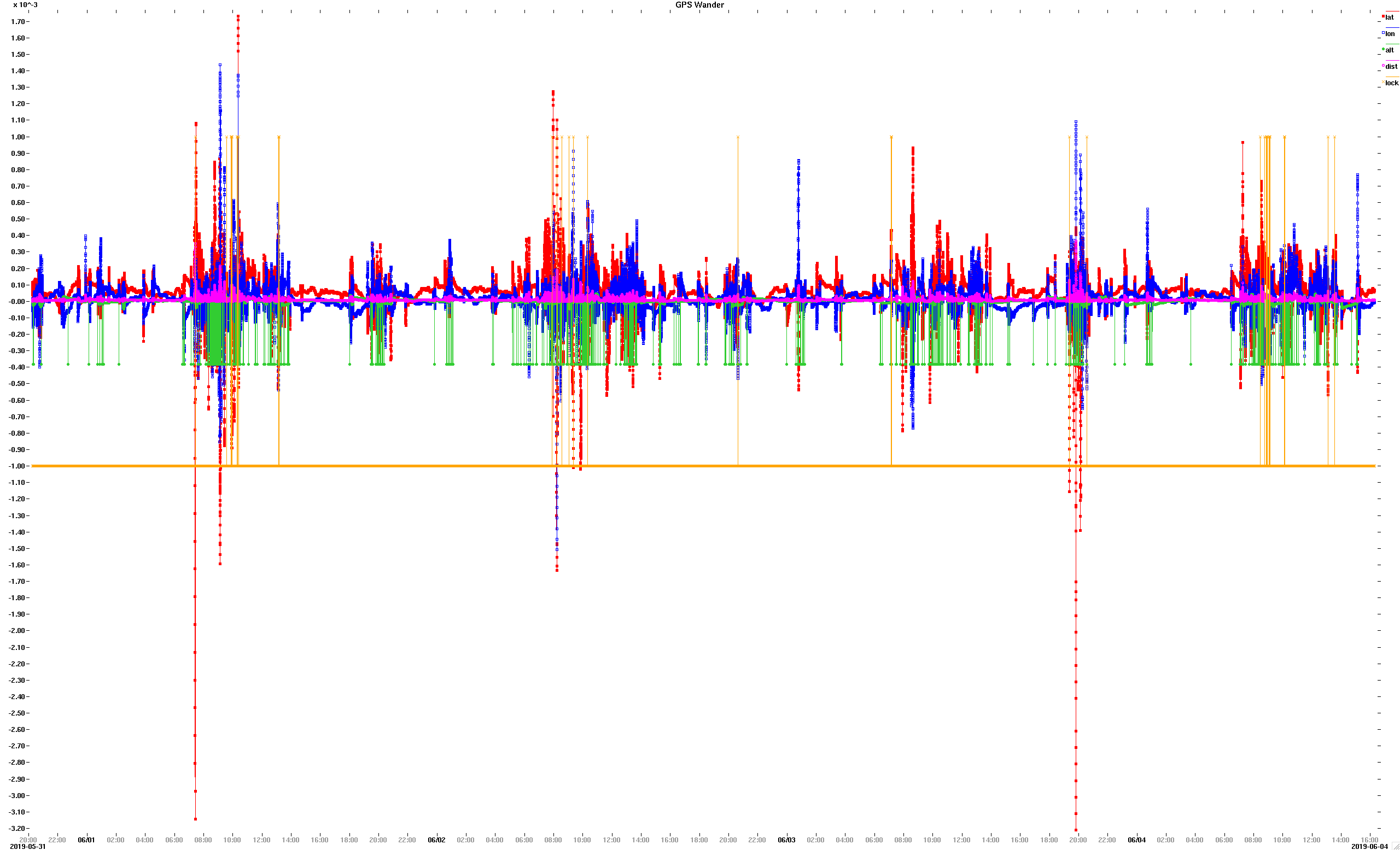
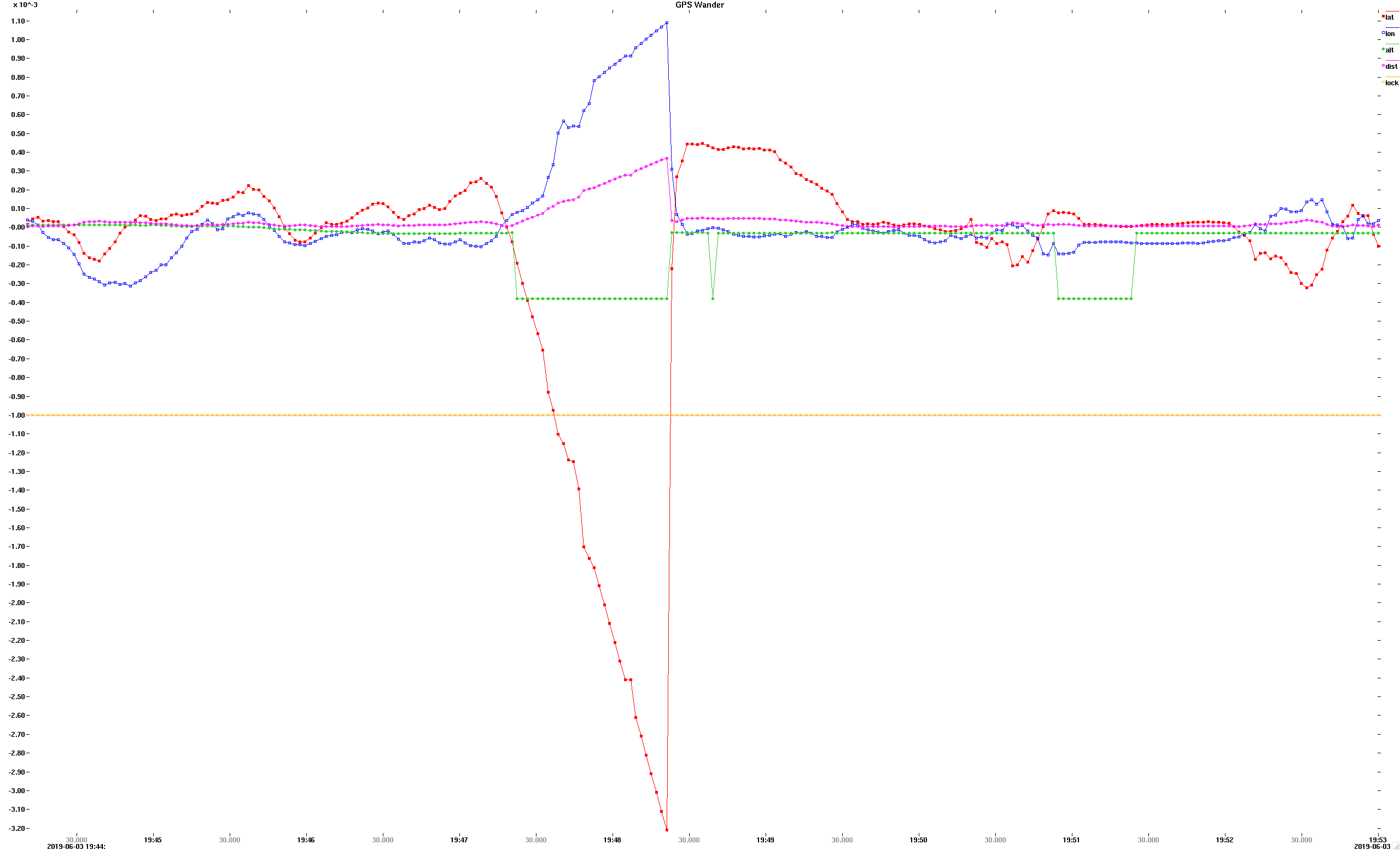
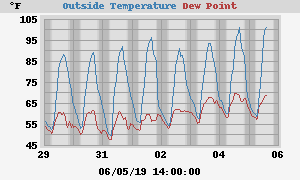
Greg, Mine has been quiet for the past couple of months without increasing the alarm distance beyond the default 500 meters. -- Steve On Wed, 21 Aug 2019, Greg D. wrote:
A quick follow-up to this thread...
I've noticed that since this past spring that the number of false alerts regarding the flatbedding of my Roadster have taken a sharp spike upward. Neither my car's normal parking spot in the garage, nor the location of my house / garage have changed. The difference in frequency did not appear to coincide with a firmware update, so I'm at a bit of a loss to explain it.
Has anyone else noticed this?
Did the Government make a change to the GPS satellite fleet?
Not an issue, really, but definitely something odd going on.
Greg
Stephen Casner wrote:
Greg,
Attached are graphs of your data. gregd.all.png shows all of the data, and gregd.peak.png is the highest distance deviation of 369 meters, which is less than the default 500 meter threshold.
It looks like there is a diurnal pattern to the data with increased deviations around midnight local time (the X axis times are UTC).
It also looks like your home elevation must be about 380 meters since the altitude variable drops down to negative that amount frequently, which would occur when that value is taken as zero (there is a special case in the code to treat some values as zero).
I tried overlaying my data and yours, but there seems to be no correlation between the peaks in my data and the peaks in yours. Interestingly, my data does not show a similar diurnal pattern.
-- Steve
On Tue, 4 Jun 2019, Greg D. wrote:
200mb of logs sent to Steve for analysis....
Greg
Stephen Casner wrote:
Thanks. For me, today's log was much quieter. The maximum excursion was 115 meters and it was roughly coincident with loss of lock.
-- Steve
On Fri, 31 May 2019, Greg D wrote:
Ok. I'll let it run for a few days and see what happens. Not planning to drive the ca r until next week.
Greg
On May 31, 2019 2:11:31 PM PDT, Stephen Casner <casner@acm.org> wrote:
On Fri, 31 May 2019, Greg D. wrote:
Tried this, and am not getting anything written to the file system
(vfs
ls /sd shows zero bytes in gps.crtd). Did I miss some sort of setup
step?
Nothing gets written (or at least the file size as reported is not updated) until the recording is stopped with "can log off".
-- Steve
Hmmpf. Precession of the GPS constellation, perhaps? Folks in northern Nevada or Idaho should be next... Greg Stephen Casner wrote:
Greg,
Mine has been quiet for the past couple of months without increasing the alarm distance beyond the default 500 meters.
-- Steve
On Wed, 21 Aug 2019, Greg D. wrote:
A quick follow-up to this thread...
I've noticed that since this past spring that the number of false alerts regarding the flatbedding of my Roadster have taken a sharp spike upward. Neither my car's normal parking spot in the garage, nor the location of my house / garage have changed. The difference in frequency did not appear to coincide with a firmware update, so I'm at a bit of a loss to explain it.
Has anyone else noticed this?
Did the Government make a change to the GPS satellite fleet?
Not an issue, really, but definitely something odd going on.
Greg
Stephen Casner wrote:
Greg,
Attached are graphs of your data. gregd.all.png shows all of the data, and gregd.peak.png is the highest distance deviation of 369 meters, which is less than the default 500 meter threshold.
It looks like there is a diurnal pattern to the data with increased deviations around midnight local time (the X axis times are UTC).
It also looks like your home elevation must be about 380 meters since the altitude variable drops down to negative that amount frequently, which would occur when that value is taken as zero (there is a special case in the code to treat some values as zero).
I tried overlaying my data and yours, but there seems to be no correlation between the peaks in my data and the peaks in yours. Interestingly, my data does not show a similar diurnal pattern.
-- Steve
On Tue, 4 Jun 2019, Greg D. wrote:
200mb of logs sent to Steve for analysis....
Greg
Stephen Casner wrote:
Thanks. For me, today's log was much quieter. The maximum excursion was 115 meters and it was roughly coincident with loss of lock.
-- Steve
On Fri, 31 May 2019, Greg D wrote:
Ok. I'll let it run for a few days and see what happens. Not planning to drive the ca r until next week.
Greg
On May 31, 2019 2:11:31 PM PDT, Stephen Casner <casner@acm.org> wrote:
On Fri, 31 May 2019, Greg D. wrote:
Tried this, and am not getting anything written to the file system
(vfs
ls /sd shows zero bytes in gps.crtd). Did I miss some sort of setup
step?
Nothing gets written (or at least the file size as reported is not updated) until the recording is stopped with "can log off".
-- Steve
OvmsDev mailing list OvmsDev@lists.openvehicles.com http://lists.openvehicles.com/mailman/listinfo/ovmsdev
I've had my first false alert last night, from the log it seems caused by a single false GPS reading. I've added smoothing over 5 samples to the distance check, that should eliminate the false alerts unless the GPS errors are huge or persistent. I've also added the coordinates to the notification so we can see how large the error can become if it still occurs. Regards, Michael Am 21.08.19 um 23:43 schrieb Greg D.:
Hmmpf.
Precession of the GPS constellation, perhaps? Folks in northern Nevada or Idaho should be next...
Greg
Stephen Casner wrote:
Greg,
Mine has been quiet for the past couple of months without increasing the alarm distance beyond the default 500 meters.
-- Steve
On Wed, 21 Aug 2019, Greg D. wrote:
A quick follow-up to this thread...
I've noticed that since this past spring that the number of false alerts regarding the flatbedding of my Roadster have taken a sharp spike upward. Neither my car's normal parking spot in the garage, nor the location of my house / garage have changed. The difference in frequency did not appear to coincide with a firmware update, so I'm at a bit of a loss to explain it.
Has anyone else noticed this?
Did the Government make a change to the GPS satellite fleet?
Not an issue, really, but definitely something odd going on.
Greg
Stephen Casner wrote:
Greg,
Attached are graphs of your data. gregd.all.png shows all of the data, and gregd.peak.png is the highest distance deviation of 369 meters, which is less than the default 500 meter threshold.
It looks like there is a diurnal pattern to the data with increased deviations around midnight local time (the X axis times are UTC).
It also looks like your home elevation must be about 380 meters since the altitude variable drops down to negative that amount frequently, which would occur when that value is taken as zero (there is a special case in the code to treat some values as zero).
I tried overlaying my data and yours, but there seems to be no correlation between the peaks in my data and the peaks in yours. Interestingly, my data does not show a similar diurnal pattern.
-- Steve
On Tue, 4 Jun 2019, Greg D. wrote:
200mb of logs sent to Steve for analysis....
Greg
Stephen Casner wrote:
Thanks. For me, today's log was much quieter. The maximum excursion was 115 meters and it was roughly coincident with loss of lock.
-- Steve
On Fri, 31 May 2019, Greg D wrote:
Ok. I'll let it run for a few days and see what happens. Not planning to drive the ca r until next week.
Greg
On May 31, 2019 2:11:31 PM PDT, Stephen Casner <casner@acm.org> wrote:
On Fri, 31 May 2019, Greg D. wrote:
Tried this, and am not getting anything written to the file system
(vfs
ls /sd shows zero bytes in gps.crtd). Did I miss some sort of setup
step?
Nothing gets written (or at least the file size as reported is not updated) until the recording is stopped with "can log off".
-- Steve
OvmsDev mailing list OvmsDev@lists.openvehicles.com http://lists.openvehicles.com/mailman/listinfo/ovmsdev
OvmsDev mailing list OvmsDev@lists.openvehicles.com http://lists.openvehicles.com/mailman/listinfo/ovmsdev
-- Michael Balzer * Helkenberger Weg 9 * D-58256 Ennepetal Fon 02333 / 833 5735 * Handy 0176 / 206 989 26
Michael, Good idea. How much time does 5 samples represent? -- Steve On Tue, 26 Nov 2019, Michael Balzer wrote:
I've had my first false alert last night, from the log it seems caused by a single false GPS reading.
I've added smoothing over 5 samples to the distance check, that should eliminate the false alerts unless the GPS errors are huge or persistent.
I've also added the coordinates to the notification so we can see how large the error can become if it still occurs.
Regards, Michael
Am 21.08.19 um 23:43 schrieb Greg D.:
Hmmpf.
Precession of the GPS constellation, perhaps? Folks in northern Nevada or Idaho should be next...
Greg
Stephen Casner wrote:
Greg,
Mine has been quiet for the past couple of months without increasing the alarm distance beyond the default 500 meters.
-- Steve
On Wed, 21 Aug 2019, Greg D. wrote:
A quick follow-up to this thread...
I've noticed that since this past spring that the number of false alerts regarding the flatbedding of my Roadster have taken a sharp spike upward. Neither my car's normal parking spot in the garage, nor the location of my house / garage have changed. The difference in frequency did not appear to coincide with a firmware update, so I'm at a bit of a loss to explain it.
Has anyone else noticed this?
Did the Government make a change to the GPS satellite fleet?
Not an issue, really, but definitely something odd going on.
Greg
Stephen Casner wrote:
Greg,
Attached are graphs of your data. gregd.all.png shows all of the data, and gregd.peak.png is the highest distance deviation of 369 meters, which is less than the default 500 meter threshold.
It looks like there is a diurnal pattern to the data with increased deviations around midnight local time (the X axis times are UTC).
It also looks like your home elevation must be about 380 meters since the altitude variable drops down to negative that amount frequently, which would occur when that value is taken as zero (there is a special case in the code to treat some values as zero).
I tried overlaying my data and yours, but there seems to be no correlation between the peaks in my data and the peaks in yours. Interestingly, my data does not show a similar diurnal pattern.
-- Steve
On Tue, 4 Jun 2019, Greg D. wrote:
200mb of logs sent to Steve for analysis....
Greg
Stephen Casner wrote:
Thanks. For me, today's log was much quieter. The maximum excursion was 115 meters and it was roughly coincident with loss of lock.
-- Steve
On Fri, 31 May 2019, Greg D wrote:
Ok. I'll let it run for a few days and see what happens. Not planning to drive the ca r until next week.
Greg
On May 31, 2019 2:11:31 PM PDT, Stephen Casner <casner@acm.org> wrote:
On Fri, 31 May 2019, Greg D. wrote:
Tried this, and am not getting anything written to the file system
(vfs
ls /sd shows zero bytes in gps.crtd). Did I miss some sort of setup
step?
Nothing gets written (or at least the file size as reported is not updated) until the recording is stopped with "can log off".
-- Steve
OvmsDev mailing list OvmsDev@lists.openvehicles.com http://lists.openvehicles.com/mailman/listinfo/ovmsdev
OvmsDev mailing list OvmsDev@lists.openvehicles.com http://lists.openvehicles.com/mailman/listinfo/ovmsdev
-- Michael Balzer * Helkenberger Weg 9 * D-58256 Ennepetal Fon 02333 / 833 5735 * Handy 0176 / 206 989 26
_______________________________________________ OvmsDev mailing list OvmsDev@lists.openvehicles.com http://lists.openvehicles.com/mailman/listinfo/ovmsdev
Depends on the GPS source. On the modem it's 5 seconds. If you're using GPS from the car, it depends on the sample frequency when parked / off. But the low pass filter will pass a large step in distance also if it's a single one, so on an actual movement it will trigger before 5 samples have passed. Regards, Michael Am 26.11.19 um 21:24 schrieb Stephen Casner:
Michael,
Good idea. How much time does 5 samples represent?
-- Steve
On Tue, 26 Nov 2019, Michael Balzer wrote:
I've had my first false alert last night, from the log it seems caused by a single false GPS reading.
I've added smoothing over 5 samples to the distance check, that should eliminate the false alerts unless the GPS errors are huge or persistent.
I've also added the coordinates to the notification so we can see how large the error can become if it still occurs.
Regards, Michael
Am 21.08.19 um 23:43 schrieb Greg D.:
Hmmpf.
Precession of the GPS constellation, perhaps? Folks in northern Nevada or Idaho should be next...
Greg
Stephen Casner wrote:
Greg,
Mine has been quiet for the past couple of months without increasing the alarm distance beyond the default 500 meters.
-- Steve
On Wed, 21 Aug 2019, Greg D. wrote:
A quick follow-up to this thread...
I've noticed that since this past spring that the number of false alerts regarding the flatbedding of my Roadster have taken a sharp spike upward. Neither my car's normal parking spot in the garage, nor the location of my house / garage have changed. The difference in frequency did not appear to coincide with a firmware update, so I'm at a bit of a loss to explain it.
Has anyone else noticed this?
Did the Government make a change to the GPS satellite fleet?
Not an issue, really, but definitely something odd going on.
Greg
Stephen Casner wrote:
Greg,
Attached are graphs of your data. gregd.all.png shows all of the data, and gregd.peak.png is the highest distance deviation of 369 meters, which is less than the default 500 meter threshold.
It looks like there is a diurnal pattern to the data with increased deviations around midnight local time (the X axis times are UTC).
It also looks like your home elevation must be about 380 meters since the altitude variable drops down to negative that amount frequently, which would occur when that value is taken as zero (there is a special case in the code to treat some values as zero).
I tried overlaying my data and yours, but there seems to be no correlation between the peaks in my data and the peaks in yours. Interestingly, my data does not show a similar diurnal pattern.
-- Steve
On Tue, 4 Jun 2019, Greg D. wrote:
200mb of logs sent to Steve for analysis....
Greg
Stephen Casner wrote:
Thanks. For me, today's log was much quieter. The maximum excursion was 115 meters and it was roughly coincident with loss of lock.
-- Steve
On Fri, 31 May 2019, Greg D wrote:
Ok. I'll let it run for a few days and see what happens. Not planning to drive the ca r until next week.
Greg
On May 31, 2019 2:11:31 PM PDT, Stephen Casner <casner@acm.org> wrote:
On Fri, 31 May 2019, Greg D. wrote:
Tried this, and am not getting anything written to the file system
(vfs
ls /sd shows zero bytes in gps.crtd). Did I miss some sort of setup
step?
Nothing gets written (or at least the file size as reported is not updated) until the recording is stopped with "can log off".
-- Steve
OvmsDev mailing list OvmsDev@lists.openvehicles.com http://lists.openvehicles.com/mailman/listinfo/ovmsdev
OvmsDev mailing list OvmsDev@lists.openvehicles.com http://lists.openvehicles.com/mailman/listinfo/ovmsdev -- Michael Balzer * Helkenberger Weg 9 * D-58256 Ennepetal Fon 02333 / 833 5735 * Handy 0176 / 206 989 26
_______________________________________________ OvmsDev mailing list OvmsDev@lists.openvehicles.com http://lists.openvehicles.com/mailman/listinfo/ovmsdev
_______________________________________________ OvmsDev mailing list OvmsDev@lists.openvehicles.com http://lists.openvehicles.com/mailman/listinfo/ovmsdev
-- Michael Balzer * Helkenberger Weg 9 * D-58256 Ennepetal Fon 02333 / 833 5735 * Handy 0176 / 206 989 26
Although filtering now I just got another false alert while parking with perfect GPS situation: Currently at 51.322430;7.344803 (GPS lock; 10 satellites) Alert: Vehicle is being transported while parked - possible theft/flatbed (@51.322502;1.166667) So it's not a small jitter, it's complete nonsense. That's with GPS from the modem, may be different for car GPS. We'll need a different approach. Maybe ignore/drop GPS coordinates too far from the last known position? Regards, Michael Am 26.11.19 um 21:31 schrieb Michael Balzer:
Depends on the GPS source. On the modem it's 5 seconds.
If you're using GPS from the car, it depends on the sample frequency when parked / off.
But the low pass filter will pass a large step in distance also if it's a single one, so on an actual movement it will trigger before 5 samples have passed.
Regards, Michael
Am 26.11.19 um 21:24 schrieb Stephen Casner:
Michael,
Good idea. How much time does 5 samples represent?
-- Steve
On Tue, 26 Nov 2019, Michael Balzer wrote:
I've had my first false alert last night, from the log it seems caused by a single false GPS reading.
I've added smoothing over 5 samples to the distance check, that should eliminate the false alerts unless the GPS errors are huge or persistent.
I've also added the coordinates to the notification so we can see how large the error can become if it still occurs.
Regards, Michael
Am 21.08.19 um 23:43 schrieb Greg D.:
Hmmpf.
Precession of the GPS constellation, perhaps? Folks in northern Nevada or Idaho should be next...
Greg
Stephen Casner wrote:
Greg,
Mine has been quiet for the past couple of months without increasing the alarm distance beyond the default 500 meters.
-- Steve
On Wed, 21 Aug 2019, Greg D. wrote:
A quick follow-up to this thread...
I've noticed that since this past spring that the number of false alerts regarding the flatbedding of my Roadster have taken a sharp spike upward. Neither my car's normal parking spot in the garage, nor the location of my house / garage have changed. The difference in frequency did not appear to coincide with a firmware update, so I'm at a bit of a loss to explain it.
Has anyone else noticed this?
Did the Government make a change to the GPS satellite fleet?
Not an issue, really, but definitely something odd going on.
Greg
Stephen Casner wrote:
Greg,
Attached are graphs of your data. gregd.all.png shows all of the data, and gregd.peak.png is the highest distance deviation of 369 meters, which is less than the default 500 meter threshold.
It looks like there is a diurnal pattern to the data with increased deviations around midnight local time (the X axis times are UTC).
It also looks like your home elevation must be about 380 meters since the altitude variable drops down to negative that amount frequently, which would occur when that value is taken as zero (there is a special case in the code to treat some values as zero).
I tried overlaying my data and yours, but there seems to be no correlation between the peaks in my data and the peaks in yours. Interestingly, my data does not show a similar diurnal pattern.
-- Steve
On Tue, 4 Jun 2019, Greg D. wrote:
200mb of logs sent to Steve for analysis....
Greg
Stephen Casner wrote:
Thanks. For me, today's log was much quieter. The maximum excursion was 115 meters and it was roughly coincident with loss of lock.
-- Steve
On Fri, 31 May 2019, Greg D wrote:
Ok. I'll let it run for a few days and see what happens. Not planning to drive the ca r until next week.
Greg
On May 31, 2019 2:11:31 PM PDT, Stephen Casner <casner@acm.org> wrote:
On Fri, 31 May 2019, Greg D. wrote:
Tried this, and am not getting anything written to the file system
(vfs
ls /sd shows zero bytes in gps.crtd). Did I miss some sort of setup
step?
Nothing gets written (or at least the file size as reported is not updated) until the recording is stopped with "can log off".
-- Steve
OvmsDev mailing list OvmsDev@lists.openvehicles.com http://lists.openvehicles.com/mailman/listinfo/ovmsdev
OvmsDev mailing list OvmsDev@lists.openvehicles.com http://lists.openvehicles.com/mailman/listinfo/ovmsdev -- Michael Balzer * Helkenberger Weg 9 * D-58256 Ennepetal Fon 02333 / 833 5735 * Handy 0176 / 206 989 26
_______________________________________________ OvmsDev mailing list OvmsDev@lists.openvehicles.com http://lists.openvehicles.com/mailman/listinfo/ovmsdev
_______________________________________________ OvmsDev mailing list OvmsDev@lists.openvehicles.com http://lists.openvehicles.com/mailman/listinfo/ovmsdev
-- Michael Balzer * Helkenberger Weg 9 * D-58256 Ennepetal Fon 02333 / 833 5735 * Handy 0176 / 206 989 26
I had an idea that perhaps we could ignore the invalid GPS readings by observing whether there was a simultaneous jump in altitude. However, in one of the big spikes from yesterday the altitude readings are flat while the latitude and longitude values jump. It is interesting that the big jumps in longitude have all been positive in my graphs while the simultaneous latitude change is sometimes positive and sometimes negative. It would be nice to know whether these anomalies are specific to the Tesla Roadster's GPS receiver. What kind of antenna is needed to operate the GPS receiver in the modem? Maybe it would be possible to record data from both of the at the same time and compare. -- Steve

I received one of those car theft messages as well, on March 24 at 17:10 New Zealand time. In my case the car (Nissan Leaf) was actually moving as my wife was driving somewhere while I was at home. A quick remote "metrics list" revealed that the "v.e.on" metric somehow remained false during the entire trip. Most other metrics seemed to be updating fine, including - gps location and speed - temperatures - v.b.voltage, v.b.current - v.b.soc - v.m.rpm Only saw this once, the next trip all was functioning as normal again. Did not have any logs running so had no way to further investigate. Just now made some screenshots of that metrics query from last week and added them to this post (hope that works). Could not figure out how to copy the full text from the messages tab in the Android App, it only seemed to copy the first half of the query result. -----Original Message----- From: Stephen Casner <casner@acm.org> Sent: Monday, 1 April 2019 4:12 AM To: OVMS Developers <ovmsdev@lists.openvehicles.com> Subject: Re: [Ovmsdev] Locations and scripts Mark, This message reminds me to mention that both Timothy Rodgers and I have received false alarm car-theft notifications from OVMS. Have you? I presume these are caused by temporary inaccuracy in the GPS signal. -- Steve On Sun, 31 Mar 2019, Mark Webb-Johnson wrote:
Except it does use the metric that says the car is on (for the car theft feature).
On 31 Mar 2019, at 9:37 PM, Mark Webb-Johnson <mark@webb-johnson.net> wrote:
Location service just works off gps data. For cars using the gps in the simcom modules, that shouldn't rely on can at all.
Regards, Mark
On 29 Mar 2019, at 3:56 PM, ovms <ovms@topphemmelig.no> wrote:
Hi
I would like to run scripts based on location. The scripts work fine, but the location service stops working. I guess the location service requires CAN1 to be working? Since CAN1 stops receiving after a short period of time, the location service also stops. Is there a way to bypass this so the location service does not depend on CAN1 working?
Kind regards, Stein Arne Sordal
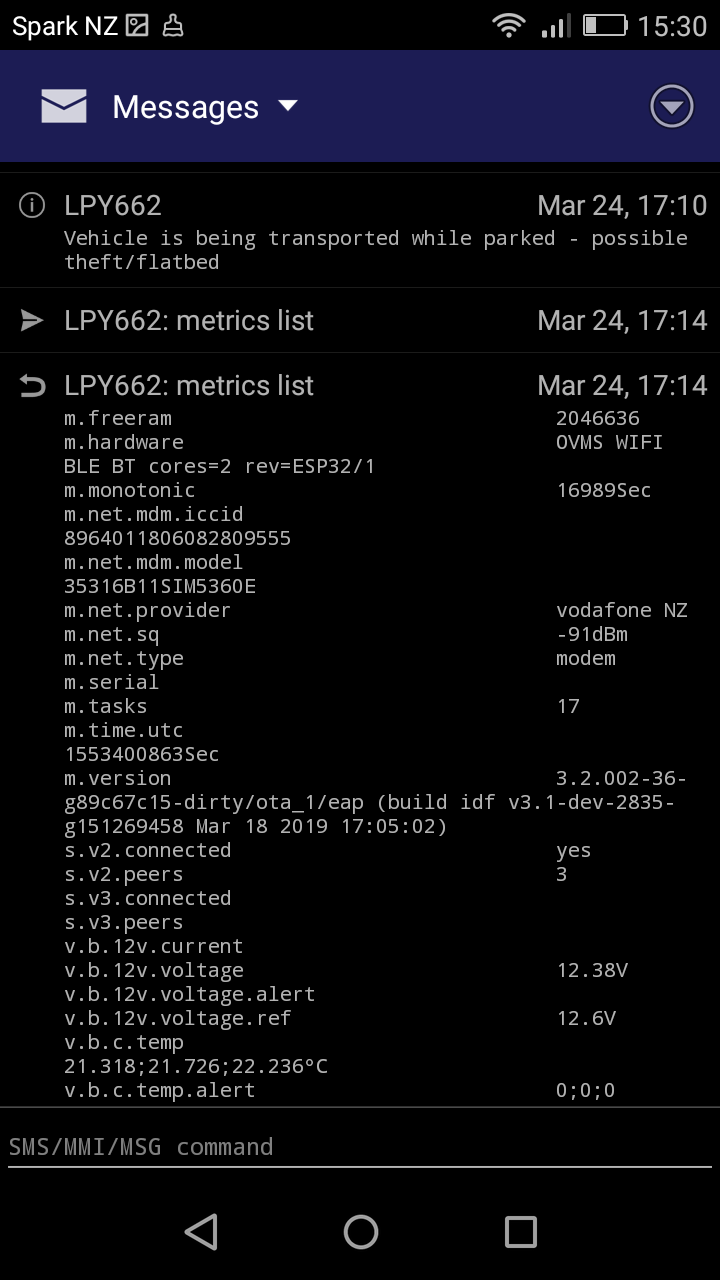
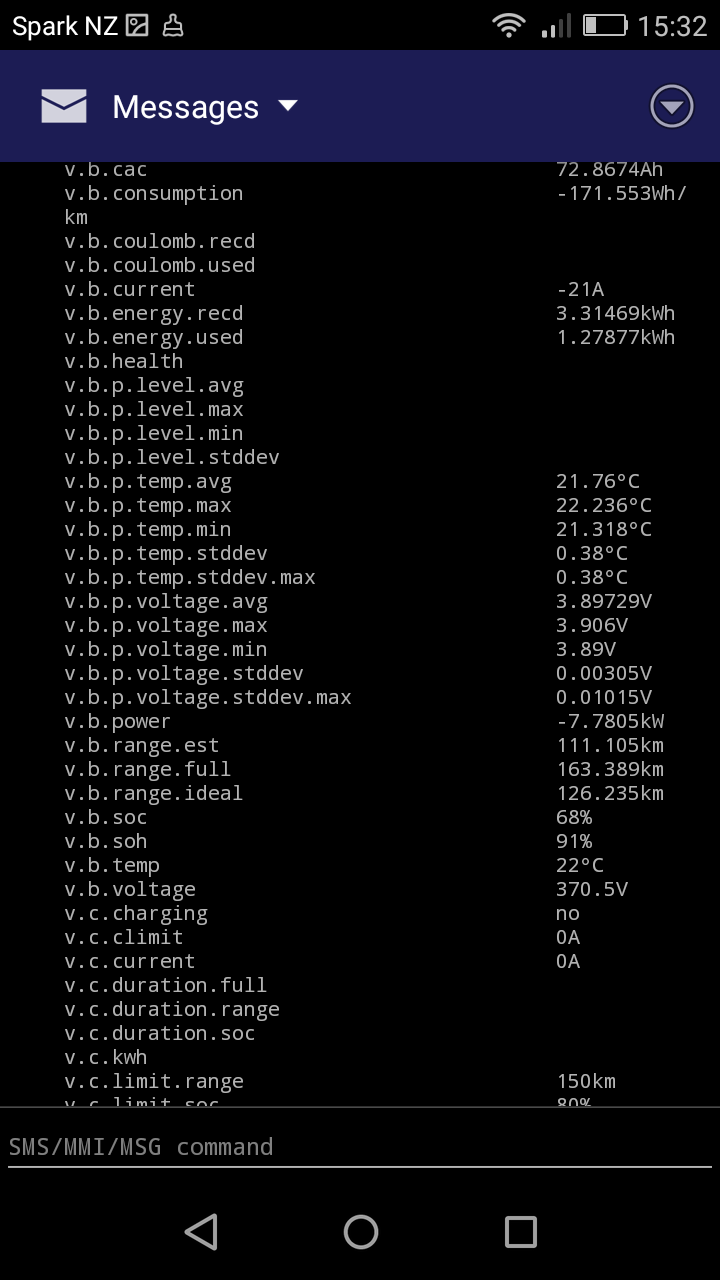
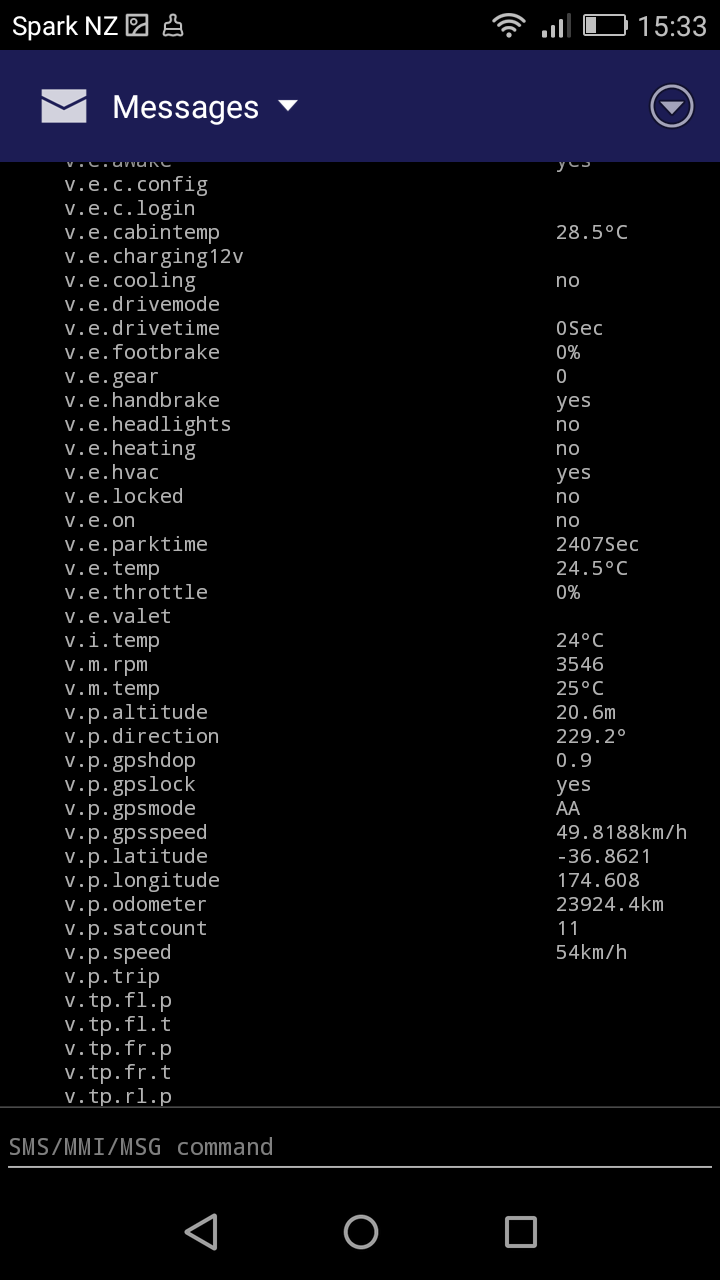
Anko, Yours is an interesting additional datapoint, but I think the cause is unrelated. In the cases I mentioned the cars were parked in our private garages. As Mark suggested, for the Roadster the software may not be obtaining the GPS data in the most reliable manner. -- Steve On Mon, 1 Apr 2019, Anko Hanse wrote:
I received one of those car theft messages as well, on March 24 at 17:10 New Zealand time. In my case the car (Nissan Leaf) was actually moving as my wife was driving somewhere while I was at home.
A quick remote "metrics list" revealed that the "v.e.on" metric somehow remained false during the entire trip. Most other metrics seemed to be updating fine, including - gps location and speed - temperatures - v.b.voltage, v.b.current - v.b.soc - v.m.rpm
Only saw this once, the next trip all was functioning as normal again. Did not have any logs running so had no way to further investigate. Just now made some screenshots of that metrics query from last week and added them to this post (hope that works). Could not figure out how to copy the full text from the messages tab in the Android App, it only seemed to copy the first half of the query result.
-----Original Message----- From: Stephen Casner <casner@acm.org> Sent: Monday, 1 April 2019 4:12 AM To: OVMS Developers <ovmsdev@lists.openvehicles.com> Subject: Re: [Ovmsdev] Locations and scripts
Mark,
This message reminds me to mention that both Timothy Rodgers and I have received false alarm car-theft notifications from OVMS. Have you? I presume these are caused by temporary inaccuracy in the GPS signal.
-- Steve
On Sun, 31 Mar 2019, Mark Webb-Johnson wrote:
Except it does use the metric that says the car is on (for the car theft feature).
On 31 Mar 2019, at 9:37 PM, Mark Webb-Johnson <mark@webb-johnson.net> wrote:
Location service just works off gps data. For cars using the gps in the simcom modules, that shouldn't rely on can at all.
Regards, Mark
On 29 Mar 2019, at 3:56 PM, ovms <ovms@topphemmelig.no> wrote:
Hi
I would like to run scripts based on location. The scripts work fine, but the location service stops working. I guess the location service requires CAN1 to be working? Since CAN1 stops receiving after a short period of time, the location service also stops. Is there a way to bypass this so the location service does not depend on CAN1 working?
Kind regards, Stein Arne Sordal
Looking at Stein’s past messages, I think he is using Nissan Leaf as well. Perhaps he and Anko have the same problem.
On 1 Apr 2019, at 12:34 PM, Stephen Casner <casner@acm.org> wrote:
Anko,
Yours is an interesting additional datapoint, but I think the cause is unrelated. In the cases I mentioned the cars were parked in our private garages. As Mark suggested, for the Roadster the software may not be obtaining the GPS data in the most reliable manner.
-- Steve
On Mon, 1 Apr 2019, Anko Hanse wrote:
I received one of those car theft messages as well, on March 24 at 17:10 New Zealand time. In my case the car (Nissan Leaf) was actually moving as my wife was driving somewhere while I was at home.
A quick remote "metrics list" revealed that the "v.e.on" metric somehow remained false during the entire trip. Most other metrics seemed to be updating fine, including - gps location and speed - temperatures - v.b.voltage, v.b.current - v.b.soc - v.m.rpm
Only saw this once, the next trip all was functioning as normal again. Did not have any logs running so had no way to further investigate. Just now made some screenshots of that metrics query from last week and added them to this post (hope that works). Could not figure out how to copy the full text from the messages tab in the Android App, it only seemed to copy the first half of the query result.
-----Original Message----- From: Stephen Casner <casner@acm.org> Sent: Monday, 1 April 2019 4:12 AM To: OVMS Developers <ovmsdev@lists.openvehicles.com> Subject: Re: [Ovmsdev] Locations and scripts
Mark,
This message reminds me to mention that both Timothy Rodgers and I have received false alarm car-theft notifications from OVMS. Have you? I presume these are caused by temporary inaccuracy in the GPS signal.
-- Steve
On Sun, 31 Mar 2019, Mark Webb-Johnson wrote:
Except it does use the metric that says the car is on (for the car theft feature).
On 31 Mar 2019, at 9:37 PM, Mark Webb-Johnson <mark@webb-johnson.net> wrote:
Location service just works off gps data. For cars using the gps in the simcom modules, that shouldn't rely on can at all.
Regards, Mark
On 29 Mar 2019, at 3:56 PM, ovms <ovms@topphemmelig.no> wrote:
Hi
I would like to run scripts based on location. The scripts work fine, but the location service stops working. I guess the location service requires CAN1 to be working? Since CAN1 stops receiving after a short period of time, the location service also stops. Is there a way to bypass this so the location service does not depend on CAN1 working?
Kind regards, Stein Arne Sordal
_______________________________________________ OvmsDev mailing list OvmsDev@lists.openvehicles.com http://lists.openvehicles.com/mailman/listinfo/ovmsdev
Mark, you are correct, I have a Nissan Leaf. The location service is still updating correct locations on the status page but is no longer triggering scripts. If I issue the "can can2 start active 500000" command it will return to normal and trigger scripts for a while (until the can2 stops receiving). On 2019-04-01 06:44, Mark Webb-Johnson <mark@webb-johnson.net> wrote:
Looking at Stein’s past messages, I think he is using Nissan Leaf as well. Perhaps he and Anko have the same problem. > On 1 Apr 2019, at 12:34 PM, Stephen Casner <casner@acm.org> wrote: > > Anko, > > Yours is an interesting additional datapoint, but I think the cause is > unrelated. In the cases I mentioned the cars were parked in our > private garages. As Mark suggested, for the Roadster the software may > not be obtaining the GPS data in the most reliable manner. > > -- Steve > > On Mon, 1 Apr 2019, Anko Hanse wrote: > >> I received one of those car theft messages as well, on March 24 at 17:10 New Zealand time. >> In my case the car (Nissan Leaf) was actually moving as my wife was driving somewhere while I was at home. >> >> A quick remote "metrics list" revealed that the "v.e.on" metric somehow remained false during the entire trip. >> Most other metrics seemed to be updating fine, including >> - gps location and speed >> - temperatures >> - v.b.voltage, v.b.current >> - v.b.soc >> - v.m.rpm >> >> Only saw this once, the next trip all was functioning as normal again. Did not have any logs running so had no way to further investigate. >> Just now made some screenshots of that metrics query from last week and added them to this post (hope that works). Could not figure out how to copy the full text from the messages tab in the Android App, it only seemed to copy the first half of the query result. >> >> >> -----Original Message----- >> From: Stephen Casner <casner@acm.org> >> Sent: Monday, 1 April 2019 4:12 AM >> To: OVMS Developers <ovmsdev@lists.openvehicles.com> >> Subject: Re: [Ovmsdev] Locations and scripts >> >> Mark, >> >> This message reminds me to mention that both Timothy Rodgers and I have received false alarm car-theft notifications from OVMS. Have you? I presume these are caused by temporary inaccuracy in the GPS signal. >> >> -- Steve >> >> On Sun, 31 Mar 2019, Mark Webb-Johnson wrote: >> >>> Except it does use the metric that says the car is on (for the car theft feature). >>> >>>> On 31 Mar 2019, at 9:37 PM, Mark Webb-Johnson <mark@webb-johnson.net> wrote: >>>> >>>> Location service just works off gps data. For cars using the gps in the simcom modules, that shouldn't rely on can at all. >>>> >>>> Regards, Mark >>>> >>>>> On 29 Mar 2019, at 3:56 PM, ovms <ovms@topphemmelig.no> wrote: >>>>> >>>>> >>>>> Hi >>>>> >>>>> I would like to run scripts based on location. The scripts work fine, but the location service stops working. >>>>> I guess the location service requires CAN1 to be working? >>>>> Since CAN1 stops receiving after a short period of time, the location service also stops. >>>>> Is there a way to bypass this so the location service does not depend on CAN1 working? >>>>> >>>>> Kind regards, >>>>> Stein Arne Sordal >> >> > _______________________________________________ > OvmsDev mailing list > OvmsDev@lists.openvehicles.com > http://lists.openvehicles.com/mailman/listinfo/ovmsdev _______________________________________________ OvmsDev mailing list OvmsDev@lists.openvehicles.com http://lists.openvehicles.com/mailman/listinfo/ovmsdev
OK. That is expected behaviour then. The location system requires StandardMetrics.ms_v_env_on to be TRUE before issuing events. I guess it is possible to make that behaviour configurable, but a better solution would be to fix the can2 and get ms_v_env_on correct (as it is used for many other things - including the generalised charge/drive logging I am working on). What is the current status of the CAN2 issue? Anybody manage to find why it is an issue for Nissan Leafs? Regards, Mark.
On 1 Apr 2019, at 3:09 PM, ovms <ovms@topphemmelig.no> wrote:
Mark, you are correct, I have a Nissan Leaf. The location service is still updating correct locations on the status page but is no longer triggering scripts. If I issue the "can can2 start active 500000" command it will return to normal and trigger scripts for a while (until the can2 stops receiving).
On 2019-04-01 06:44, Mark Webb-Johnson <mark@webb-johnson.net> wrote: Looking at Stein’s past messages, I think he is using Nissan Leaf as well. Perhaps he and Anko have the same problem.
On 1 Apr 2019, at 12:34 PM, Stephen Casner <casner@acm.org> wrote:
Anko,
Yours is an interesting additional datapoint, but I think the cause is unrelated. In the cases I mentioned the cars were parked in our private garages. As Mark suggested, for the Roadster the software may not be obtaining the GPS data in the most reliable manner.
-- Steve
On Mon, 1 Apr 2019, Anko Hanse wrote:
I received one of those car theft messages as well, on March 24 at 17:10 New Zealand time. In my case the car (Nissan Leaf) was actually moving as my wife was driving somewhere while I was at home.
A quick remote "metrics list" revealed that the "v.e.on" metric somehow remained false during the entire trip. Most other metrics seemed to be updating fine, including - gps location and speed - temperatures - v.b.voltage, v.b.current - v.b.soc - v.m.rpm
Only saw this once, the next trip all was functioning as normal again. Did not have any logs running so had no way to further investigate. Just now made some screenshots of that metrics query from last week and added them to this post (hope that works). Could not figure out how to copy the full text from the messages tab in the Android App, it only seemed to copy the first half of the query result.
-----Original Message----- From: Stephen Casner <casner@acm.org> Sent: Monday, 1 April 2019 4:12 AM To: OVMS Developers <ovmsdev@lists.openvehicles.com> Subject: Re: [Ovmsdev] Locations and scripts
Mark,
This message reminds me to mention that both Timothy Rodgers and I have received false alarm car-theft notifications from OVMS. Have you? I presume these are caused by temporary inaccuracy in the GPS signal.
-- Steve
On Sun, 31 Mar 2019, Mark Webb-Johnson wrote:
Except it does use the metric that says the car is on (for the car theft feature).
On 31 Mar 2019, at 9:37 PM, Mark Webb-Johnson <mark@webb-johnson.net> wrote:
Location service just works off gps data. For cars using the gps in the simcom modules, that shouldn't rely on can at all.
Regards, Mark
On 29 Mar 2019, at 3:56 PM, ovms <ovms@topphemmelig.no> wrote:
Hi
I would like to run scripts based on location. The scripts work fine, but the location service stops working. I guess the location service requires CAN1 to be working? Since CAN1 stops receiving after a short period of time, the location service also stops. Is there a way to bypass this so the location service does not depend on CAN1 working?
Kind regards, Stein Arne Sordal
_______________________________________________ OvmsDev mailing list OvmsDev@lists.openvehicles.com http://lists.openvehicles.com/mailman/listinfo/ovmsdev
_______________________________________________ OvmsDev mailing list OvmsDev@lists.openvehicles.com http://lists.openvehicles.com/mailman/listinfo/ovmsdev _______________________________________________ OvmsDev mailing list OvmsDev@lists.openvehicles.com http://lists.openvehicles.com/mailman/listinfo/ovmsdev
I do indeed think that it is unrelated to what you guys see as yours happens while the vehicle is parked while mine happens while the car is being driven. Had another good look at the Nissan Leaf code and my incident might be introduced by myself. I have been testing a code change around gathering of energy used/recd for the past weeks. Part of that is resetting those values when a trip starts, i.e. when the car is turned on. My new code is identical to existing code in the Kia Soul and Mitsubishi in functions xxx_car_on(bool), so I really did not expect problems there. But staring at it again today, I spotted that in that new code the v.e.on is only set once where previously it was set to on continuously during driving. As a result, it will go stale after a while and that might then trigger the theft warning. I've adapted my new code, will be testing it for the next couple of days, and then will push it. As stated, a similar issue might potentially be present in Kia Soul and Mitsubishi.... OKidoki, Anko -----Original Message----- From: Stephen Casner <casner@acm.org> Sent: Monday, 1 April 2019 5:35 PM To: OVMS Developers <ovmsdev@lists.openvehicles.com> Subject: Re: [Ovmsdev] Locations and scripts Anko, Yours is an interesting additional datapoint, but I think the cause is unrelated. In the cases I mentioned the cars were parked in our private garages. As Mark suggested, for the Roadster the software may not be obtaining the GPS data in the most reliable manner. -- Steve On Mon, 1 Apr 2019, Anko Hanse wrote:
I received one of those car theft messages as well, on March 24 at 17:10 New Zealand time. In my case the car (Nissan Leaf) was actually moving as my wife was driving somewhere while I was at home.
A quick remote "metrics list" revealed that the "v.e.on" metric somehow remained false during the entire trip. Most other metrics seemed to be updating fine, including - gps location and speed - temperatures - v.b.voltage, v.b.current - v.b.soc - v.m.rpm
Only saw this once, the next trip all was functioning as normal again. Did not have any logs running so had no way to further investigate. Just now made some screenshots of that metrics query from last week and added them to this post (hope that works). Could not figure out how to copy the full text from the messages tab in the Android App, it only seemed to copy the first half of the query result.
-----Original Message----- From: Stephen Casner <casner@acm.org> Sent: Monday, 1 April 2019 4:12 AM To: OVMS Developers <ovmsdev@lists.openvehicles.com> Subject: Re: [Ovmsdev] Locations and scripts
Mark,
This message reminds me to mention that both Timothy Rodgers and I have received false alarm car-theft notifications from OVMS. Have you? I presume these are caused by temporary inaccuracy in the GPS signal.
-- Steve
On Sun, 31 Mar 2019, Mark Webb-Johnson wrote:
Except it does use the metric that says the car is on (for the car theft feature).
On 31 Mar 2019, at 9:37 PM, Mark Webb-Johnson <mark@webb-johnson.net> wrote:
Location service just works off gps data. For cars using the gps in the simcom modules, that shouldn't rely on can at all.
Regards, Mark
On 29 Mar 2019, at 3:56 PM, ovms <ovms@topphemmelig.no> wrote:
Hi
I would like to run scripts based on location. The scripts work fine, but the location service stops working. I guess the location service requires CAN1 to be working? Since CAN1 stops receiving after a short period of time, the location service also stops. Is there a way to bypass this so the location service does not depend on CAN1 working?
Kind regards, Stein Arne Sordal
Just to clarify, I ment CAN2, not CAN1. Any hint on how to fake the "car on" metric or bypass this check is appreciated. Kind regards, Stein Arne Sordal On 2019-03-31 15:47, Mark Webb-Johnson <mark@webb-johnson.net> wrote:
Except it does use the metric that says the car is on (for the car theft feature). > On 31 Mar 2019, at 9:37 PM, Mark Webb-Johnson <mark@webb-johnson.net> wrote: > > Location service just works off gps data. For cars using the gps in the simcom modules, that shouldn’t rely on can at all. > > Regards, Mark > >> On 29 Mar 2019, at 3:56 PM, ovms <ovms@topphemmelig.no> wrote: >> >> >> Hi >> >> I would like to run scripts based on location. The scripts work fine, but the location service stops working. >> I guess the location service requires CAN1 to be working? >> Since CAN1 stops receiving after a short period of time, the location service also stops. >> Is there a way to bypass this so the location service does not depend on CAN1 working? >> >> Kind regards, >> Stein Arne Sordal >> >> _______________________________________________ >> OvmsDev mailing list >> OvmsDev@lists.openvehicles.com >> http://lists.openvehicles.com/mailman/listinfo/ovmsdev _______________________________________________ OvmsDev mailing list OvmsDev@lists.openvehicles.com http://lists.openvehicles.com/mailman/listinfo/ovmsdev
What vehicle type is this? When you say ‘location service stops working’, what do you mean? The parking theft feature, or GPS in general? Regards, Mark.
On 1 Apr 2019, at 2:54 AM, ovms <ovms@topphemmelig.no> wrote:
Just to clarify, I ment CAN2, not CAN1. Any hint on how to fake the "car on" metric or bypass this check is appreciated.
Kind regards, Stein Arne Sordal
On 2019-03-31 15:47, Mark Webb-Johnson <mark@webb-johnson.net> wrote: Except it does use the metric that says the car is on (for the car theft feature).
On 31 Mar 2019, at 9:37 PM, Mark Webb-Johnson <mark@webb-johnson.net> wrote:
Location service just works off gps data. For cars using the gps in the simcom modules, that shouldn’t rely on can at all.
Regards, Mark
On 29 Mar 2019, at 3:56 PM, ovms <ovms@topphemmelig.no> wrote:
Hi
I would like to run scripts based on location. The scripts work fine, but the location service stops working. I guess the location service requires CAN1 to be working? Since CAN1 stops receiving after a short period of time, the location service also stops. Is there a way to bypass this so the location service does not depend on CAN1 working?
Kind regards, Stein Arne Sordal
_______________________________________________ OvmsDev mailing list OvmsDev@lists.openvehicles.com http://lists.openvehicles.com/mailman/listinfo/ovmsdev
_______________________________________________ OvmsDev mailing list OvmsDev@lists.openvehicles.com http://lists.openvehicles.com/mailman/listinfo/ovmsdev _______________________________________________ OvmsDev mailing list OvmsDev@lists.openvehicles.com http://lists.openvehicles.com/mailman/listinfo/ovmsdev
participants (7)
-
 Anko Hanse
 -
 Greg D
 -
Greg D.
-
 Mark Webb-Johnson
 -
 Michael Balzer
 -
 ovms
ovms -
 Stephen Casner