Config store mount failure / reformatting

I've pulled the latest esp-idf updates, merges, builds and runs without issues. Btw, the idf now includes a CAN driver, may be worth a look. On the second app-flashing, this happened: … Wrote 2399584 bytes (1382879 compressed) at 0x00010000 in 26.1 seconds (effective 736.0 kbit/s)... Hash of data verified. Leaving... Hard resetting via RTS pin... … I (452) ovms_main: Mounting CONFIG... W (722) vfs_fat_spiflash: f_mount failed (13) I (722) vfs_fat_spiflash: Formatting FATFS partition, allocation unit size=4096 I (1152) vfs_fat_spiflash: Mounting again Initialising OVMS CONFIG within STORE :-( The first flash was perfectly OK and I haven't been able to reproduce this afterwards. I don't think this is related to idf changes, as we had some reports on lost configs before. Issue #145 also seems to be solved by the new idf, I had no more crashes during reboots. I wonder if there could be a better strategy than immediately formatting the config filesystem on a mount error. Is there any chance the mount fails due to some race condition, i.e. would it make sense to first retry mounting after a short delay? Regards, Michael -- Michael Balzer * Helkenberger Weg 9 * D-58256 Ennepetal Fon 02333 / 833 5735 * Handy 0176 / 206 989 26

I just updated my test box, and the same thing happened. It had been rock-solid for months. I (562) ovms_main: Mounting CONFIG... Initialising OVMS CONFIG within STORE E (822) config: Error: Cannot open config store directory Downgraded to 3.1.009, but still can’t mount store. I’m pretty sure there is something in the new IDF that is corrupting FAT filesystems on flash. We need to roll-back. I’ve disabled nightly builds until we can resolve this.
I wonder if there could be a better strategy than immediately formatting the config filesystem on a mount error. Is there any chance the mount fails due to some race condition, i.e. would it make sense to first retry mounting after a short delay?
I’m not seeing a reformat of the flash, just a failure to mount. The reformat option is part of the fat mount option. We can certainly turn it off, or delay/retry it, but it is required for initial boot of a new device. Regards, Mark.
On 19 Aug 2018, at 7:23 PM, Michael Balzer <dexter@expeedo.de> wrote:
I've pulled the latest esp-idf updates, merges, builds and runs without issues. Btw, the idf now includes a CAN driver, may be worth a look.
On the second app-flashing, this happened: … Wrote 2399584 bytes (1382879 compressed) at 0x00010000 in 26.1 seconds (effective 736.0 kbit/s)... Hash of data verified.
Leaving... Hard resetting via RTS pin... … I (452) ovms_main: Mounting CONFIG... W (722) vfs_fat_spiflash: f_mount failed (13) I (722) vfs_fat_spiflash: Formatting FATFS partition, allocation unit size=4096 I (1152) vfs_fat_spiflash: Mounting again Initialising OVMS CONFIG within STORE :-(
The first flash was perfectly OK and I haven't been able to reproduce this afterwards.
I don't think this is related to idf changes, as we had some reports on lost configs before. Issue #145 also seems to be solved by the new idf, I had no more crashes during reboots.
I wonder if there could be a better strategy than immediately formatting the config filesystem on a mount error. Is there any chance the mount fails due to some race condition, i.e. would it make sense to first retry mounting after a short delay?
Regards, Michael
-- Michael Balzer * Helkenberger Weg 9 * D-58256 Ennepetal Fon 02333 / 833 5735 * Handy 0176 / 206 989 26 _______________________________________________ OvmsDev mailing list OvmsDev@lists.openvehicles.com http://lists.openvehicles.com/mailman/listinfo/ovmsdev
I just wanted to report the same, except on my unit it hasn't happened during flashing but on (I assume) a reboot after a crash somewhere yesterday evening. I'll do the rollback on our esp-idf repository this evening. Am 22.08.2018 um 05:06 schrieb Mark Webb-Johnson:
I just updated my test box, and the same thing happened. It had been rock-solid for months.
I (562) ovms_main: Mounting CONFIG... Initialising OVMS CONFIG within STORE E (822) config: Error: Cannot open config store directory
Downgraded to 3.1.009, but still can’t mount store.
I’m pretty sure there is something in the new IDF that is corrupting FAT filesystems on flash.
We need to roll-back. I’ve disabled nightly builds until we can resolve this.
I wonder if there could be a better strategy than immediately formatting the config filesystem on a mount error. Is there any chance the mount fails due to some race condition, i.e. would it make sense to first retry mounting after a short delay?
I’m not seeing a reformat of the flash, just a failure to mount. The reformat option is part of the fat mount option. We can certainly turn it off, or delay/retry it, but it is required for initial boot of a new device.
Regards, Mark.
On 19 Aug 2018, at 7:23 PM, Michael Balzer <dexter@expeedo.de <mailto:dexter@expeedo.de>> wrote:
I've pulled the latest esp-idf updates, merges, builds and runs without issues. Btw, the idf now includes a CAN driver, may be worth a look.
On the second app-flashing, this happened:
… Wrote 2399584 bytes (1382879 compressed) at 0x00010000 in 26.1 seconds (effective 736.0 kbit/s)... Hash of data verified.
Leaving... Hard resetting via RTS pin... … I (452) ovms_main: Mounting CONFIG... W (722) vfs_fat_spiflash: f_mount failed (13) I (722) vfs_fat_spiflash: Formatting FATFS partition, allocation unit size=4096 I (1152) vfs_fat_spiflash: Mounting again Initialising OVMS CONFIG within STORE
:-(
The first flash was perfectly OK and I haven't been able to reproduce this afterwards.
I don't think this is related to idf changes, as we had some reports on lost configs before. Issue #145 also seems to be solved by the new idf, I had no more crashes during reboots.
I wonder if there could be a better strategy than immediately formatting the config filesystem on a mount error. Is there any chance the mount fails due to some race condition, i.e. would it make sense to first retry mounting after a short delay?
Regards, Michael
-- Michael Balzer * Helkenberger Weg 9 * D-58256 Ennepetal Fon 02333 / 833 5735 * Handy 0176 / 206 989 26 _______________________________________________ OvmsDev mailing list OvmsDev@lists.openvehicles.com <mailto:OvmsDev@lists.openvehicles.com> http://lists.openvehicles.com/mailman/listinfo/ovmsdev
_______________________________________________ OvmsDev mailing list OvmsDev@lists.openvehicles.com http://lists.openvehicles.com/mailman/listinfo/ovmsdev
-- Michael Balzer * Helkenberger Weg 9 * D-58256 Ennepetal Fon 02333 / 833 5735 * Handy 0176 / 206 989 26
OK, our esp-idf repository is now rolled back to the previous commit. After pulling you may need to explicitly "git checkout master" -- verify you're on commit 812f959cec635cb7a849085bcc46711bd57ff0c9. You also will need to do a "git submodule update" afterwards. I've checked the esp-idf issues for a vfs_fat corruption thread, it seems we're first. As it's not clear how to reproduce the bug (and is it possibly our fault?), I hesitate opening an issue without further details. I only have the mount failure code 13. The problem has now been reported by more users in the german forum, but also without detail. One user booted into the old 3.1.009 main release but also had the configuration erased on that boot, so it seems the corruption happens already before reboot. Regards, Michael Am 22.08.2018 um 09:21 schrieb Michael Balzer:
I just wanted to report the same, except on my unit it hasn't happened during flashing but on (I assume) a reboot after a crash somewhere yesterday evening.
I'll do the rollback on our esp-idf repository this evening.
Am 22.08.2018 um 05:06 schrieb Mark Webb-Johnson:
I just updated my test box, and the same thing happened. It had been rock-solid for months.
I (562) ovms_main: Mounting CONFIG... Initialising OVMS CONFIG within STORE E (822) config: Error: Cannot open config store directory
Downgraded to 3.1.009, but still can’t mount store.
I’m pretty sure there is something in the new IDF that is corrupting FAT filesystems on flash.
We need to roll-back. I’ve disabled nightly builds until we can resolve this.
I wonder if there could be a better strategy than immediately formatting the config filesystem on a mount error. Is there any chance the mount fails due to some race condition, i.e. would it make sense to first retry mounting after a short delay?
I’m not seeing a reformat of the flash, just a failure to mount. The reformat option is part of the fat mount option. We can certainly turn it off, or delay/retry it, but it is required for initial boot of a new device.
Regards, Mark.
On 19 Aug 2018, at 7:23 PM, Michael Balzer <dexter@expeedo.de <mailto:dexter@expeedo.de>> wrote:
I've pulled the latest esp-idf updates, merges, builds and runs without issues. Btw, the idf now includes a CAN driver, may be worth a look.
On the second app-flashing, this happened:
… Wrote 2399584 bytes (1382879 compressed) at 0x00010000 in 26.1 seconds (effective 736.0 kbit/s)... Hash of data verified.
Leaving... Hard resetting via RTS pin... … I (452) ovms_main: Mounting CONFIG... W (722) vfs_fat_spiflash: f_mount failed (13) I (722) vfs_fat_spiflash: Formatting FATFS partition, allocation unit size=4096 I (1152) vfs_fat_spiflash: Mounting again Initialising OVMS CONFIG within STORE
:-(
The first flash was perfectly OK and I haven't been able to reproduce this afterwards.
I don't think this is related to idf changes, as we had some reports on lost configs before. Issue #145 also seems to be solved by the new idf, I had no more crashes during reboots.
I wonder if there could be a better strategy than immediately formatting the config filesystem on a mount error. Is there any chance the mount fails due to some race condition, i.e. would it make sense to first retry mounting after a short delay?
Regards, Michael
-- Michael Balzer * Helkenberger Weg 9 * D-58256 Ennepetal Fon 02333 / 833 5735 * Handy 0176 / 206 989 26 _______________________________________________ OvmsDev mailing list OvmsDev@lists.openvehicles.com <mailto:OvmsDev@lists.openvehicles.com> http://lists.openvehicles.com/mailman/listinfo/ovmsdev
_______________________________________________ OvmsDev mailing list OvmsDev@lists.openvehicles.com http://lists.openvehicles.com/mailman/listinfo/ovmsdev
-- Michael Balzer * Helkenberger Weg 9 * D-58256 Ennepetal Fon 02333 / 833 5735 * Handy 0176 / 206 989 26
_______________________________________________ OvmsDev mailing list OvmsDev@lists.openvehicles.com http://lists.openvehicles.com/mailman/listinfo/ovmsdev
-- Michael Balzer * Helkenberger Weg 9 * D-58256 Ennepetal Fon 02333 / 833 5735 * Handy 0176 / 206 989 26

On 8/22/18 8:49 AM, Michael Balzer wrote:
OK, our esp-idf repository is now rolled back to the previous commit.
After pulling you may need to explicitly "git checkout master" -- verify you're on commit 812f959cec635cb7a849085bcc46711bd57ff0c9.
You also will need to do a "git submodule update" afterwards.
Hum... My "update.sh" script says: #!/bin/sh set -x git pull git submodule update when I run it I'm, "Already up to date." If I do "git checkout master" it says: Already on 'master' Your branch is ahead of 'origin/master' by 378 commits. (use "git push" to publish your local commits) google tells me the way to show my current git hash is: ice 472 % git rev-parse HEAD 88e6723d487fe91bae5c09f7534d5b78e327dbad which doesn't match. google gave me a way to go to a specific hash: ice 473 % git reset --hard 812f959cec635cb7a849085bcc46711bd57ff0c9 warning: unable to rmdir 'components/asio/asio': Directory not empty warning: unable to rmdir 'components/expat/expat': Directory not empty HEAD is now at 812f959c Merge pull request #1 from leres/master ice 474 % rm -rf components/asio/asio components/expat/expat ice 475 % git reset --hard 812f959cec635cb7a849085bcc46711bd57ff0c9 HEAD is now at 812f959c Merge pull request #1 from leres/master I'm embarrassed to admit I'm so lame at git but I haven't been able to wrap my head around it so far. It all seems like arbitry magic as far as I can tell. I started with sccs, did a lot with rcs and went "all in" with subversion 10-15 years ago. I tried to flash my module but it looks like it already lost its config so I take it "module factory reset" is the best starting point? Craig
I couldn’t get mine to work, so in the end just removed the esp-idf directory, and cloned again. Given enough Internet bandwidth, that seemed faster than messing around with git.
I tried to flash my module but it looks like it already lost its config so I take it "module factory reset" is the best starting point?
Yes. That is probably easiest. That wipes the config. Regards, Mark.
On 23 Aug 2018, at 1:45 PM, Craig Leres <leres@xse.com> wrote:
On 8/22/18 8:49 AM, Michael Balzer wrote:
OK, our esp-idf repository is now rolled back to the previous commit. After pulling you may need to explicitly "git checkout master" -- verify you're on commit 812f959cec635cb7a849085bcc46711bd57ff0c9. You also will need to do a "git submodule update" afterwards.
Hum... My "update.sh" script says:
#!/bin/sh set -x git pull git submodule update
when I run it I'm, "Already up to date."
If I do "git checkout master" it says:
Already on 'master' Your branch is ahead of 'origin/master' by 378 commits. (use "git push" to publish your local commits)
google tells me the way to show my current git hash is:
ice 472 % git rev-parse HEAD 88e6723d487fe91bae5c09f7534d5b78e327dbad
which doesn't match. google gave me a way to go to a specific hash:
ice 473 % git reset --hard 812f959cec635cb7a849085bcc46711bd57ff0c9 warning: unable to rmdir 'components/asio/asio': Directory not empty warning: unable to rmdir 'components/expat/expat': Directory not empty HEAD is now at 812f959c Merge pull request #1 from leres/master ice 474 % rm -rf components/asio/asio components/expat/expat ice 475 % git reset --hard 812f959cec635cb7a849085bcc46711bd57ff0c9 HEAD is now at 812f959c Merge pull request #1 from leres/master
I'm embarrassed to admit I'm so lame at git but I haven't been able to wrap my head around it so far. It all seems like arbitry magic as far as I can tell. I started with sccs, did a lot with rcs and went "all in" with subversion 10-15 years ago.
I tried to flash my module but it looks like it already lost its config so I take it "module factory reset" is the best starting point?
Craig _______________________________________________ OvmsDev mailing list OvmsDev@lists.openvehicles.com http://lists.openvehicles.com/mailman/listinfo/ovmsdev
It took a number of tries but I have module back on my wifi. I'm pretty sure if you try to skip setting the module pw and go directly to joining the wifi network it never succeeds. I tried at least 3 times, was on my iphone and was doing copy-paste between 1Password and the fields in the browser and it never worked until I set the module id and passphrase to something temporary. I was trying to quickly get off of my iphone and back to where I could cut-n-paste in my desktop so I was trying to skip that step. If the plan is to disallow letting the user to quick-setup not set a password, then we shouldn't allow skipping this step. Something I did do from my iphone was to switch firmware partitions to the one that had the ota 3.1.008 so that I wouldn't hose my config again. I think I got that right but I did something else wrong because when I got the module in my wifi I ended up losing my config one more time when I tried to upgrade to a newly built image. I'll do some more git-foo before trying that again... It felt like the setup process gave up too easily and reset to the default ssid/passphrase of OVMS/OVMSinit. There's probably a fine balance here. I had usb/serial going during the process which was certainly more interesting than just waiting for things to timeout/errorout or work. But I was a little surprised that the setup process didn't let me pick the ssid from a list of locally available. It's certainly what I expected but maybe this was covered in some of the esp32 wifi threads I didn't read closely. Anyway: Overall I'm happy to have tried out the new setup process. On 8/22/18 8:49 PM, Mark Webb-Johnson wrote:
I couldn’t get mine to work, so in the end just removed the esp-idf directory, and cloned again. Given enough Internet bandwidth, that seemed faster than messing around with git.
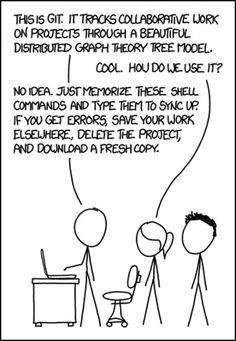
Attached sums up git for me. Craig
Doing… git pull git reset --hard 812f959cec635cb7a849085bcc46711bd57ff0c9 git submodule update …should be correct, but creating a fresh clone is of course also an option. These directories:
warning: unable to rmdir 'components/asio/asio': Directory not empty warning: unable to rmdir 'components/expat/expat': Directory not empty …can be removed.
Regards, Michael Am 23.08.2018 um 07:45 schrieb Craig Leres:
On 8/22/18 8:49 AM, Michael Balzer wrote:
OK, our esp-idf repository is now rolled back to the previous commit.
After pulling you may need to explicitly "git checkout master" -- verify you're on commit 812f959cec635cb7a849085bcc46711bd57ff0c9.
You also will need to do a "git submodule update" afterwards.
Hum... My "update.sh" script says:
#!/bin/sh set -x git pull git submodule update
when I run it I'm, "Already up to date."
If I do "git checkout master" it says:
Already on 'master' Your branch is ahead of 'origin/master' by 378 commits. (use "git push" to publish your local commits)
google tells me the way to show my current git hash is:
ice 472 % git rev-parse HEAD 88e6723d487fe91bae5c09f7534d5b78e327dbad
which doesn't match. google gave me a way to go to a specific hash:
ice 473 % git reset --hard 812f959cec635cb7a849085bcc46711bd57ff0c9 warning: unable to rmdir 'components/asio/asio': Directory not empty warning: unable to rmdir 'components/expat/expat': Directory not empty HEAD is now at 812f959c Merge pull request #1 from leres/master ice 474 % rm -rf components/asio/asio components/expat/expat ice 475 % git reset --hard 812f959cec635cb7a849085bcc46711bd57ff0c9 HEAD is now at 812f959c Merge pull request #1 from leres/master
I'm embarrassed to admit I'm so lame at git but I haven't been able to wrap my head around it so far. It all seems like arbitry magic as far as I can tell. I started with sccs, did a lot with rcs and went "all in" with subversion 10-15 years ago.
I tried to flash my module but it looks like it already lost its config so I take it "module factory reset" is the best starting point?
Craig _______________________________________________ OvmsDev mailing list OvmsDev@lists.openvehicles.com http://lists.openvehicles.com/mailman/listinfo/ovmsdev
-- Michael Balzer * Helkenberger Weg 9 * D-58256 Ennepetal Fon 02333 / 833 5735 * Handy 0176 / 206 989 26
participants (3)
-
 Craig Leres
 -
 Mark Webb-Johnson
 -
 Michael Balzer