Netmanager priority issue solved

TL;DR: you need to pull my latest esp-idf changes. I've finally found & solved the strange priority changes for our netmanager task (i.e. being raised suddenly from origin 5 to 18/22): the bug was in the esp-idf posix threads mutex implementation. I had suspected the mutex priority inheritance for a while, so added a way to retrieve the internal mutex hold count for our task list. Using this I noticed the hold count would always & only raise by 2 whenever any kind of mongoose connection was closed. That lead me to checking the thread concurrency protection for mongoose mbufs, because every mongoose connection has two mbufs associated (rx & tx), each having a posix mutex. The bug was: posix mutexes were deleted after locking (taking) them. FreeRTOS mutexes must not be deleted while being taken, that breaks the priority inheritance (more precisely the disinheritance), with the visible effect being the mutex hold count not returning to zero. As a side effect, this may also solve the strange event task starvations (hope so…). I was investigating this as I suspected some busy loop in the netmanager context. With the netman running at prio 22, that would effectively block almost all other processing including the timer service. I've found & fixed one potential busy loop trigger in the netman that would have been caused by the netman task still running while all interfaces had been lost -- not sure if that could happen, but it would explain the effects. So please watch your crash debug info & report if the issue still turns up. Regards, Michael -- Michael Balzer * Helkenberger Weg 9 * D-58256 Ennepetal Fon 02333 / 833 5735 * Handy 0176 / 206 989 26
It seems we've got another mutex issue in duktape: OVMS# mo ta Number of Tasks = 22 Stack: Now Max Total Heap 32-bit SPIRAM C# PRI CPU% BPR/MH 3FFAFB88 1 Blk esp_timer 436 708 4096 40288 644 31232 0 22 0% 22/ 0 3FFC0E90 2 Blk eventTask 476 1884 4608 104 0 0 0 20 0% 20/ 0 3FFC3314 3 Blk OVMS Events 704 3360 8192 92364 0 35464 1 8 1% 8/ 0 3FFC6764 4 Rdy OVMS DukTape 496 10864 12288 580 0 189492 1 3 10% 3/_*42*_ …increasing once per minute. I'll have a look. Regards, Michael Am 24.07.20 um 15:27 schrieb Michael Balzer:
TL;DR: you need to pull my latest esp-idf changes.
I've finally found & solved the strange priority changes for our netmanager task (i.e. being raised suddenly from origin 5 to 18/22): the bug was in the esp-idf posix threads mutex implementation.
I had suspected the mutex priority inheritance for a while, so added a way to retrieve the internal mutex hold count for our task list. Using this I noticed the hold count would always & only raise by 2 whenever any kind of mongoose connection was closed.
That lead me to checking the thread concurrency protection for mongoose mbufs, because every mongoose connection has two mbufs associated (rx & tx), each having a posix mutex.
The bug was: posix mutexes were deleted after locking (taking) them. FreeRTOS mutexes must not be deleted while being taken, that breaks the priority inheritance (more precisely the disinheritance), with the visible effect being the mutex hold count not returning to zero.
As a side effect, this may also solve the strange event task starvations (hope so…). I was investigating this as I suspected some busy loop in the netmanager context. With the netman running at prio 22, that would effectively block almost all other processing including the timer service. I've found & fixed one potential busy loop trigger in the netman that would have been caused by the netman task still running while all interfaces had been lost -- not sure if that could happen, but it would explain the effects.
So please watch your crash debug info & report if the issue still turns up.
Regards, Michael
-- Michael Balzer * Helkenberger Weg 9 * D-58256 Ennepetal Fon 02333 / 833 5735 * Handy 0176 / 206 989 26
Fixed. I fell for the same assumption in the OvmsMutex / OvmsRecMutex implementation. Regards, Michael Am 24.07.20 um 16:02 schrieb Michael Balzer:
It seems we've got another mutex issue in duktape:
OVMS# mo ta Number of Tasks = 22 Stack: Now Max Total Heap 32-bit SPIRAM C# PRI CPU% BPR/MH 3FFAFB88 1 Blk esp_timer 436 708 4096 40288 644 31232 0 22 0% 22/ 0 3FFC0E90 2 Blk eventTask 476 1884 4608 104 0 0 0 20 0% 20/ 0 3FFC3314 3 Blk OVMS Events 704 3360 8192 92364 0 35464 1 8 1% 8/ 0 3FFC6764 4 Rdy OVMS DukTape 496 10864 12288 580 0 189492 1 3 10% 3/_*42*_
…increasing once per minute. I'll have a look.
Regards, Michael
Am 24.07.20 um 15:27 schrieb Michael Balzer:
TL;DR: you need to pull my latest esp-idf changes.
I've finally found & solved the strange priority changes for our netmanager task (i.e. being raised suddenly from origin 5 to 18/22): the bug was in the esp-idf posix threads mutex implementation.
I had suspected the mutex priority inheritance for a while, so added a way to retrieve the internal mutex hold count for our task list. Using this I noticed the hold count would always & only raise by 2 whenever any kind of mongoose connection was closed.
That lead me to checking the thread concurrency protection for mongoose mbufs, because every mongoose connection has two mbufs associated (rx & tx), each having a posix mutex.
The bug was: posix mutexes were deleted after locking (taking) them. FreeRTOS mutexes must not be deleted while being taken, that breaks the priority inheritance (more precisely the disinheritance), with the visible effect being the mutex hold count not returning to zero.
As a side effect, this may also solve the strange event task starvations (hope so…). I was investigating this as I suspected some busy loop in the netmanager context. With the netman running at prio 22, that would effectively block almost all other processing including the timer service. I've found & fixed one potential busy loop trigger in the netman that would have been caused by the netman task still running while all interfaces had been lost -- not sure if that could happen, but it would explain the effects.
So please watch your crash debug info & report if the issue still turns up.
Regards, Michael
-- Michael Balzer * Helkenberger Weg 9 * D-58256 Ennepetal Fon 02333 / 833 5735 * Handy 0176 / 206 989 26
_______________________________________________ OvmsDev mailing list OvmsDev@lists.openvehicles.com http://lists.openvehicles.com/mailman/listinfo/ovmsdev
-- Michael Balzer * Helkenberger Weg 9 * D-58256 Ennepetal Fon 02333 / 833 5735 * Handy 0176 / 206 989 26
That mutex fix was a giant leap forward in stability. My module has now been running for a whole week without a single WDT / event overflow. Well, one, but that was kind of expected, I had an unfiltered CAN log running in the web UI via a poor Wifi connection. Still will try to prevent that, but that's a different issue. There still have been some (few!) WDT and event queue starvations in the field. I had some detail reports from users and will try to find the cause. But according to the latest comment to the PSRAM issue (https://github.com/espressif/esp-idf/issues/2892#issuecomment-667099130) the fix in the official release had a regression. In some cases, the bug will occur again. The report issue #5423 had the effect of this freezing the LwIP task, which would create the WDT / event issue for us as well. I'd rather apply the coming toolchain fix release first. I'll keep you informed about the toolchain progress. Regards, Michael Am 24.07.20 um 15:27 schrieb Michael Balzer:
As a side effect, this may also solve the strange event task starvations (hope so…). I was investigating this as I suspected some busy loop in the netmanager context. With the netman running at prio 22, that would effectively block almost all other processing including the timer service. I've found & fixed one potential busy loop trigger in the netman that would have been caused by the netman task still running while all interfaces had been lost -- not sure if that could happen, but it would explain the effects.
-- Michael Balzer * Helkenberger Weg 9 * D-58256 Ennepetal Fon 02333 / 833 5735 * Handy 0176 / 206 989 26
Everyone, the announced bug fix for the regression in toolchain 1.22.0-96-g2852398 has been released for esp-idf v3.3. I've merged the latest updates to esp-idf release 3.3.4 into our fork and added the new options to our default build configuration. This includes some additional PSRAM related fixes. The toolchain download links in the docs have not yet been updated. Use these links to download the new toolchain: * Linux 64 bit: https://dl.espressif.com/dl/xtensa-esp32-elf-linux64-1.22.0-97-gc752ad5-5.2.... * MacOS: https://dl.espressif.com/dl/xtensa-esp32-elf-macos-1.22.0-97-gc752ad5-5.2.0.... * Windows 64 bit: https://dl.espressif.com/dl/xtensa-esp32-elf-win32-1.22.0-97-gc752ad5-5.2.0.... See https://github.com/espressif/esp-idf/commit/81da2bae2aa3e15a1793d40bb9648620... for other architectures. Simply replace your existing toolchain installation by unpacking the archive. Test your toolchain installation by checking xtensa-esp32-elf-gcc --version. To update your esp-idf clone: * cd $IDF_PATH * git pull * git submodule update --recursive Replace your sdkconfig by the default one or set all new config options to their defaults. I recommend doing a full rebuild of the OVMS firmware (i.e. make clean ; make). You should then get firmware version 3.2.015-150-gf6121ddd/factory/edge (build idf v3.3.4-845-gd59ed8bba Nov 8 2020 11:50:31) or higher. Regards, Michael Am 31.07.20 um 22:10 schrieb Michael Balzer:
But according to the latest comment to the PSRAM issue (https://github.com/espressif/esp-idf/issues/2892#issuecomment-667099130) the fix in the official release had a regression. In some cases, the bug will occur again. The report issue #5423 had the effect of this freezing the LwIP task, which would create the WDT / event issue for us as well. I'd rather apply the coming toolchain fix release first.
I'll keep you informed about the toolchain progress.
-- Michael Balzer * Helkenberger Weg 9 * D-58256 Ennepetal Fon 02333 / 833 5735 * Handy 0176 / 206 989 26

Hi Michael, it worked all flawlessly for me (Linux64). I'm now on 3.2.015-152-ge81e84d7-dirty/ota_1/main (build idf v3.3.4-845-gd59ed8bba Nov 8 2020 12:55:44) Thanx! Chris Am Sonntag, den 08.11.2020, 12:22 +0100 schrieb Michael Balzer:
Everyone,
the announced bug fix for the regression in toolchain 1.22.0-96-g2852398 has been released for esp-idf v3.3.
I've merged the latest updates to esp-idf release 3.3.4 into our fork and added the new options to our default build configuration. This includes some additional PSRAM related fixes.
The toolchain download links in the docs have not yet been updated. Use these links to download the new toolchain:
Linux 64 bit: https://dl.espressif.com/dl/xtensa-esp32-elf-linux64-1.22.0-97-gc752a d5-5.2.0.tar.gz MacOS: https://dl.espressif.com/dl/xtensa-esp32-elf-macos-1.22.0-97-gc752ad5 -5.2.0.tar.gz Windows 64 bit: https://dl.espressif.com/dl/xtensa-esp32-elf-win32-1.22.0-97-gc752ad5 -5.2.0.zip
See https://github.com/espressif/esp-idf/commit/81da2bae2aa3e15a1793d40bb 9648620f8cd2555 for other architectures.
Simply replace your existing toolchain installation by unpacking the archive. Test your toolchain installation by checking xtensa-esp32-elf-gcc --version.
To update your esp-idf clone:
cd $IDF_PATH git pull git submodule update --recursive
Replace your sdkconfig by the default one or set all new config options to their defaults. I recommend doing a full rebuild of the OVMS firmware (i.e. make clean ; make). You should then get firmware version 3.2.015-150- gf6121ddd/factory/edge (build idf v3.3.4-845-gd59ed8bba Nov 8 2020 11:50:31) or higher.
Regards,
Michael
Am 31.07.20 um 22:10 schrieb Michael Balzer:
But according to the latest comment to the PSRAM issue (https://github.com/espressif/esp-idf/issues/2892#issuecomment-6670 99130) the fix in the official release had a regression. In some cases, the bug will occur again. The report issue #5423 had the effect of this freezing the LwIP task, which would create the WDT / event issue for us as well. I'd rather apply the coming toolchain fix release first.
I'll keep you informed about the toolchain progress.
_______________________________________________ OvmsDev mailing list OvmsDev@lists.openvehicles.com http://lists.openvehicles.com/mailman/listinfo/ovmsdev

Hi Michael, I'm having troubles here... I've downloaded and replaced the xtensa stuff. I've updated the esp-idf clone as described. When I run the xtensa version check it says: crosstool-ng-1.22.0-97-gc752ad5d Then I deleted my \Open-Vehicle-Monitoring-System-3\vehicle\OVMS.V3\sdkconfig file and ran "cp support/sdkconfig.default.hw31 sdconfig" and then "make menuconfig". It says *"WARNING: Toolchain version is not supported: crosstool-ng-1.22.0-97-gc752ad5d, Expected to see version: crosstool-ng-1.22.0-96-g2852398"* It keeps going but when I try a "make all" afterwards I get a lot of errors... Any ideas? thx Soko On 08.11.2020 12:22, Michael Balzer wrote:
Everyone,
the announced bug fix for the regression in toolchain 1.22.0-96-g2852398 has been released for esp-idf v3.3.
I've merged the latest updates to esp-idf release 3.3.4 into our fork and added the new options to our default build configuration. This includes some additional PSRAM related fixes.
The toolchain download links in the docs have not yet been updated. Use these links to download the new toolchain:
* Linux 64 bit: https://dl.espressif.com/dl/xtensa-esp32-elf-linux64-1.22.0-97-gc752ad5-5.2.... * MacOS: https://dl.espressif.com/dl/xtensa-esp32-elf-macos-1.22.0-97-gc752ad5-5.2.0.... * Windows 64 bit: https://dl.espressif.com/dl/xtensa-esp32-elf-win32-1.22.0-97-gc752ad5-5.2.0....
See https://github.com/espressif/esp-idf/commit/81da2bae2aa3e15a1793d40bb9648620... for other architectures.
Simply replace your existing toolchain installation by unpacking the archive. Test your toolchain installation by checking xtensa-esp32-elf-gcc --version.
To update your esp-idf clone:
* cd $IDF_PATH * git pull * git submodule update --recursive
Replace your sdkconfig by the default one or set all new config options to their defaults. I recommend doing a full rebuild of the OVMS firmware (i.e. make clean ; make). You should then get firmware version 3.2.015-150-gf6121ddd/factory/edge (build idf v3.3.4-845-gd59ed8bba Nov 8 2020 11:50:31) or higher.
Regards, Michael
Am 31.07.20 um 22:10 schrieb Michael Balzer:
But according to the latest comment to the PSRAM issue (https://github.com/espressif/esp-idf/issues/2892#issuecomment-667099130) the fix in the official release had a regression. In some cases, the bug will occur again. The report issue #5423 had the effect of this freezing the LwIP task, which would create the WDT / event issue for us as well. I'd rather apply the coming toolchain fix release first.
I'll keep you informed about the toolchain progress.
-- Michael Balzer * Helkenberger Weg 9 * D-58256 Ennepetal Fon 02333 / 833 5735 * Handy 0176 / 206 989 26
_______________________________________________ OvmsDev mailing list OvmsDev@lists.openvehicles.com http://lists.openvehicles.com/mailman/listinfo/ovmsdev
PS: Forget it. I've did another git pull&update on esp-idf and it downloaded something (again). now all works... On 08.11.2020 12:22, Michael Balzer wrote:
Everyone,
the announced bug fix for the regression in toolchain 1.22.0-96-g2852398 has been released for esp-idf v3.3.
I've merged the latest updates to esp-idf release 3.3.4 into our fork and added the new options to our default build configuration. This includes some additional PSRAM related fixes.
The toolchain download links in the docs have not yet been updated. Use these links to download the new toolchain:
* Linux 64 bit: https://dl.espressif.com/dl/xtensa-esp32-elf-linux64-1.22.0-97-gc752ad5-5.2.... * MacOS: https://dl.espressif.com/dl/xtensa-esp32-elf-macos-1.22.0-97-gc752ad5-5.2.0.... * Windows 64 bit: https://dl.espressif.com/dl/xtensa-esp32-elf-win32-1.22.0-97-gc752ad5-5.2.0....
See https://github.com/espressif/esp-idf/commit/81da2bae2aa3e15a1793d40bb9648620... for other architectures.
Simply replace your existing toolchain installation by unpacking the archive. Test your toolchain installation by checking xtensa-esp32-elf-gcc --version.
To update your esp-idf clone:
* cd $IDF_PATH * git pull * git submodule update --recursive
Replace your sdkconfig by the default one or set all new config options to their defaults. I recommend doing a full rebuild of the OVMS firmware (i.e. make clean ; make). You should then get firmware version 3.2.015-150-gf6121ddd/factory/edge (build idf v3.3.4-845-gd59ed8bba Nov 8 2020 11:50:31) or higher.
Regards, Michael
Am 31.07.20 um 22:10 schrieb Michael Balzer:
But according to the latest comment to the PSRAM issue (https://github.com/espressif/esp-idf/issues/2892#issuecomment-667099130) the fix in the official release had a regression. In some cases, the bug will occur again. The report issue #5423 had the effect of this freezing the LwIP task, which would create the WDT / event issue for us as well. I'd rather apply the coming toolchain fix release first.
I'll keep you informed about the toolchain progress.
-- Michael Balzer * Helkenberger Weg 9 * D-58256 Ennepetal Fon 02333 / 833 5735 * Handy 0176 / 206 989 26
_______________________________________________ OvmsDev mailing list OvmsDev@lists.openvehicles.com http://lists.openvehicles.com/mailman/listinfo/ovmsdev
Hey guys & especially the VW e-Up ones, I was wondering about the current status of writing to the e-Up. I currently in "need" to start the 12V DCDC inverter when the car is off and locked. Is this currently possible or at least feasible? Are there any detailed infos when this inverter starts automatically. Apparently its not just a question of the current 12V voltage... Thanks heaps Soko
Soko, it seems many factors influence the DC trickle charge interval, besides the actual voltage I think it's also at least temperature and age. Chances are it also uses a load history. Regarding sending a command to force a trickle charge, that may be possible by issuing an actuator test command ("Ausgabetest" in OBDeleven), but I don't remember having seen anything like that in Heiko's screenshots. I did an analysis for one of these commands (unlocking / locking the charge port), see my mail "Re: Schreibzugriff OBD" of june 5th 2021 on our e-Up list. Another approach would be to wake up the car and keep it awake as long as needed. That seems to possible via Comfort CAN only -- you can keep the car awake via OBD, but not wake it up (at least no method known yet). Be aware waking the car up sets a higher voltage level: trickle charge only runs at ~12.9V, while awake it's ~14.5V. I assume the 12V battery has a charge regulator so it won't take damage from a longer period at that level, but the equipment you'd like to power (assumed) could have an issue with that. Regards, Michael Am 16.05.22 um 08:03 schrieb Soko:
Hey guys & especially the VW e-Up ones,
I was wondering about the current status of writing to the e-Up. I currently in "need" to start the 12V DCDC inverter when the car is off and locked. Is this currently possible or at least feasible? Are there any detailed infos when this inverter starts automatically. Apparently its not just a question of the current 12V voltage...
Thanks heaps Soko _______________________________________________ OvmsDev mailing list OvmsDev@lists.openvehicles.com http://lists.openvehicles.com/mailman/listinfo/ovmsdev
-- Michael Balzer * Helkenberger Weg 9 * D-58256 Ennepetal Fon 02333 / 833 5735 * Handy 0176 / 206 989 26
Hi Michael, and thanks for the info. Not so good info for my project though... (see https://www.goingelectric.de/forum/viewtopic.php?p=1867824#p1867824 for details). So I reckon the trickle charge with ~12.9V cannot use the full capacity of 120A (stated in the link above) of the DCDC inverter. Only the the awake state with the ~14.5V might do that. I hope I can start my investigation this week with a "regulated discharge test system" connected to the 12V battery. I hope that the (trickle) charge will start in any case when a minimum voltage is reached. Maybe 11.5V or so... thanks again, Soko On 16.05.2022 12:04, Michael Balzer wrote:
Soko,
it seems many factors influence the DC trickle charge interval, besides the actual voltage I think it's also at least temperature and age. Chances are it also uses a load history.
Regarding sending a command to force a trickle charge, that may be possible by issuing an actuator test command ("Ausgabetest" in OBDeleven), but I don't remember having seen anything like that in Heiko's screenshots. I did an analysis for one of these commands (unlocking / locking the charge port), see my mail "Re: Schreibzugriff OBD" of june 5th 2021 on our e-Up list.
Another approach would be to wake up the car and keep it awake as long as needed. That seems to possible via Comfort CAN only -- you can keep the car awake via OBD, but not wake it up (at least no method known yet).
Be aware waking the car up sets a higher voltage level: trickle charge only runs at ~12.9V, while awake it's ~14.5V. I assume the 12V battery has a charge regulator so it won't take damage from a longer period at that level, but the equipment you'd like to power (assumed) could have an issue with that.
Regards, Michael
Am 16.05.22 um 08:03 schrieb Soko:
Hey guys & especially the VW e-Up ones,
I was wondering about the current status of writing to the e-Up. I currently in "need" to start the 12V DCDC inverter when the car is off and locked. Is this currently possible or at least feasible? Are there any detailed infos when this inverter starts automatically. Apparently its not just a question of the current 12V voltage...
Thanks heaps Soko _______________________________________________ OvmsDev mailing list OvmsDev@lists.openvehicles.com http://lists.openvehicles.com/mailman/listinfo/ovmsdev
_______________________________________________ OvmsDev mailing list OvmsDev@lists.openvehicles.com http://lists.openvehicles.com/mailman/listinfo/ovmsdev
Hi guys, Running happily my OVMS on my VW e-Up since 2020 it drives my crazy since today :( It restarts roughly every minute with this status afterwards: ------------ Last boot was 28 second(s) ago Time at boot: 2023-07-03 21:25:07 CEST This is reset #1 since last power cycle Detected boot reason: Crash (12/12) Reset reason: Exception/panic (4) Crash counters: 1 total, 0 early Last crash: LoadProhibited exception on core 0 Registers: PC : 0x4028128f PS : 0x00060d30 A0 : 0x802823c2 A1 : 0x3ffe71d0 A2 : 0x3ffe9f9c A3 : 0x00000000 A4 : 0x00000000 A5 : 0x00000001 A6 : 0x3ffe9fe8 A7 : 0x3ffe71d0 A8 : 0x0000005b A9 : 0xffffffff A10 : 0x00000e10 A11 : 0x0000000e A12 : 0x00000010 A13 : 0x3ffbd3ac A14 : 0x3f84e83c A15 : 0x3ffbd46b SAR : 0x00000010 EXCCAUSE: 0x0000001c EXCVADDR: 0x00000004 LBEG : 0x4008b0e9 LEND : 0x4008b11d LCOUNT : 0x00000000 Backtrace: 0x4028128f 0x402823bf ------------ And now the crazy part: It only happens when I'm connected to a specific WiFi/network?!?! What I've tried so far: 1. Factory Reset (multiple times) 2. Set a static IP address 3. Reconnect all cables and make sure all are snug and tight 4. Brought OVMS closer to the AP (only one, no mesh) 5. Restarted AP 6. Restarted DNS & DHCP Server 7. It even happens when I have no vehicle selected after a factory reset It gets more crazy: My WiFi is via Unifi/Ubiquity. So I can have multiple SSIDs with the same AP. So all hardware involved is the same... When I connect to SSID "E3200", which is network 192.168.254.0/24, the exception happens every minute or so. When I connect to SSID "SurfHere" which is network 192.168.179.0/24, everything works fine! Do you guys have any idea why this is happening? I've tried to look at logs via Shell and "log level verbose" but nothing shows up. Is there more I can activate to log this issue? Maybe my hardware is faulty... Where do I get a new OVMS here in Europe/EU/Austria? Do I have to import in from the UK (https://shop.openenergymonitor.com/ovms/)? thanks heaps in advance, Soko

To understand what is going on, you’ll need to get the ELF file for the *exact* build of firmware you are using, and then use the support/a2l script to decode the backtrace addresses to something human readable. If you can’t do this, you could try by letting us know the firmware version you are running, where you got it from (API or Dexters), and provide the backtrace addresses. If you are using standard firmware builds, you can normally find the .elf file by simply change ovms3.bin to ovms3.elf in the download URL. Alternatively, connect the module over USB to a laptop/workstation running the development build environment and GDB stub running to capture the panic. The backtrace you show below (0x4028128f 0x402823bf) does not seem to be valid (too short), and probably won’t help much. Regards, Mark.
On 4 Jul 2023, at 5:41 AM, Soko <ovms@soko.cc> wrote:
Hi guys,
Running happily my OVMS on my VW e-Up since 2020 it drives my crazy since today :(
It restarts roughly every minute with this status afterwards: ------------ Last boot was 28 second(s) ago Time at boot: 2023-07-03 21:25:07 CEST This is reset #1 since last power cycle Detected boot reason: Crash (12/12) Reset reason: Exception/panic (4) Crash counters: 1 total, 0 early
Last crash: LoadProhibited exception on core 0 Registers: PC : 0x4028128f PS : 0x00060d30 A0 : 0x802823c2 A1 : 0x3ffe71d0 A2 : 0x3ffe9f9c A3 : 0x00000000 A4 : 0x00000000 A5 : 0x00000001 A6 : 0x3ffe9fe8 A7 : 0x3ffe71d0 A8 : 0x0000005b A9 : 0xffffffff A10 : 0x00000e10 A11 : 0x0000000e A12 : 0x00000010 A13 : 0x3ffbd3ac A14 : 0x3f84e83c A15 : 0x3ffbd46b SAR : 0x00000010 EXCCAUSE: 0x0000001c EXCVADDR: 0x00000004 LBEG : 0x4008b0e9 LEND : 0x4008b11d LCOUNT : 0x00000000 Backtrace: 0x4028128f 0x402823bf ------------
And now the crazy part: It only happens when I'm connected to a specific WiFi/network?!?!
What I've tried so far: Factory Reset (multiple times) Set a static IP address Reconnect all cables and make sure all are snug and tight Brought OVMS closer to the AP (only one, no mesh) Restarted AP Restarted DNS & DHCP Server It even happens when I have no vehicle selected after a factory reset It gets more crazy: My WiFi is via Unifi/Ubiquity. So I can have multiple SSIDs with the same AP. So all hardware involved is the same...
When I connect to SSID "E3200", which is network 192.168.254.0/24, the exception happens every minute or so. When I connect to SSID "SurfHere" which is network 192.168.179.0/24, everything works fine!
Do you guys have any idea why this is happening?
I've tried to look at logs via Shell and "log level verbose" but nothing shows up. Is there more I can activate to log this issue?
Maybe my hardware is faulty... Where do I get a new OVMS here in Europe/EU/Austria? Do I have to import in from the UK (https://shop.openenergymonitor.com/ovms/)?
thanks heaps in advance, Soko _______________________________________________ OvmsDev mailing list OvmsDev@lists.openvehicles.com http://lists.openvehicles.com/mailman/listinfo/ovmsdev
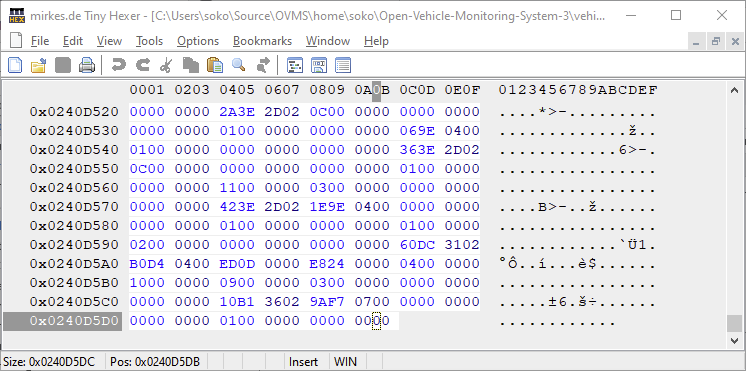
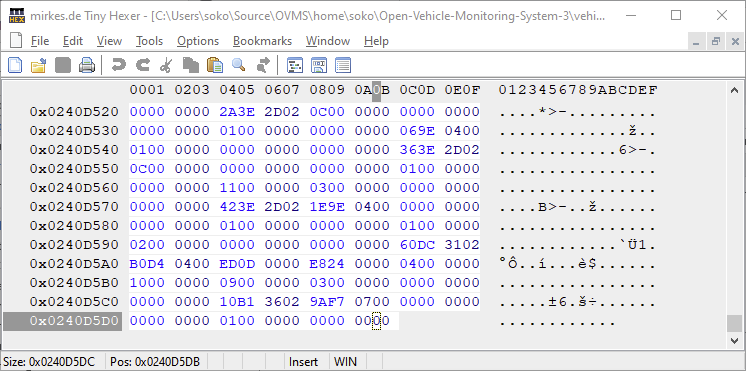
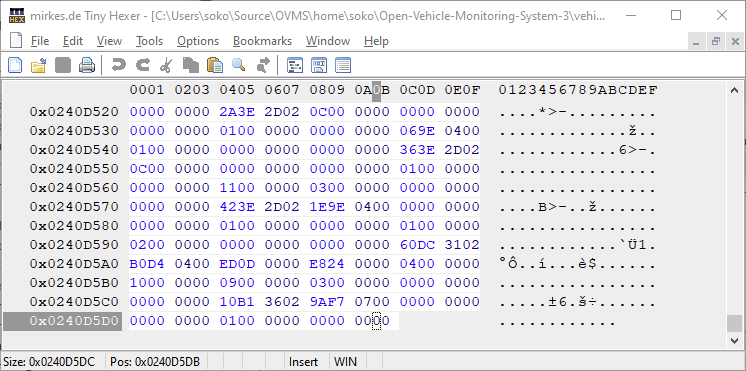
Hi Mark, I have the exact bin & elf I'm using (I've compiled it myself back in the day...). I've also found the script you are mentioning, but it seems to be a linux script, I'm on windows. Looking at the script though - educated guessing - it just looks at the address in the ELF file. Opening the ELF file with an hex-editor in windows reveals it ends at 0x0240D5DB. Do I have to translate the address somehow? Or is the a2l script doing more than just looking. I've also uploaded the bin & elf (http://soko.yourweb.de/ovms3.zip) if you wonna have a quick look. The backtrace (0x4028128f 0x402823bf) is more or less the only constant numbers I get with each crash. So if they are too short can I add/activate some trace which leads to more info without connecting to a laptop (my old devenv doesn't seem to work anymore, and it was Windows anyhow...) thx Soko On 04.07.2023 03:01, Mark Webb-Johnson wrote:
To understand what is going on, you’ll need to get the ELF file for the *exact* build of firmware you are using, and then use the support/a2l script to decode the backtrace addresses to something human readable. If you can’t do this, you could try by letting us know the firmware version you are running, where you got it from (API or Dexters), and provide the backtrace addresses. If you are using standard firmware builds, you can normally find the .elf file by simply change ovms3.bin to ovms3.elf in the download URL.
Alternatively, connect the module over USB to a laptop/workstation running the development build environment and GDB stub running to capture the panic.
The backtrace you show below (0x4028128f 0x402823bf) does not seem to be valid (too short), and probably won’t help much.
Regards, Mark.
On 4 Jul 2023, at 5:41 AM, Soko <ovms@soko.cc> wrote:
Hi guys,
Running happily my OVMS on my VW e-Up since 2020 it drives my crazy since today :(
It restarts roughly every minute with this status afterwards: ------------ Last boot was 28 second(s) ago Time at boot: 2023-07-03 21:25:07 CEST This is reset #1 since last power cycle Detected boot reason: Crash (12/12) Reset reason: Exception/panic (4) Crash counters: 1 total, 0 early
Last crash: LoadProhibited exception on core 0 Registers: PC : 0x4028128f PS : 0x00060d30 A0 : 0x802823c2 A1 : 0x3ffe71d0 A2 : 0x3ffe9f9c A3 : 0x00000000 A4 : 0x00000000 A5 : 0x00000001 A6 : 0x3ffe9fe8 A7 : 0x3ffe71d0 A8 : 0x0000005b A9 : 0xffffffff A10 : 0x00000e10 A11 : 0x0000000e A12 : 0x00000010 A13 : 0x3ffbd3ac A14 : 0x3f84e83c A15 : 0x3ffbd46b SAR : 0x00000010 EXCCAUSE: 0x0000001c EXCVADDR: 0x00000004 LBEG : 0x4008b0e9 LEND : 0x4008b11d LCOUNT : 0x00000000 Backtrace: 0x4028128f 0x402823bf ------------
And now the crazy part: It only happens when I'm connected to a specific WiFi/network?!?!
What I've tried so far:
1. Factory Reset (multiple times) 2. Set a static IP address 3. Reconnect all cables and make sure all are snug and tight 4. Brought OVMS closer to the AP (only one, no mesh) 5. Restarted AP 6. Restarted DNS & DHCP Server 7. It even happens when I have no vehicle selected after a factory reset
It gets more crazy: My WiFi is via Unifi/Ubiquity. So I can have multiple SSIDs with the same AP. So all hardware involved is the same...
When I connect to SSID "E3200", which is network 192.168.254.0/24, the exception happens every minute or so. When I connect to SSID "SurfHere" which is network 192.168.179.0/24, everything works fine!
Do you guys have any idea why this is happening?
I've tried to look at logs via Shell and "log level verbose" but nothing shows up. Is there more I can activate to log this issue?
Maybe my hardware is faulty... Where do I get a new OVMS here in Europe/EU/Austria? Do I have to import in from the UK (https://shop.openenergymonitor.com/ovms/)?
thanks heaps in advance, Soko _______________________________________________ OvmsDev mailing list OvmsDev@lists.openvehicles.com http://lists.openvehicles.com/mailman/listinfo/ovmsdev
_______________________________________________ OvmsDev mailing list OvmsDev@lists.openvehicles.com http://lists.openvehicles.com/mailman/listinfo/ovmsdev

The script works fine in the msys32 shell (or WSL) but you might need to edit it to fit the location of the files. Michael On Tue, 4 July 2023, 6:11 pm Soko, <ovms@soko.cc> wrote:
Hi Mark,
I have the exact bin & elf I'm using (I've compiled it myself back in the day...). I've also found the script you are mentioning, but it seems to be a linux script, I'm on windows. Looking at the script though - educated guessing - it just looks at the address in the ELF file. Opening the ELF file with an hex-editor in windows reveals it ends at 0x0240D5DB.
Do I have to translate the address somehow? Or is the a2l script doing more than just looking.
I've also uploaded the bin & elf (http://soko.yourweb.de/ovms3.zip) if you wonna have a quick look.
The backtrace (0x4028128f 0x402823bf) is more or less the only constant numbers I get with each crash. So if they are too short can I add/activate some trace which leads to more info without connecting to a laptop (my old devenv doesn't seem to work anymore, and it was Windows anyhow...)
thx Soko
On 04.07.2023 03:01, Mark Webb-Johnson wrote:
To understand what is going on, you’ll need to get the ELF file for the *exact* build of firmware you are using, and then use the support/a2l script to decode the backtrace addresses to something human readable. If you can’t do this, you could try by letting us know the firmware version you are running, where you got it from (API or Dexters), and provide the backtrace addresses. If you are using standard firmware builds, you can normally find the .elf file by simply change ovms3.bin to ovms3.elf in the download URL.
Alternatively, connect the module over USB to a laptop/workstation running the development build environment and GDB stub running to capture the panic.
The backtrace you show below (0x4028128f 0x402823bf) does not seem to be valid (too short), and probably won’t help much.
Regards, Mark.
On 4 Jul 2023, at 5:41 AM, Soko <ovms@soko.cc> <ovms@soko.cc> wrote:
Hi guys,
Running happily my OVMS on my VW e-Up since 2020 it drives my crazy since today :(
It restarts roughly every minute with this status afterwards: ------------ Last boot was 28 second(s) ago Time at boot: 2023-07-03 21:25:07 CEST This is reset #1 since last power cycle Detected boot reason: Crash (12/12) Reset reason: Exception/panic (4) Crash counters: 1 total, 0 early
Last crash: LoadProhibited exception on core 0 Registers: PC : 0x4028128f PS : 0x00060d30 A0 : 0x802823c2 A1 : 0x3ffe71d0 A2 : 0x3ffe9f9c A3 : 0x00000000 A4 : 0x00000000 A5 : 0x00000001 A6 : 0x3ffe9fe8 A7 : 0x3ffe71d0 A8 : 0x0000005b A9 : 0xffffffff A10 : 0x00000e10 A11 : 0x0000000e A12 : 0x00000010 A13 : 0x3ffbd3ac A14 : 0x3f84e83c A15 : 0x3ffbd46b SAR : 0x00000010 EXCCAUSE: 0x0000001c EXCVADDR: 0x00000004 LBEG : 0x4008b0e9 LEND : 0x4008b11d LCOUNT : 0x00000000 Backtrace: 0x4028128f 0x402823bf ------------
And now the crazy part: It only happens when I'm connected to a specific WiFi/network?!?!
What I've tried so far:
1. Factory Reset (multiple times) 2. Set a static IP address 3. Reconnect all cables and make sure all are snug and tight 4. Brought OVMS closer to the AP (only one, no mesh) 5. Restarted AP 6. Restarted DNS & DHCP Server 7. It even happens when I have no vehicle selected after a factory reset
It gets more crazy: My WiFi is via Unifi/Ubiquity. So I can have multiple SSIDs with the same AP. So all hardware involved is the same...
When I connect to SSID "E3200", which is network 192.168.254.0/24, the exception happens every minute or so. When I connect to SSID "SurfHere" which is network 192.168.179.0/24, everything works fine!
Do you guys have any idea why this is happening? I've tried to look at logs via Shell and "log level verbose" but nothing shows up. Is there more I can activate to log this issue?
Maybe my hardware is faulty... Where do I get a new OVMS here in Europe/EU/Austria? Do I have to import in from the UK ( https://shop.openenergymonitor.com/ovms/)?
thanks heaps in advance, Soko _______________________________________________ OvmsDev mailing list OvmsDev@lists.openvehicles.com http://lists.openvehicles.com/mailman/listinfo/ovmsdev
_______________________________________________ OvmsDev mailing listOvmsDev@lists.openvehicles.comhttp://lists.openvehicles.com/mailman/listinfo/ovmsdev
_______________________________________________ OvmsDev mailing list OvmsDev@lists.openvehicles.com http://lists.openvehicles.com/mailman/listinfo/ovmsdev
Not sure how reliable that short backtrack is, but here is what it shows: $ ../a2l ovms3.elf 0x4028128f 0x402823bf Using elf file: ovms3.elf 0x4028128f is in mdns_parse_packet (C:/Users/soko/Source/OVMS/home/soko/esp-idf/components/mdns/mdns.c:2839). 0x402823bf is in _mdns_service_task (C:/Users/soko/Source/OVMS/home/soko/esp-idf/components/mdns/mdns.c:3545). 3540 in C:/Users/soko/Source/OVMS/home/soko/esp-idf/components/mdns/mdns.c So that implies a crash parsing a MDNS packet. If that is repeatable, it would be a bug in the ESP IDF for mdns. You could try disabling CONFIG_OVMS_COMP_MDNS in your build and see if that works around the issue. There is also CONFIG_MDNS_TASK_STACK_SIZE and CONFIG_MDNS_MAX_SERVICES which may be related. But that is based on the single backtrace, which may be wrong. The only other thing I can think of is the MDNS service packets we transmit. What is your vehicle ID? Anything unusual (non-ascii characters, long length, etc)? Regards, Mark
On 4 Jul 2023, at 6:10 PM, Soko <ovms@soko.cc> wrote:
Hi Mark,
I have the exact bin & elf I'm using (I've compiled it myself back in the day...). I've also found the script you are mentioning, but it seems to be a linux script, I'm on windows. Looking at the script though - educated guessing - it just looks at the address in the ELF file. Opening the ELF file with an hex-editor in windows reveals it ends at 0x0240D5DB.
<vwPxeAnwFzenPgJR.png>
Do I have to translate the address somehow? Or is the a2l script doing more than just looking.
I've also uploaded the bin & elf (http://soko.yourweb.de/ovms3.zip) if you wonna have a quick look.
The backtrace (0x4028128f 0x402823bf) is more or less the only constant numbers I get with each crash. So if they are too short can I add/activate some trace which leads to more info without connecting to a laptop (my old devenv doesn't seem to work anymore, and it was Windows anyhow...)
thx Soko
On 04.07.2023 03:01, Mark Webb-Johnson wrote:
To understand what is going on, you’ll need to get the ELF file for the *exact* build of firmware you are using, and then use the support/a2l script to decode the backtrace addresses to something human readable. If you can’t do this, you could try by letting us know the firmware version you are running, where you got it from (API or Dexters), and provide the backtrace addresses. If you are using standard firmware builds, you can normally find the .elf file by simply change ovms3.bin to ovms3.elf in the download URL.
Alternatively, connect the module over USB to a laptop/workstation running the development build environment and GDB stub running to capture the panic.
The backtrace you show below (0x4028128f 0x402823bf) does not seem to be valid (too short), and probably won’t help much.
Regards, Mark.
On 4 Jul 2023, at 5:41 AM, Soko <ovms@soko.cc> <mailto:ovms@soko.cc> wrote:
Hi guys,
Running happily my OVMS on my VW e-Up since 2020 it drives my crazy since today :(
It restarts roughly every minute with this status afterwards: ------------ Last boot was 28 second(s) ago Time at boot: 2023-07-03 21:25:07 CEST This is reset #1 since last power cycle Detected boot reason: Crash (12/12) Reset reason: Exception/panic (4) Crash counters: 1 total, 0 early
Last crash: LoadProhibited exception on core 0 Registers: PC : 0x4028128f PS : 0x00060d30 A0 : 0x802823c2 A1 : 0x3ffe71d0 A2 : 0x3ffe9f9c A3 : 0x00000000 A4 : 0x00000000 A5 : 0x00000001 A6 : 0x3ffe9fe8 A7 : 0x3ffe71d0 A8 : 0x0000005b A9 : 0xffffffff A10 : 0x00000e10 A11 : 0x0000000e A12 : 0x00000010 A13 : 0x3ffbd3ac A14 : 0x3f84e83c A15 : 0x3ffbd46b SAR : 0x00000010 EXCCAUSE: 0x0000001c EXCVADDR: 0x00000004 LBEG : 0x4008b0e9 LEND : 0x4008b11d LCOUNT : 0x00000000 Backtrace: 0x4028128f 0x402823bf ------------
And now the crazy part: It only happens when I'm connected to a specific WiFi/network?!?!
What I've tried so far: Factory Reset (multiple times) Set a static IP address Reconnect all cables and make sure all are snug and tight Brought OVMS closer to the AP (only one, no mesh) Restarted AP Restarted DNS & DHCP Server It even happens when I have no vehicle selected after a factory reset It gets more crazy: My WiFi is via Unifi/Ubiquity. So I can have multiple SSIDs with the same AP. So all hardware involved is the same...
When I connect to SSID "E3200", which is network 192.168.254.0/24, the exception happens every minute or so. When I connect to SSID "SurfHere" which is network 192.168.179.0/24, everything works fine!
Do you guys have any idea why this is happening?
I've tried to look at logs via Shell and "log level verbose" but nothing shows up. Is there more I can activate to log this issue?
Maybe my hardware is faulty... Where do I get a new OVMS here in Europe/EU/Austria? Do I have to import in from the UK (https://shop.openenergymonitor.com/ovms/)?
thanks heaps in advance, Soko _______________________________________________ OvmsDev mailing list OvmsDev@lists.openvehicles.com <mailto:OvmsDev@lists.openvehicles.com> http://lists.openvehicles.com/mailman/listinfo/ovmsdev
_______________________________________________ OvmsDev mailing list OvmsDev@lists.openvehicles.com <mailto:OvmsDev@lists.openvehicles.com> http://lists.openvehicles.com/mailman/listinfo/ovmsdev
_______________________________________________ OvmsDev mailing list OvmsDev@lists.openvehicles.com http://lists.openvehicles.com/mailman/listinfo/ovmsdev
Hi, That's exactly what I've figured out pulling an all-nighter. If I set the IPv4-ACL "Deny UDP src=192.168.254.228:5353 dst=any" (.228 is the OVMS) on the switch for the port my AP hits the network everything works stable. My Vehicle-ID on the Vehicle configuration page is "OVMS". So nothing weird at all... Is there a way to disable mDNS via the shell (I dont need it anyhow)? With you suggesting doing a new build though I guess no? Thanks, Soko @Michael: thx for the tip On 05.07.2023 01:39, Mark Webb-Johnson wrote:
Not sure how reliable that short backtrack is, but here is what it shows:
$ ../a2l ovms3.elf 0x4028128f 0x402823bf Using elf file: ovms3.elf 0x4028128f is in mdns_parse_packet (C:/Users/soko/Source/OVMS/home/soko/esp-idf/components/mdns/mdns.c:2839). 0x402823bf is in _mdns_service_task (C:/Users/soko/Source/OVMS/home/soko/esp-idf/components/mdns/mdns.c:3545). 3540in C:/Users/soko/Source/OVMS/home/soko/esp-idf/components/mdns/mdns.c
So that implies a crash parsing a MDNS packet.
If that is repeatable, it would be a bug in the ESP IDF for mdns. You could try disabling CONFIG_OVMS_COMP_MDNS in your build and see if that works around the issue. There is also CONFIG_MDNS_TASK_STACK_SIZE and CONFIG_MDNS_MAX_SERVICES which may be related. But that is based on the single backtrace, which may be wrong.
The only other thing I can think of is the MDNS service packets we transmit. What is your vehicle ID? Anything unusual (non-ascii characters, long length, etc)?
Regards, Mark
On 4 Jul 2023, at 6:10 PM, Soko <ovms@soko.cc> wrote:
Hi Mark,
I have the exact bin & elf I'm using (I've compiled it myself back in the day...). I've also found the script you are mentioning, but it seems to be a linux script, I'm on windows. Looking at the script though - educated guessing - it just looks at the address in the ELF file. Opening the ELF file with an hex-editor in windows reveals it ends at 0x0240D5DB.
<vwPxeAnwFzenPgJR.png>
Do I have to translate the address somehow? Or is the a2l script doing more than just looking.
I've also uploaded the bin & elf (http://soko.yourweb.de/ovms3.zip) if you wonna have a quick look.
The backtrace (0x4028128f 0x402823bf) is more or less the only constant numbers I get with each crash. So if they are too short can I add/activate some trace which leads to more info without connecting to a laptop (my old devenv doesn't seem to work anymore, and it was Windows anyhow...)
thx Soko
On 04.07.2023 03:01, Mark Webb-Johnson wrote:
To understand what is going on, you’ll need to get the ELF file for the *exact* build of firmware you are using, and then use the support/a2l script to decode the backtrace addresses to something human readable. If you can’t do this, you could try by letting us know the firmware version you are running, where you got it from (API or Dexters), and provide the backtrace addresses. If you are using standard firmware builds, you can normally find the .elf file by simply change ovms3.bin to ovms3.elf in the download URL.
Alternatively, connect the module over USB to a laptop/workstation running the development build environment and GDB stub running to capture the panic.
The backtrace you show below (0x4028128f 0x402823bf) does not seem to be valid (too short), and probably won’t help much.
Regards, Mark.
On 4 Jul 2023, at 5:41 AM, Soko <ovms@soko.cc> wrote:
Hi guys,
Running happily my OVMS on my VW e-Up since 2020 it drives my crazy since today :(
It restarts roughly every minute with this status afterwards: ------------ Last boot was 28 second(s) ago Time at boot: 2023-07-03 21:25:07 CEST This is reset #1 since last power cycle Detected boot reason: Crash (12/12) Reset reason: Exception/panic (4) Crash counters: 1 total, 0 early
Last crash: LoadProhibited exception on core 0 Registers: PC : 0x4028128f PS : 0x00060d30 A0 : 0x802823c2 A1 : 0x3ffe71d0 A2 : 0x3ffe9f9c A3 : 0x00000000 A4 : 0x00000000 A5 : 0x00000001 A6 : 0x3ffe9fe8 A7 : 0x3ffe71d0 A8 : 0x0000005b A9 : 0xffffffff A10 : 0x00000e10 A11 : 0x0000000e A12 : 0x00000010 A13 : 0x3ffbd3ac A14 : 0x3f84e83c A15 : 0x3ffbd46b SAR : 0x00000010 EXCCAUSE: 0x0000001c EXCVADDR: 0x00000004 LBEG : 0x4008b0e9 LEND : 0x4008b11d LCOUNT : 0x00000000 Backtrace: 0x4028128f 0x402823bf ------------
And now the crazy part: It only happens when I'm connected to a specific WiFi/network?!?!
What I've tried so far:
1. Factory Reset (multiple times) 2. Set a static IP address 3. Reconnect all cables and make sure all are snug and tight 4. Brought OVMS closer to the AP (only one, no mesh) 5. Restarted AP 6. Restarted DNS & DHCP Server 7. It even happens when I have no vehicle selected after a factory reset
It gets more crazy: My WiFi is via Unifi/Ubiquity. So I can have multiple SSIDs with the same AP. So all hardware involved is the same...
When I connect to SSID "E3200", which is network 192.168.254.0/24, the exception happens every minute or so. When I connect to SSID "SurfHere" which is network 192.168.179.0/24, everything works fine!
Do you guys have any idea why this is happening?
I've tried to look at logs via Shell and "log level verbose" but nothing shows up. Is there more I can activate to log this issue?
Maybe my hardware is faulty... Where do I get a new OVMS here in Europe/EU/Austria? Do I have to import in from the UK (https://shop.openenergymonitor.com/ovms/)?
thanks heaps in advance, Soko _______________________________________________ OvmsDev mailing list OvmsDev@lists.openvehicles.com http://lists.openvehicles.com/mailman/listinfo/ovmsdev
_______________________________________________ OvmsDev mailing list OvmsDev@lists.openvehicles.com http://lists.openvehicles.com/mailman/listinfo/ovmsdev
_______________________________________________ OvmsDev mailing list OvmsDev@lists.openvehicles.com http://lists.openvehicles.com/mailman/listinfo/ovmsdev
_______________________________________________ OvmsDev mailing list OvmsDev@lists.openvehicles.com http://lists.openvehicles.com/mailman/listinfo/ovmsdev
Is there a way to disable mDNS via the shell (I dont need it anyhow)? With you suggesting doing a new build though I guess no?
Not that I know of. If the module is enabled in build config, it runs automatically. It doesn’t have any config, and just uses the vehicle/id config value to build it’s MDNS announcements. Regards, Mark.
On 5 Jul 2023, at 2:57 PM, Soko <ovms@soko.cc> wrote:
Hi,
That's exactly what I've figured out pulling an all-nighter. If I set the IPv4-ACL "Deny UDP src=192.168.254.228:5353 dst=any" (.228 is the OVMS) on the switch for the port my AP hits the network everything works stable.
My Vehicle-ID on the Vehicle configuration page is "OVMS". So nothing weird at all...
Is there a way to disable mDNS via the shell (I dont need it anyhow)? With you suggesting doing a new build though I guess no?
Thanks, Soko
@Michael: thx for the tip
On 05.07.2023 01:39, Mark Webb-Johnson wrote:
Not sure how reliable that short backtrack is, but here is what it shows:
$ ../a2l ovms3.elf 0x4028128f 0x402823bf Using elf file: ovms3.elf 0x4028128f is in mdns_parse_packet (C:/Users/soko/Source/OVMS/home/soko/esp-idf/components/mdns/mdns.c:2839). 0x402823bf is in _mdns_service_task (C:/Users/soko/Source/OVMS/home/soko/esp-idf/components/mdns/mdns.c:3545). 3540 in C:/Users/soko/Source/OVMS/home/soko/esp-idf/components/mdns/mdns.c
So that implies a crash parsing a MDNS packet.
If that is repeatable, it would be a bug in the ESP IDF for mdns. You could try disabling CONFIG_OVMS_COMP_MDNS in your build and see if that works around the issue. There is also CONFIG_MDNS_TASK_STACK_SIZE and CONFIG_MDNS_MAX_SERVICES which may be related. But that is based on the single backtrace, which may be wrong.
The only other thing I can think of is the MDNS service packets we transmit. What is your vehicle ID? Anything unusual (non-ascii characters, long length, etc)?
Regards, Mark
On 4 Jul 2023, at 6:10 PM, Soko <ovms@soko.cc> <mailto:ovms@soko.cc> wrote:
Hi Mark,
I have the exact bin & elf I'm using (I've compiled it myself back in the day...). I've also found the script you are mentioning, but it seems to be a linux script, I'm on windows. Looking at the script though - educated guessing - it just looks at the address in the ELF file. Opening the ELF file with an hex-editor in windows reveals it ends at 0x0240D5DB.
<vwPxeAnwFzenPgJR.png>
Do I have to translate the address somehow? Or is the a2l script doing more than just looking.
I've also uploaded the bin & elf (http://soko.yourweb.de/ovms3.zip) if you wonna have a quick look.
The backtrace (0x4028128f 0x402823bf) is more or less the only constant numbers I get with each crash. So if they are too short can I add/activate some trace which leads to more info without connecting to a laptop (my old devenv doesn't seem to work anymore, and it was Windows anyhow...)
thx Soko
On 04.07.2023 03:01, Mark Webb-Johnson wrote:
To understand what is going on, you’ll need to get the ELF file for the *exact* build of firmware you are using, and then use the support/a2l script to decode the backtrace addresses to something human readable. If you can’t do this, you could try by letting us know the firmware version you are running, where you got it from (API or Dexters), and provide the backtrace addresses. If you are using standard firmware builds, you can normally find the .elf file by simply change ovms3.bin to ovms3.elf in the download URL.
Alternatively, connect the module over USB to a laptop/workstation running the development build environment and GDB stub running to capture the panic.
The backtrace you show below (0x4028128f 0x402823bf) does not seem to be valid (too short), and probably won’t help much.
Regards, Mark.
On 4 Jul 2023, at 5:41 AM, Soko <ovms@soko.cc> <mailto:ovms@soko.cc> wrote:
Hi guys,
Running happily my OVMS on my VW e-Up since 2020 it drives my crazy since today :(
It restarts roughly every minute with this status afterwards: ------------ Last boot was 28 second(s) ago Time at boot: 2023-07-03 21:25:07 CEST This is reset #1 since last power cycle Detected boot reason: Crash (12/12) Reset reason: Exception/panic (4) Crash counters: 1 total, 0 early
Last crash: LoadProhibited exception on core 0 Registers: PC : 0x4028128f PS : 0x00060d30 A0 : 0x802823c2 A1 : 0x3ffe71d0 A2 : 0x3ffe9f9c A3 : 0x00000000 A4 : 0x00000000 A5 : 0x00000001 A6 : 0x3ffe9fe8 A7 : 0x3ffe71d0 A8 : 0x0000005b A9 : 0xffffffff A10 : 0x00000e10 A11 : 0x0000000e A12 : 0x00000010 A13 : 0x3ffbd3ac A14 : 0x3f84e83c A15 : 0x3ffbd46b SAR : 0x00000010 EXCCAUSE: 0x0000001c EXCVADDR: 0x00000004 LBEG : 0x4008b0e9 LEND : 0x4008b11d LCOUNT : 0x00000000 Backtrace: 0x4028128f 0x402823bf ------------
And now the crazy part: It only happens when I'm connected to a specific WiFi/network?!?!
What I've tried so far: Factory Reset (multiple times) Set a static IP address Reconnect all cables and make sure all are snug and tight Brought OVMS closer to the AP (only one, no mesh) Restarted AP Restarted DNS & DHCP Server It even happens when I have no vehicle selected after a factory reset It gets more crazy: My WiFi is via Unifi/Ubiquity. So I can have multiple SSIDs with the same AP. So all hardware involved is the same...
When I connect to SSID "E3200", which is network 192.168.254.0/24, the exception happens every minute or so. When I connect to SSID "SurfHere" which is network 192.168.179.0/24, everything works fine!
Do you guys have any idea why this is happening?
I've tried to look at logs via Shell and "log level verbose" but nothing shows up. Is there more I can activate to log this issue?
Maybe my hardware is faulty... Where do I get a new OVMS here in Europe/EU/Austria? Do I have to import in from the UK (https://shop.openenergymonitor.com/ovms/)?
thanks heaps in advance, Soko _______________________________________________ OvmsDev mailing list OvmsDev@lists.openvehicles.com <mailto:OvmsDev@lists.openvehicles.com> http://lists.openvehicles.com/mailman/listinfo/ovmsdev
_______________________________________________ OvmsDev mailing list OvmsDev@lists.openvehicles.com <mailto:OvmsDev@lists.openvehicles.com> http://lists.openvehicles.com/mailman/listinfo/ovmsdev
_______________________________________________ OvmsDev mailing list OvmsDev@lists.openvehicles.com <mailto:OvmsDev@lists.openvehicles.com> http://lists.openvehicles.com/mailman/listinfo/ovmsdev
_______________________________________________ OvmsDev mailing list OvmsDev@lists.openvehicles.com <mailto:OvmsDev@lists.openvehicles.com> http://lists.openvehicles.com/mailman/listinfo/ovmsdev
_______________________________________________ OvmsDev mailing list OvmsDev@lists.openvehicles.com http://lists.openvehicles.com/mailman/listinfo/ovmsdev
Is there a way to disable mDNS via the shell (I dont need it anyhow)? With you suggesting doing a new build though I guess no?
Not that I know of. If the module is enabled in build config, it runs automatically. It doesn’t have any config, and just uses the vehicle/id config value to build it’s MDNS announcements. Regards, Mark.
On 5 Jul 2023, at 2:57 PM, Soko <ovms@soko.cc> wrote:
Hi,
That's exactly what I've figured out pulling an all-nighter. If I set the IPv4-ACL "Deny UDP src=192.168.254.228:5353 dst=any" (.228 is the OVMS) on the switch for the port my AP hits the network everything works stable.
My Vehicle-ID on the Vehicle configuration page is "OVMS". So nothing weird at all...
Is there a way to disable mDNS via the shell (I dont need it anyhow)? With you suggesting doing a new build though I guess no?
Thanks, Soko
@Michael: thx for the tip
On 05.07.2023 01:39, Mark Webb-Johnson wrote:
Not sure how reliable that short backtrack is, but here is what it shows:
$ ../a2l ovms3.elf 0x4028128f 0x402823bf Using elf file: ovms3.elf 0x4028128f is in mdns_parse_packet (C:/Users/soko/Source/OVMS/home/soko/esp-idf/components/mdns/mdns.c:2839). 0x402823bf is in _mdns_service_task (C:/Users/soko/Source/OVMS/home/soko/esp-idf/components/mdns/mdns.c:3545). 3540 in C:/Users/soko/Source/OVMS/home/soko/esp-idf/components/mdns/mdns.c
So that implies a crash parsing a MDNS packet.
If that is repeatable, it would be a bug in the ESP IDF for mdns. You could try disabling CONFIG_OVMS_COMP_MDNS in your build and see if that works around the issue. There is also CONFIG_MDNS_TASK_STACK_SIZE and CONFIG_MDNS_MAX_SERVICES which may be related. But that is based on the single backtrace, which may be wrong.
The only other thing I can think of is the MDNS service packets we transmit. What is your vehicle ID? Anything unusual (non-ascii characters, long length, etc)?
Regards, Mark
On 4 Jul 2023, at 6:10 PM, Soko <ovms@soko.cc> <mailto:ovms@soko.cc> wrote:
Hi Mark,
I have the exact bin & elf I'm using (I've compiled it myself back in the day...). I've also found the script you are mentioning, but it seems to be a linux script, I'm on windows. Looking at the script though - educated guessing - it just looks at the address in the ELF file. Opening the ELF file with an hex-editor in windows reveals it ends at 0x0240D5DB.
<vwPxeAnwFzenPgJR.png>
Do I have to translate the address somehow? Or is the a2l script doing more than just looking.
I've also uploaded the bin & elf (http://soko.yourweb.de/ovms3.zip) if you wonna have a quick look.
The backtrace (0x4028128f 0x402823bf) is more or less the only constant numbers I get with each crash. So if they are too short can I add/activate some trace which leads to more info without connecting to a laptop (my old devenv doesn't seem to work anymore, and it was Windows anyhow...)
thx Soko
On 04.07.2023 03:01, Mark Webb-Johnson wrote:
To understand what is going on, you’ll need to get the ELF file for the *exact* build of firmware you are using, and then use the support/a2l script to decode the backtrace addresses to something human readable. If you can’t do this, you could try by letting us know the firmware version you are running, where you got it from (API or Dexters), and provide the backtrace addresses. If you are using standard firmware builds, you can normally find the .elf file by simply change ovms3.bin to ovms3.elf in the download URL.
Alternatively, connect the module over USB to a laptop/workstation running the development build environment and GDB stub running to capture the panic.
The backtrace you show below (0x4028128f 0x402823bf) does not seem to be valid (too short), and probably won’t help much.
Regards, Mark.
On 4 Jul 2023, at 5:41 AM, Soko <ovms@soko.cc> <mailto:ovms@soko.cc> wrote:
Hi guys,
Running happily my OVMS on my VW e-Up since 2020 it drives my crazy since today :(
It restarts roughly every minute with this status afterwards: ------------ Last boot was 28 second(s) ago Time at boot: 2023-07-03 21:25:07 CEST This is reset #1 since last power cycle Detected boot reason: Crash (12/12) Reset reason: Exception/panic (4) Crash counters: 1 total, 0 early
Last crash: LoadProhibited exception on core 0 Registers: PC : 0x4028128f PS : 0x00060d30 A0 : 0x802823c2 A1 : 0x3ffe71d0 A2 : 0x3ffe9f9c A3 : 0x00000000 A4 : 0x00000000 A5 : 0x00000001 A6 : 0x3ffe9fe8 A7 : 0x3ffe71d0 A8 : 0x0000005b A9 : 0xffffffff A10 : 0x00000e10 A11 : 0x0000000e A12 : 0x00000010 A13 : 0x3ffbd3ac A14 : 0x3f84e83c A15 : 0x3ffbd46b SAR : 0x00000010 EXCCAUSE: 0x0000001c EXCVADDR: 0x00000004 LBEG : 0x4008b0e9 LEND : 0x4008b11d LCOUNT : 0x00000000 Backtrace: 0x4028128f 0x402823bf ------------
And now the crazy part: It only happens when I'm connected to a specific WiFi/network?!?!
What I've tried so far: Factory Reset (multiple times) Set a static IP address Reconnect all cables and make sure all are snug and tight Brought OVMS closer to the AP (only one, no mesh) Restarted AP Restarted DNS & DHCP Server It even happens when I have no vehicle selected after a factory reset It gets more crazy: My WiFi is via Unifi/Ubiquity. So I can have multiple SSIDs with the same AP. So all hardware involved is the same...
When I connect to SSID "E3200", which is network 192.168.254.0/24, the exception happens every minute or so. When I connect to SSID "SurfHere" which is network 192.168.179.0/24, everything works fine!
Do you guys have any idea why this is happening?
I've tried to look at logs via Shell and "log level verbose" but nothing shows up. Is there more I can activate to log this issue?
Maybe my hardware is faulty... Where do I get a new OVMS here in Europe/EU/Austria? Do I have to import in from the UK (https://shop.openenergymonitor.com/ovms/)?
thanks heaps in advance, Soko _______________________________________________ OvmsDev mailing list OvmsDev@lists.openvehicles.com <mailto:OvmsDev@lists.openvehicles.com> http://lists.openvehicles.com/mailman/listinfo/ovmsdev
_______________________________________________ OvmsDev mailing list OvmsDev@lists.openvehicles.com <mailto:OvmsDev@lists.openvehicles.com> http://lists.openvehicles.com/mailman/listinfo/ovmsdev
_______________________________________________ OvmsDev mailing list OvmsDev@lists.openvehicles.com <mailto:OvmsDev@lists.openvehicles.com> http://lists.openvehicles.com/mailman/listinfo/ovmsdev
_______________________________________________ OvmsDev mailing list OvmsDev@lists.openvehicles.com <mailto:OvmsDev@lists.openvehicles.com> http://lists.openvehicles.com/mailman/listinfo/ovmsdev
_______________________________________________ OvmsDev mailing list OvmsDev@lists.openvehicles.com http://lists.openvehicles.com/mailman/listinfo/ovmsdev
My final (?) update on this: https://github.com/openvehicles/Open-Vehicle-Monitoring-System-3/issues/474#... The good news is, revision 3 ESP32 -- OVMS 3.3 -- works flawless up to now. *sigh* Regards, Michael Am 08.11.20 um 12:22 schrieb Michael Balzer:
Everyone,
the announced bug fix for the regression in toolchain 1.22.0-96-g2852398 has been released for esp-idf v3.3.
I've merged the latest updates to esp-idf release 3.3.4 into our fork and added the new options to our default build configuration. This includes some additional PSRAM related fixes.
The toolchain download links in the docs have not yet been updated. Use these links to download the new toolchain:
* Linux 64 bit: https://dl.espressif.com/dl/xtensa-esp32-elf-linux64-1.22.0-97-gc752ad5-5.2.... * MacOS: https://dl.espressif.com/dl/xtensa-esp32-elf-macos-1.22.0-97-gc752ad5-5.2.0.... * Windows 64 bit: https://dl.espressif.com/dl/xtensa-esp32-elf-win32-1.22.0-97-gc752ad5-5.2.0....
See https://github.com/espressif/esp-idf/commit/81da2bae2aa3e15a1793d40bb9648620... for other architectures.
Simply replace your existing toolchain installation by unpacking the archive. Test your toolchain installation by checking xtensa-esp32-elf-gcc --version.
To update your esp-idf clone:
* cd $IDF_PATH * git pull * git submodule update --recursive
Replace your sdkconfig by the default one or set all new config options to their defaults. I recommend doing a full rebuild of the OVMS firmware (i.e. make clean ; make). You should then get firmware version 3.2.015-150-gf6121ddd/factory/edge (build idf v3.3.4-845-gd59ed8bba Nov 8 2020 11:50:31) or higher.
Regards, Michael
Am 31.07.20 um 22:10 schrieb Michael Balzer:
But according to the latest comment to the PSRAM issue (https://github.com/espressif/esp-idf/issues/2892#issuecomment-667099130) the fix in the official release had a regression. In some cases, the bug will occur again. The report issue #5423 had the effect of this freezing the LwIP task, which would create the WDT / event issue for us as well. I'd rather apply the coming toolchain fix release first.
I'll keep you informed about the toolchain progress.
-- Michael Balzer * Helkenberger Weg 9 * D-58256 Ennepetal Fon 02333 / 833 5735 * Handy 0176 / 206 989 26
_______________________________________________ OvmsDev mailing list OvmsDev@lists.openvehicles.com http://lists.openvehicles.com/mailman/listinfo/ovmsdev
-- Michael Balzer * Helkenberger Weg 9 * D-58256 Ennepetal Fon 02333 / 833 5735 * Handy 0176 / 206 989 26
participants (5)
-
 Chris van der Meijden
 -
 Mark Webb-Johnson
 -
 Michael Balzer
 -
 Michael Geddes
 -
 Soko
Soko