Running Android app on Linux desktop

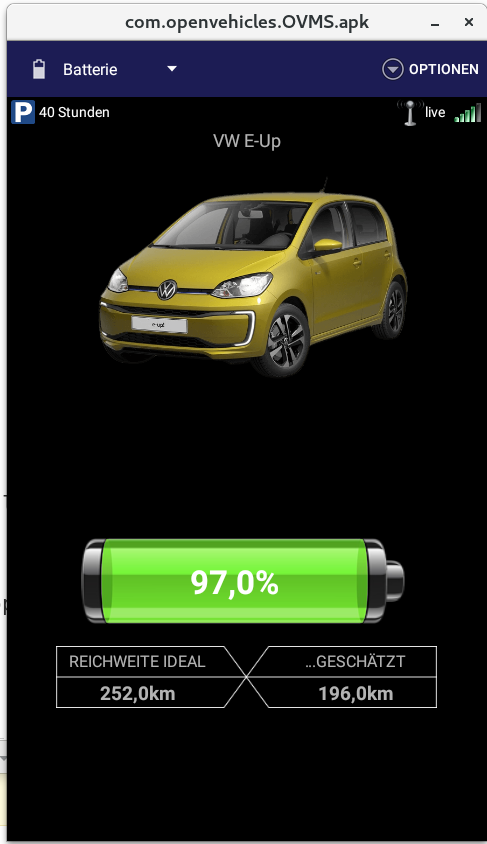
I just got the Android app running on the Linux desktop :-) On Debian Stretch I used an old emulator from 2016: Shashlik 0.9.3http: //www.shashlik.io/news/2016/03/02/shashlik-0-9-3/ Advantage - super simpleDisadvantage - buggy and not maintained any more But it is running well for me. Even with the correct locale: What I did ... Install ShashlikInstall OVMS apk in Shashlikhttps://www.howtoforge.com/ tutorial/how-to-install-and-run-android-apk-on-linux-with-shashlik/ Create folder ~/.local/share/shashlik/system Edit /opt/shashlik/android/config.ini hw.ramSize=8000 /opt/shashlik/bin/shashlik-run emulator_args change "-noskin" to "-skin", "480x800", Create an executable script /usr/local/bin/ovms containing: #!/bin/bashcd /opt/shashlik/bin/./shashlik-run com.openvehicles.OVMS com.openvehicles.OVMS.apk Start it with the command "ovms" on the console. Set locale in a second console: adb shell "setprop persist.sys.language de; setprop persist.sys.country DE;" After restart of the emulator locale is set. On a black screen with only arrows (yes, it is buggy): adb shell rm -rf "/data/system/*" and restart the emulator. Have fun ... Regards Chris
participants (1)
-
 Chris van der Meijden