OTA download incremental progress no longer happens

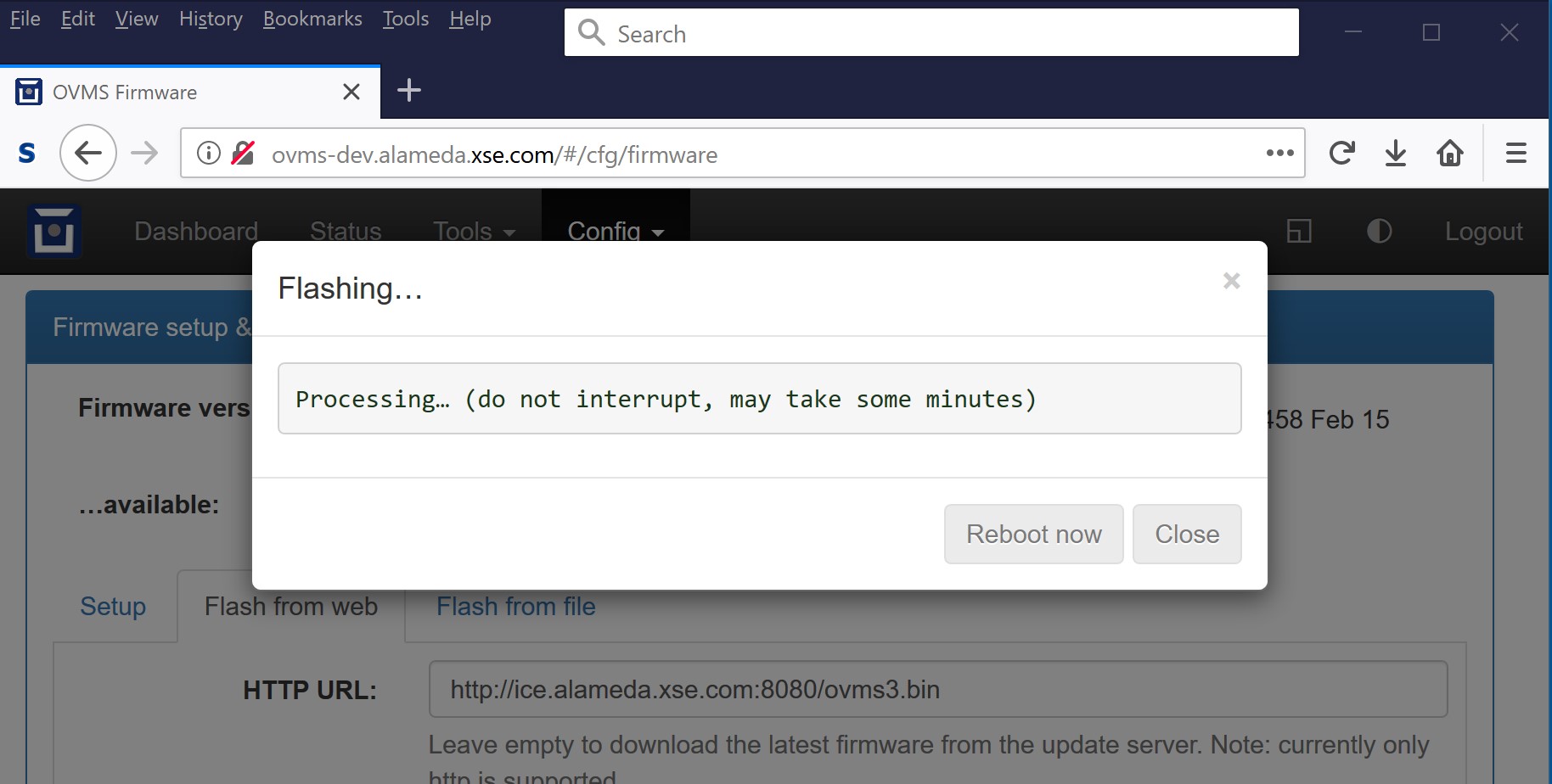
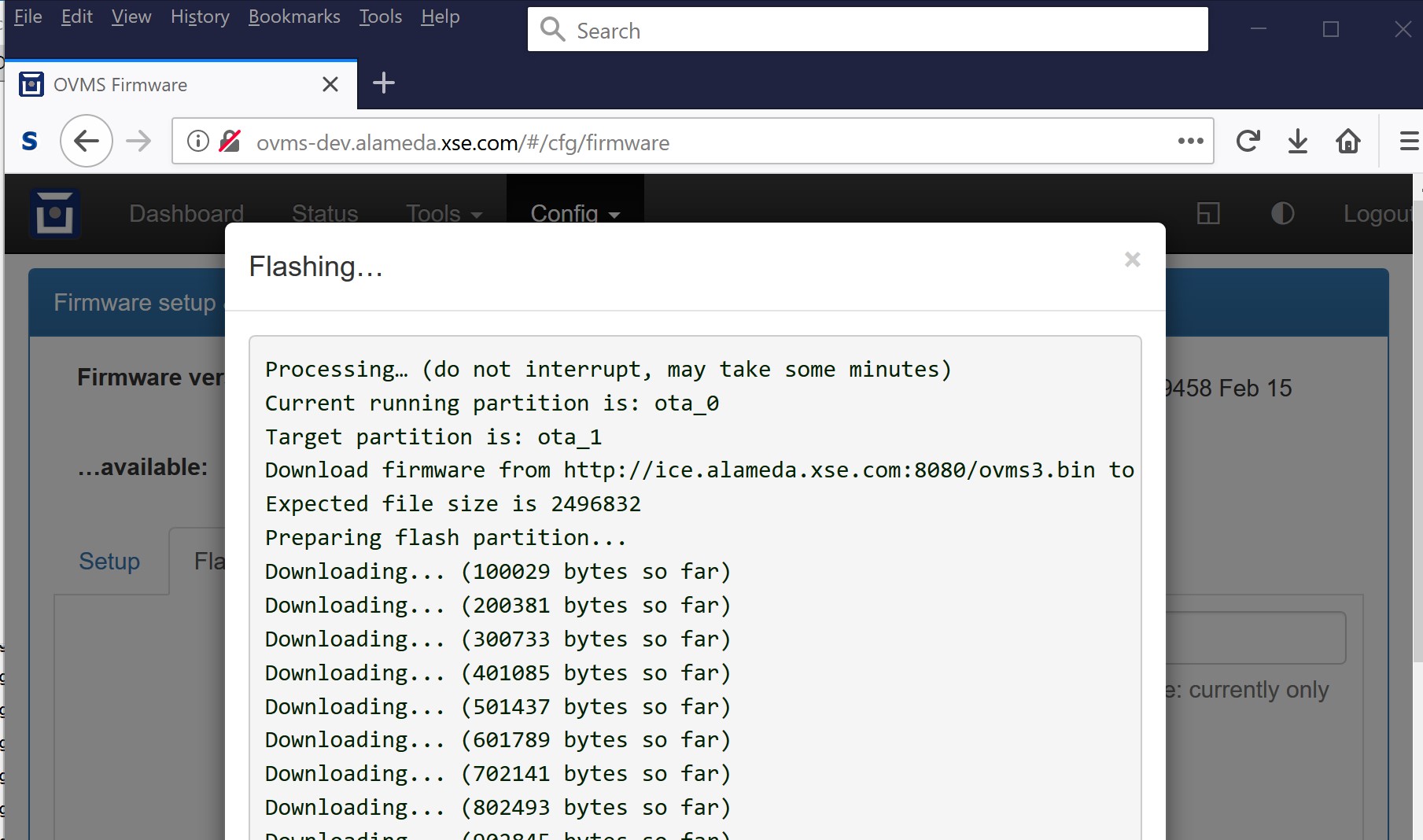
When doing an OTA download the download progress used to incrementally display, e.g. it would start with: Processing… (do not interrupt, may take some minutes) and then slowly spit out a bunch of lines like this: Downloading... (100029 bytes so far) And then finish with a form offering to reboot or whatever. This has been broken for a few versions now. Basically when you start the OTA download you get the initial dialog and then nothing happens until the download completes and then you see the rest of the output at once. I normally use firefox but the behavior is the same with chorme. Craig

How are you doing the download? Web interface shell, ssh, or usb console? Which command are you using?
On 16 Feb 2019, at 2:22 PM, Craig Leres <leres@xse.com> wrote:
When doing an OTA download the download progress used to incrementally display, e.g. it would start with:
Processing… (do not interrupt, may take some minutes)
and then slowly spit out a bunch of lines like this:
Downloading... (100029 bytes so far)
And then finish with a form offering to reboot or whatever. This has been broken for a few versions now. Basically when you start the OTA download you get the initial dialog and then nothing happens until the download completes and then you see the rest of the output at once.
I normally use firefox but the behavior is the same with chorme.
Craig _______________________________________________ OvmsDev mailing list OvmsDev@lists.openvehicles.com http://lists.openvehicles.com/mailman/listinfo/ovmsdev
On 2/16/19 6:59 AM, Mark Webb-Johnson wrote:
How are you doing the download? Web interface shell, ssh, or usb console?
Which command are you using?
Oops, sorry. This is via the flash tab on the firmware webpage. I guess this only happens with firefox or chrome on Windows 10. The first screen shot is when I start the flash and the second is what I see when it's done. But the downloading progress isn't output as it happens. Craig

Craig, I don't have any Windows to test this, but I also had no other reports like this, so I guess it's some config of your machine. Possibly some anti virus firewall doing live processing on downloads. I'd try with all that stuff disabled. Regards, Michael Am 16.02.19 um 18:39 schrieb Craig Leres:
On 2/16/19 6:59 AM, Mark Webb-Johnson wrote:
How are you doing the download? Web interface shell, ssh, or usb console?
Which command are you using?
Oops, sorry. This is via the flash tab on the firmware webpage. I guess this only happens with firefox or chrome on Windows 10. The first screen shot is when I start the flash and the second is what I see when it's done. But the downloading progress isn't output as it happens.
Craig
_______________________________________________ OvmsDev mailing list OvmsDev@lists.openvehicles.com http://lists.openvehicles.com/mailman/listinfo/ovmsdev
-- Michael Balzer * Helkenberger Weg 9 * D-58256 Ennepetal Fon 02333 / 833 5735 * Handy 0176 / 206 989 26
participants (3)
-
 Craig Leres
 -
 Mark Webb-Johnson
 -
 Michael Balzer