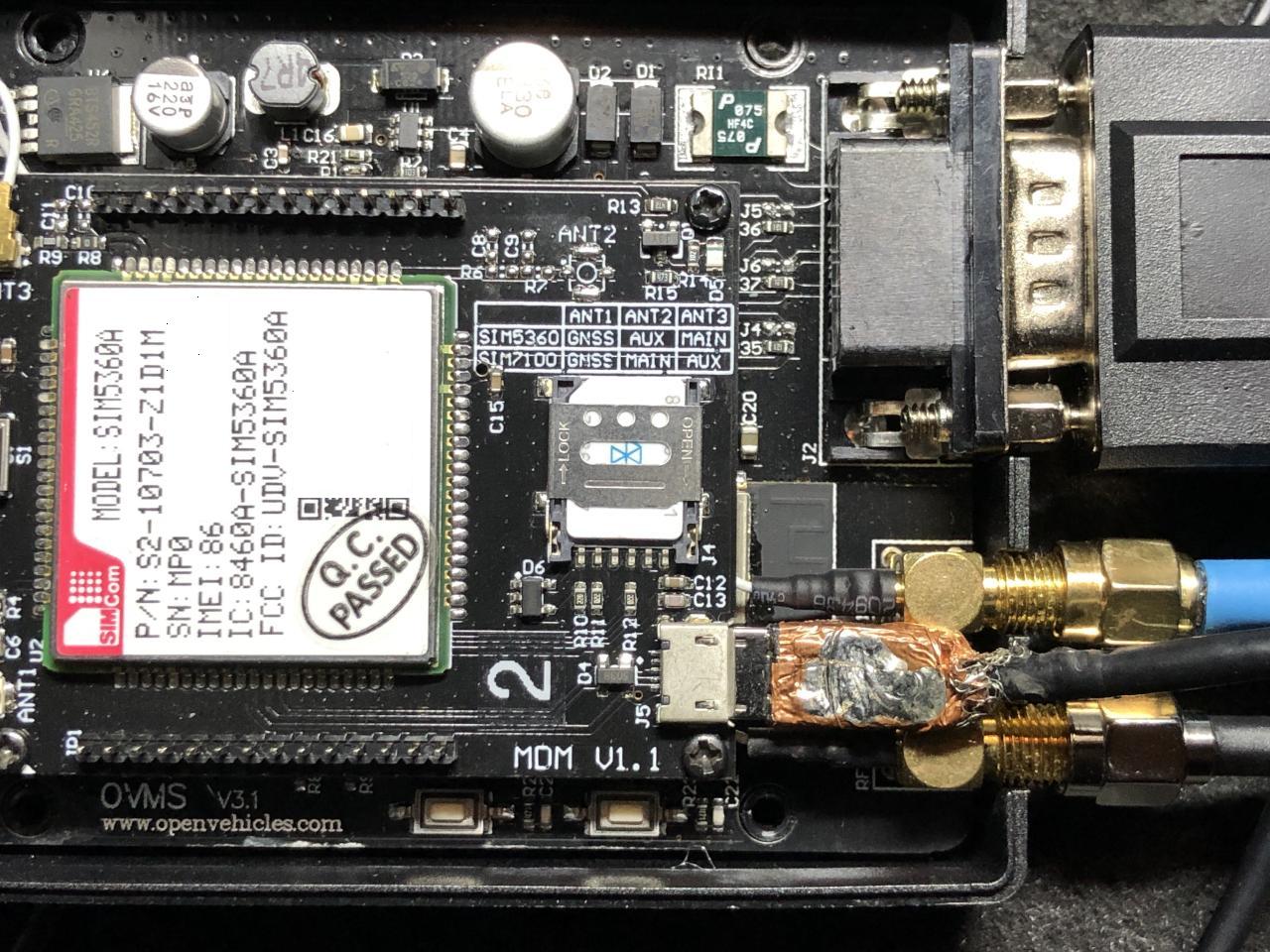
The simcom on one of my modules wedged today and had some time to poke at it. When I turn on simcom debugging I see "AT" commands once a second: D (1199981) simcom: tx scmd ch=0 len=4 : AT D (1200981) simcom: tx scmd ch=0 len=4 : AT but no responses. I wanted to see if I could talk to the simcom via the usb connector on the modem card so I sacrificed a micro usb cable and hacked the molded end off so I could plug it in without detaching the modem board from the main board (see attached). Next I spent a few minutes with a spare module looking for a windows 10 driver. The sim5360 (rar) archive from techship.com didn't work but the windows 8 zip file from here did: https://github.com/botletics/SIM7000-LTE-Shield/tree/master/SIM7000%20Docume... I ended up with four com ports (at, nema, diagnostic, and audio) and was able to talk to the spare modem. Then I went out to plug into the simcom in the car. The first thing I noticed was that the blue led on the modem board is not lit and (as expected) I got nothing from the at com port. For completeness I tried rebooting the module but it help. I now believe wedging the simcom involves running the car for a short amount of time. In this particular case I moved the car out of the garage to make room for some work on my other car. An hour later I moved it back. The run time was 1-2 minutes each time. A bit later when I tested Mark's new ios app I noticed that the car was not reporting a location. I looked at the simcom docs a bit and it's too bad the simcom RESET pin isn't connected to a pio pin. It'll be a couple of days before I'll need the gps to work in case there are ideas of what can be done via software to wake up the simcom. I might trying add a simcom command to set PWKEY to an arbitrary state to see if holding it low for more than one second does anything. Craig